
Syllabus week is the informal name for the first week of a college term, when instructors introduce their courses and explain how they work. You may review grading, assignments, attendance, and required materials. You may also start a lecture, complete a quiz, or have reading due before the second meeting. The nickname does not make any scheduled class optional.
To win your first week of classes, leave it knowing what each course expects, what you need to do next, and where to get help. You do not need a perfect planner. You need course information you can find and a schedule you can actually follow.

The visuals are AI-generated concepts illustrating college planning. The people, course documents, and schedules are illustrative, not records from a particular college.
What actually happens during syllabus week?
A syllabus is the course guide: it explains what you will study, how work is evaluated, and the rules for participating. Some instructors review it aloud; others expect you to read it before arriving. It may be a PDF, a printed handout, or information spread across a course website.
Expect introductions, an explanation of assignments, and instructions for finding materials or submitting work. Depending on the course, the first meeting might also include a discussion, diagnostic activity, or regular teaching. Labs and discussion sections may follow a different opening schedule from the lecture, so check each component.
“Syllabus week” is a student expression, not a promise about workload. Your school might call its terms semesters, quarters, or sessions. Start this plan before your own first meeting, even if that is a Wednesday evening.
If you are looking for orientation, meals, roommates, and settling into campus life too, Also Read: First Week of College: The Freshman Survival Guide (Orientation to First Friday). The steps below focus on getting your classes underway.
1. Before the first meeting: Check access and the opening instructions
Open the official schedule and each course site before packing your bag. Confirm the course number, section, meeting time, and room or online meeting link. Check whether you also have a lab, recitation, or discussion section.

Find the work that comes before class
Sign in to the learning management system, or LMS—the platform that holds your course materials. Look for the syllabus, announcements, and an opening module, sometimes labeled “Start Here” or “Week 1.” Check your college email as well. Instructions may arrive there before the course page opens.
- Read the first meeting’s instructions. Look for assigned pages, a short introduction, a placement activity, or equipment you must bring.
- Test the next thing you will use. Open the reading, follow the authorized software-access instructions, or check that your device can join an online meeting.
- Resolve missing access promptly. If a course is absent from your LMS, compare it with your official enrollment record and contact campus support or the instructor. A missing course tile does not tell you whether class is canceled.
For an asynchronous online course, find the opening participation task and its deadline. Having no live meeting does not mean you can wait until the weekend to see what is required.
Bring what the course asks for
A notebook, pens, student ID, and a saved schedule are a practical starting point. Bring a charged laptop if requested or permitted, along with any specifically required materials. Save the room information offline so you can find it without a reliable signal.
Confirm textbook editions and digital-access requirements before buying. A used book may not include a usable access code. Also check whether your school has already provided the required materials through a course-materials program. If you cannot afford or access something needed immediately, tell the instructor and ask about library reserves or other available support; do not simply postpone the first assignment.
Ready for class means: you know where to go, can open the materials, and have checked whether preparation is due before you arrive.
2. When you receive the syllabus: Make one useful note per course
Read the full syllabus. Start with anything that affects the next class or an approaching deadline, then work through the rest. Highlighting is optional; writing down what you need to do is the useful part.

Pull out the details that change your decisions
Stanford’s guide to reading a syllabus makes a useful distinction: readings listed for a class date generally prepare you for that meeting. Confirm your instructor’s format instead of assuming those pages are homework to start afterward.
- First required work: the task, due date, exact time, submission location, and relevant time zone. Include small opening tasks as well as major assessments.
- Grading: assignment categories, their weights, and any conditions such as a required lab component or a lowest-score policy.
- Participation and missed work: attendance expectations, late-work rules, how to report an absence, and the procedure for requesting help or an extension.
- Materials and permitted assistance: books, software, equipment, and the rules for collaboration, tutoring, outside tools, and AI use.
- Getting help: the instructor’s preferred contact method, office hours, teaching assistant information, and relevant support services.
Save the syllabus somewhere you can reopen it. Keep your short course note beside it, rather than trying to squeeze every policy into your calendar. Update the note when the instructor announces a change.
An example of a course note you can reuse
This is a fictional example. Replace every detail with your own course instructions.
- Course: HIST 101, section 03.
- Before the next class: read pages 12–24 and bring one discussion question.
- First submission: a 400-word response, Sunday at 6 p.m. in the course time zone, through the LMS assignment page.
- Rules to remember: check the rubric and collaboration policy; read the late-work procedure before requesting an extension.
- Help: Thursday office hours, 2–3 p.m.; confirm the location and whether booking is required.
- Unclear: the response prompt names a reading that is not linked. Ask where to find it today.
Notice how “study history” becomes a reading, a question, and a submission. That is enough detail to choose your next action without opening six tabs again.
Put deadlines in one calendar—and keep checking for updates
Add the published exam dates and major deadlines from all your courses, plus the recurring assignments already confirmed. Use clear names such as “HIST 101 response—submit in LMS, 6 p.m.” Check imported calendar entries against the original instructions before relying on them.
Scan for days when several courses need work. You may need to start a paper earlier or change a study block. A busy week does not automatically entitle you to a different exam date, so ask about an actual conflict through the school’s process rather than assuming an exception.
Some dates will be tentative or missing. Add a reminder to check again instead of inventing a deadline. If the syllabus and assignment page disagree, ask which applies and save the clarification. A semester calendar is a working plan, not a substitute for new announcements.
Check enrollment deadlines separately
Find your school’s official add, drop, withdrawal, and refund deadlines. They can be different, and shorter courses may have their own dates. Before changing your course load, ask your advisor about degree requirements and your financial aid office about any effect on your aid.
Use the official registration process and verify the result. Stopping attendance is not a reliable way to drop a course, and attending a class does not confirm that you have enrolled. If you are waitlisted, ask what you should attend or complete while your status is unresolved.
3. During the first classes: Listen for changes and ask a specific question
Arrive prepared to take notes, even if the meeting looks introductory. Record changes to due dates, instructions that are not yet posted, and anything the instructor asks you to do before the next meeting. If teaching begins, start taking course notes too.

After class, open the assignment the instructor discussed. Can you find the prompt, the required reading, and the submission area? Do that check while there is still time to ask about a missing link.
Make your question easy to answer
Check the syllabus and announcements first, then name the exact point that is unclear. You can adapt this message:
“Hello Professor [Last Name], I’m in HIST 101, section 03. The syllabus lists our first response as due Sunday at 6 p.m., but the assignment page shows Saturday at 6 p.m. Which deadline should we follow? Thank you, [Your Name].”
Use the instructor’s requested contact channel. For an access problem, include the assignment name and the error you see, without sharing a password or access code. If the deadline is close, say so; sending a message does not itself extend the deadline.
Know what office hours are for
Office hours are scheduled opportunities to talk with an instructor or teaching assistant about course material and related questions. You can use them before you have a bad grade. Check whether the session is in person, online, drop-in, or appointment-based.
Bring a real question and what you have tried: “I can identify the author’s claim, but I’m unsure how much evidence the response needs. Here is my outline.” That gives the conversation a useful starting point. If the posted hours conflict with a class or work shift, ask whether another time is available.
If you use accommodations, contact your campus accessibility office about the steps for arranging them in your courses. Ask early about an access barrier rather than waiting for the first exam.
Make one class connection without forcing it
A simple “Want to compare which problems are assigned?” can lead to a useful conversation. Ask before exchanging contact details, and follow the course rules about working together. A classmate can help you locate notes; they cannot authorize an absence or override an instructor’s instructions.
For connections beyond class, Also Read: How to Join Clubs in College: Find Your People Freshman Year.
4. Before the week ends: Give the next assignments a start time
Once you know what your classes require, put the work between the meetings. Begin with fixed commitments: class, labs, paid work, caregiving, and travel. Then schedule the reading, writing, and practice you actually need to complete.
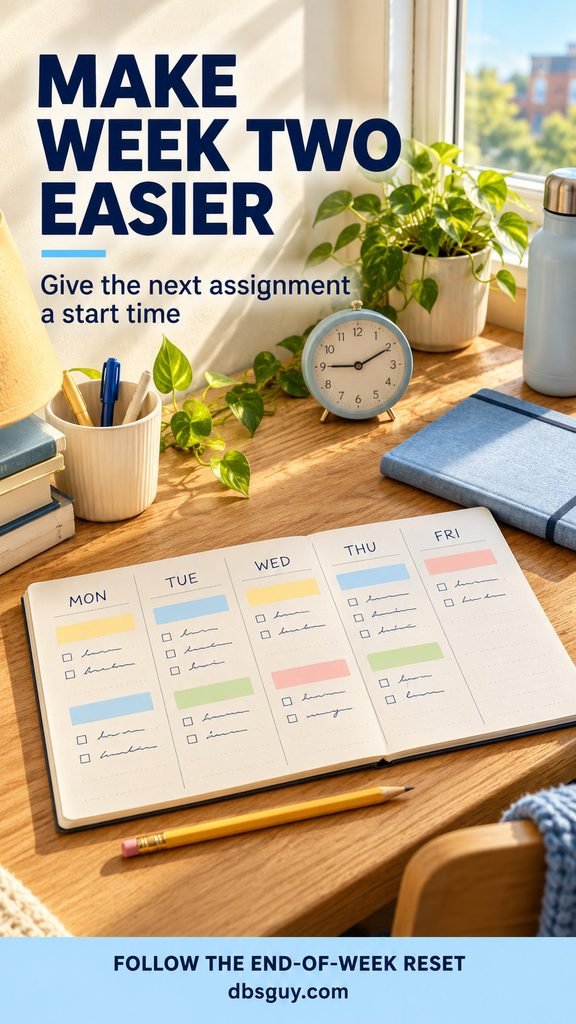
Use task names that describe an output. “Read pages 12–24 and write one discussion question” tells you when a task is finished. “Catch up” does not. Leave room for meals, breaks, and work that takes longer than you expect.
Work backward from one real deadline
For the fictional Sunday response above, an illustrative plan might look like this:
- Thursday: finish the assigned reading and mark passages relevant to the prompt.
- Friday: draft the response and check whether it answers the question.
- Saturday: revise against the rubric and confirm any citation requirements.
- Sunday before 6 p.m.: submit through the required page and check that the submission was received.
Those are planning stages, not a claim about how long your assignment should take. Adjust them to the task and your schedule. If you work weekends, move more of the work earlier. If a reading takes longer than expected, revise the next study block instead of assuming every assignment will fit the same slot.
You can enjoy welcome events and downtime while doing this. Pick plans around the deadlines you have confirmed, especially when an online assignment closes during the weekend.
Your end-of-week reset
Open each course page once more and answer these questions:
- Have I completed all required opening activities and checked their submission status?
- What must be read, prepared, or submitted before my next meeting?
- Do I have access to the materials needed for that work?
- Have any dates or instructions changed since I made my course notes?
- Does an unresolved enrollment or access problem need attention before a deadline?
- Where in my actual week will I start the next assignment?
Fix the most urgent gap first. An inaccessible reading due tomorrow matters more than making all your folders match.
Syllabus week questions students ask
Can I skip syllabus week?
Treat scheduled meetings as required unless your course instructions say otherwise. Attendance rules can apply from the start, and teaching or graded activities may begin immediately. If illness or an emergency prevents attendance, contact the instructor as soon as you can and follow the course’s absence procedure.
What if the syllabus is not posted yet?
Check announcements and college email for opening instructions, confirm your meeting details, and attend as scheduled. If you need material beforehand and cannot find it, ask the instructor. A previous term’s syllabus can offer context, but it does not confirm this term’s deadlines or requirements.
Do I need to buy every textbook before the first class?
Have access to whatever is required for the first assigned work. Confirm the edition, format, and any access code before purchasing, and check for materials already supplied by your school. Avoid a blanket “wait a week” rule: that can leave you unable to complete an opening assignment.
What if I already missed the first meeting?
Check the posted material and contact the instructor promptly. Ask what you missed, what is due next, and whether you need to take any action to retain or confirm your place. Complete the work you can access while resolving the remaining questions. Do not assume the absence dropped you from the class.
Start with your next class: open its course page, identify the next required task, and give that task a place in your day. That is a useful first-week win you can repeat.
Also Read: Morning Stretch Routine for Students: 10 Minutes Before Your First Class, if you want to make room for gentle movement before leaving for campus.