There’s something timeless and incredibly powerful about a ponytail. It can be soft and romantic, sleek and dramatic, playful and youthful, or polished and red-carpet ready—all depending on how you style it. The beauty of ponytail hairstyles is their versatility. Whether you prefer a low, elegant silhouette or a high, voluminous glam look, there’s a version that fits your mood, outfit, and occasion perfectly.
In this collection of 28 ponytail ideas, you’ll find everything from ultra-sleek glass-like finishes to soft waves, twisted details, braided accents, and glamorous curls. These styles work beautifully for everyday wear, formal events, weddings, or special evenings when you want to feel extra confident. Let’s explore the looks that prove a ponytail is anything but basic.
1. Voluminous High Ponytail with Soft Face-Framing Waves
There’s something undeniably youthful about a high ponytail with cascading waves, especially when it’s paired with soft pieces that gently frame the face. This style feels polished but never stiff—the kind of look that makes you stand a little taller when you catch your reflection. The volume through the lengths adds movement and confidence, while the lifted crown subtly brightens the whole face. It’s elegant without trying too hard, a little flirty, and surprisingly adorable for everyday wear or dinner out.
This look works beautifully for women with long, thick, or curly hair who want to keep their fullness while lifting everything away from their faces. Blow-dry the roots upward for height, then curl the ponytail with a large-barrel iron for that soft bounce. It’s especially flattering for those who love a Sleek top with flowing texture through the ends—a perfect balance of structure and softness.
2. Ultra Sleek High Ponytail
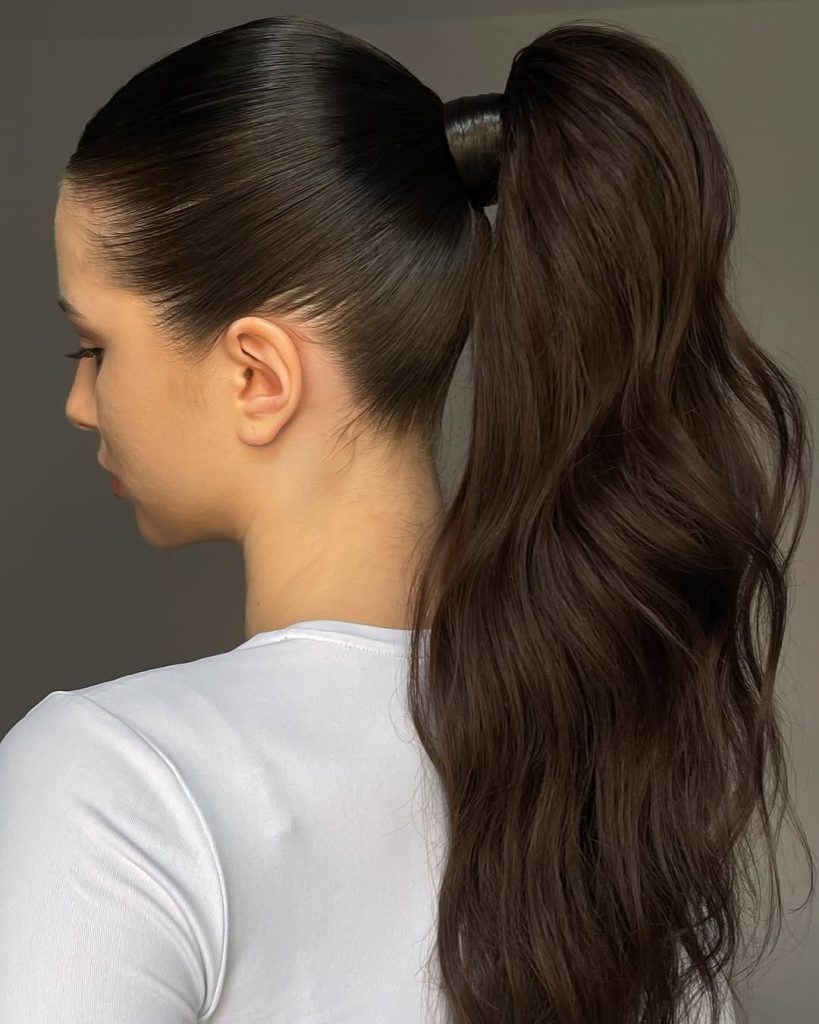
This ponytail exudes confidence and sophistication. Smooth, sculpted, and confidently pulled back, it highlights the jawline and cheekbones in the most flattering way. The shine alone makes it feel luxurious—almost like liquid silk gathered neatly at the crown. There’s no fuss here, just a powerful, refined energy that says you know exactly who you are. It’s modern, timeless, and incredibly Sleek.
This style is ideal for those with straight, naturally smooth hair. You can achieve a slick finish by using a smoothing serum and a firm brush. It’s ideal for Formal settings, special events, or even a polished workday look. Compared to softer, textured ponytails, this one stands out for its precision and clean lines—perfect when you want maximum impact with minimal styling complexity.
3. Low Ponytail with Statement Bow
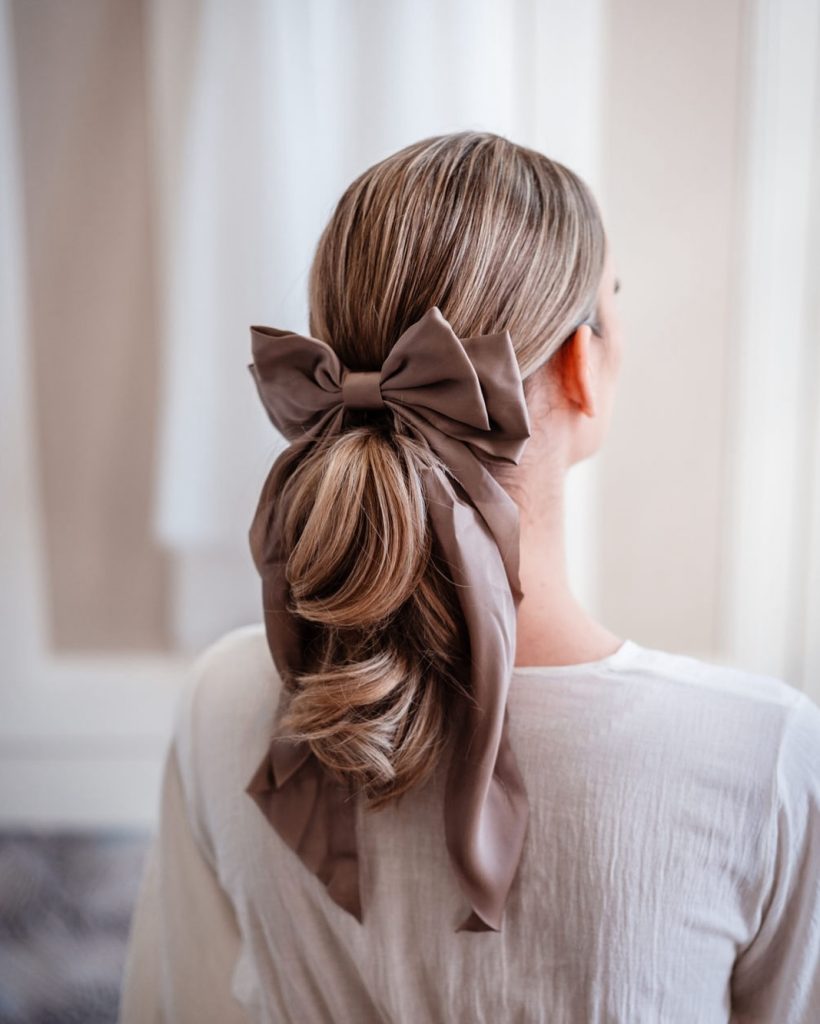
There’s a quiet elegance in a Low ponytail tied with a soft, oversized bow. It feels romantic and a little nostalgic—like something you’d wear to a garden party or a family celebration. The bow adds personality without overpowering the look, and the softly gathered hair at the nape creates a gentle, graceful silhouette. It’s Simple, but never boring.
This style is especially lovely for fine to medium hair and works beautifully for wedding celebrations or even as a subtle Bridal option. Maintain a smooth base and allow the accessory to shine. The beauty of this look is how Easy it is to recreate—secure the ponytail at the nape, smooth flyaways, and tie your ribbon. It proves that sometimes, the smallest detail makes the biggest impression.
4. Soft Side-Part Low Ponytail
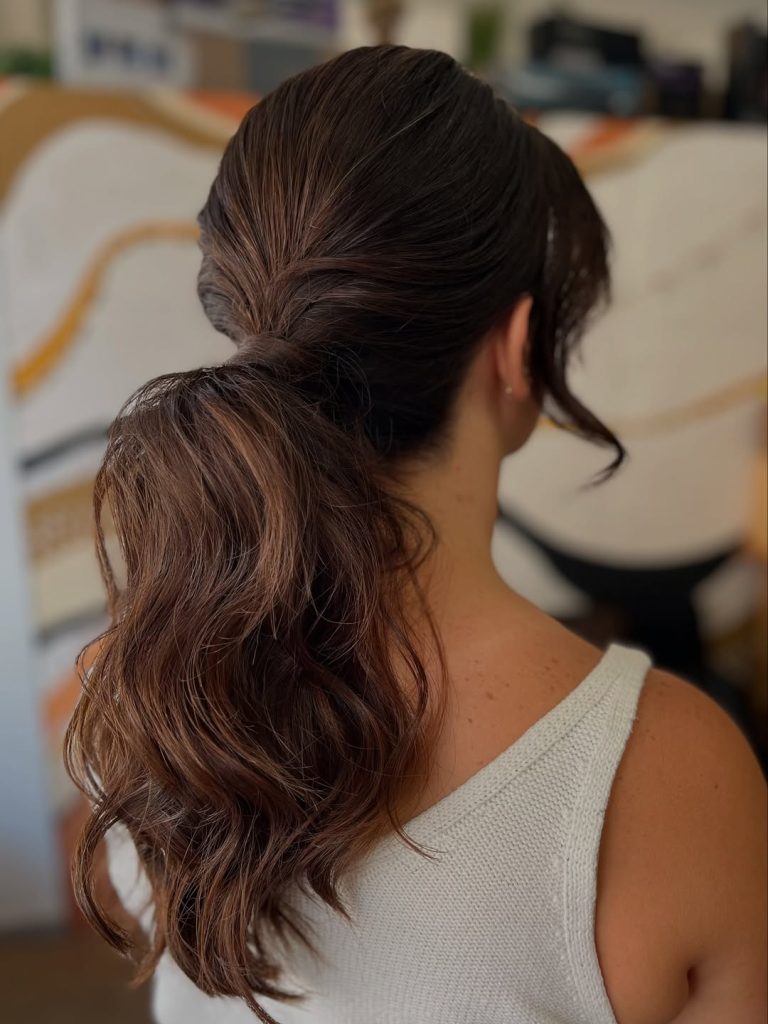
A low, softly gathered ponytail with a gentle side has a relaxed, confident charm. It’s the kind of hairstyle that feels effortless yet intentional—slightly undone, with a few loose strands adding movement and life. The subtle volume at the crown keeps it from falling flat, while the texture through the lengths gives it warmth. It feels grown-up but never dated.
This version is ideal for women with thick or naturally wavy hair who want something that looks put together without being overly Formal. Add a light wave to the ponytail for dimension and keep the front softly shaped around the face. The vibe is calm and quietly stylish—perfect for brunch, meetings, or any day you want to look polished without spending hours in front of the mirror.
5. Sculpted High Gloss Ponytail
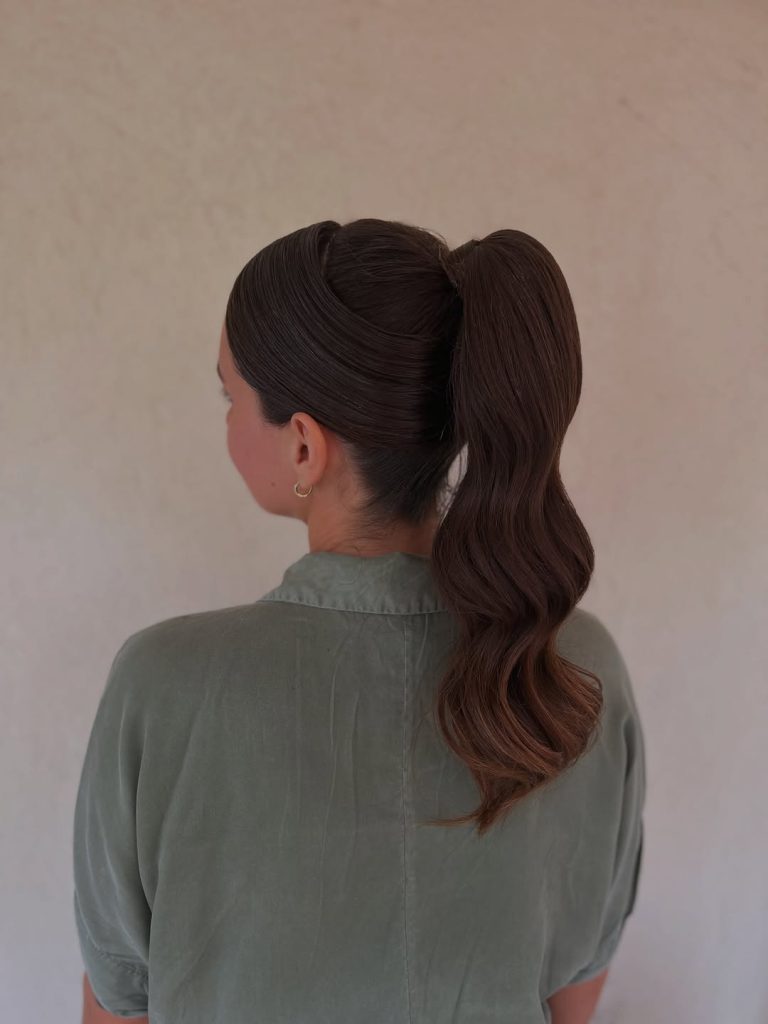
This high ponytail is all about shine and structure. The hair is drawn back smoothly, almost like a tailored blazer for your face—clean, defined, and confident. The glossy finish reflects the light beautifully, giving it a sophisticated edge that feels both modern and timeless. It’s Simple in concept but striking in execution, and it instantly elevates your entire look.
If you’re craving something that feels fresh and current in 2026, this hairstyle is it. It works especially well with Straight or lightly textured hair, and it can even be enhanced with a subtle extension for extra length. The key is prep: smoothing cream, a tight elastic, and a final gloss spray. The outcome is a sleek, powerful, and incredibly flattering style that appeals to women seeking a simple yet attention-grabbing look.
6. Glamorous Side-Swept Curly Ponytail
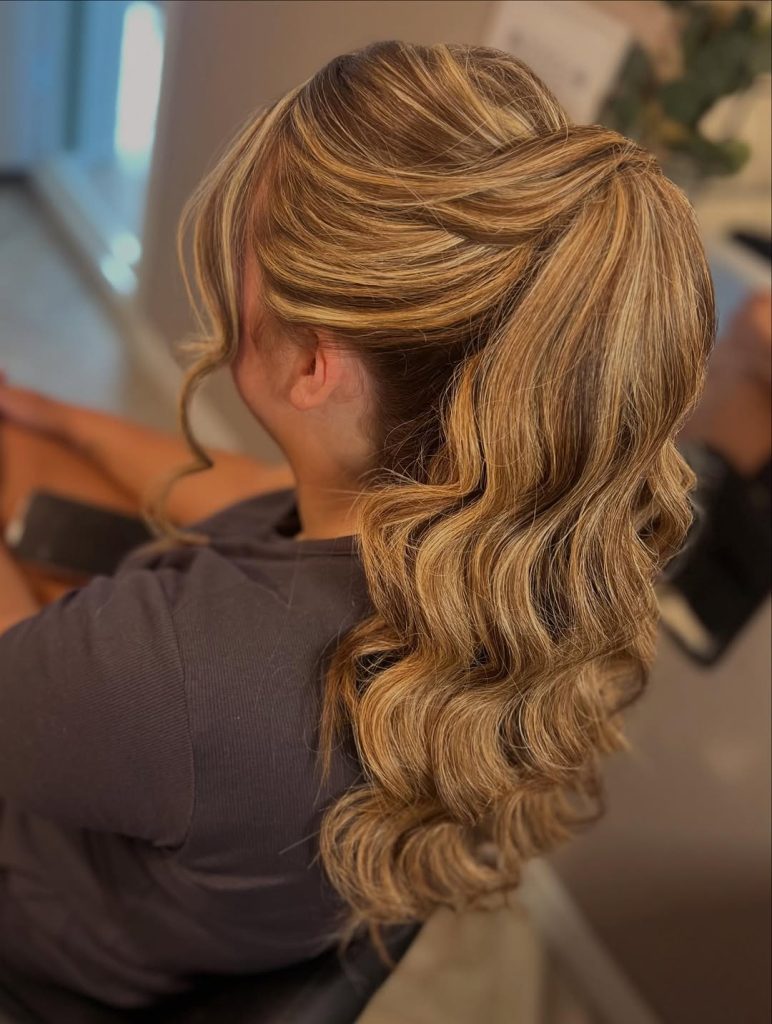
This ponytail feels like pure red-carpet energy. The volume at the crown, the soft lift through the top, and those cascading Curly lengths create a silhouette that’s both romantic and confident. The gentle Side sweep at the front softens the face beautifully, giving it that effortless glow we all secretly love. It’s polished without feeling stiff—the kind of style that turns a simple evening into something memorable.
If you have thick or layered hair, this look enhances your natural fullness. Use a large curling iron to create defined waves, then gently brush them out for that soft glam finish. It’s especially stunning for formal occasions or even a guest appearance at a wedding. The beauty of this style is its emotional payoff—you instantly feel elevated, feminine, and completely put together.
7. Icy Blonde High Volume Ponytail
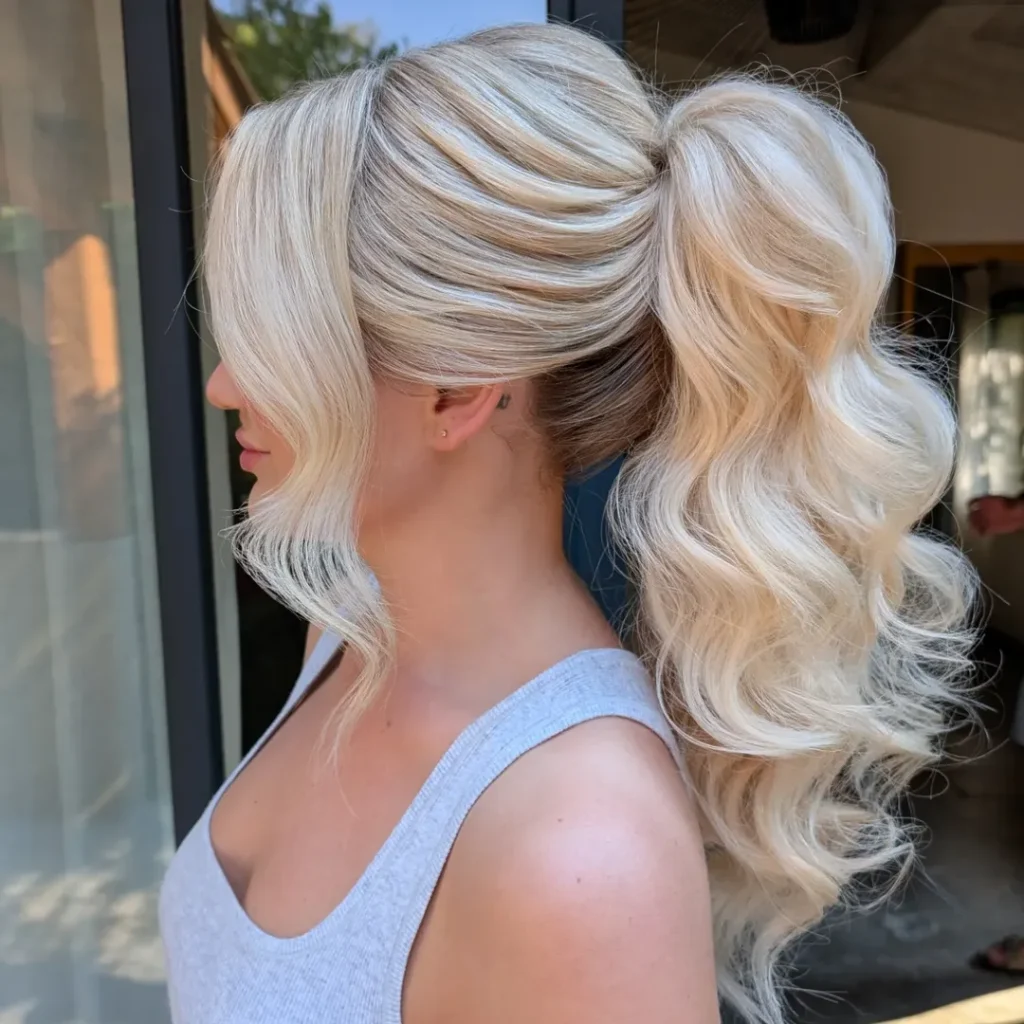
There’s something striking about a high ponytail in luminous blonde tones. The smooth crown paired with voluminous, flowing waves creates that dramatic yet refined contrast. It feels bold, modern, and a little bit glamorous—like you’ve stepped into your most confident version of yourself. The face-framing pieces add softness, keeping it from feeling too severe.
This look is perfect for women with Long hair who want impact without intricate styling. Tease lightly at the crown of your head for lift, smooth the top section of your hair, and curl the ponytail for bounce. Compared to a low or understated style, this one makes a statement—it’s fancy without being overdone. This style is perfect for evenings out, celebrations, or any occasion where you want your hair to steal the show.
8. Half-Up High Ponytail with Sleek Finish
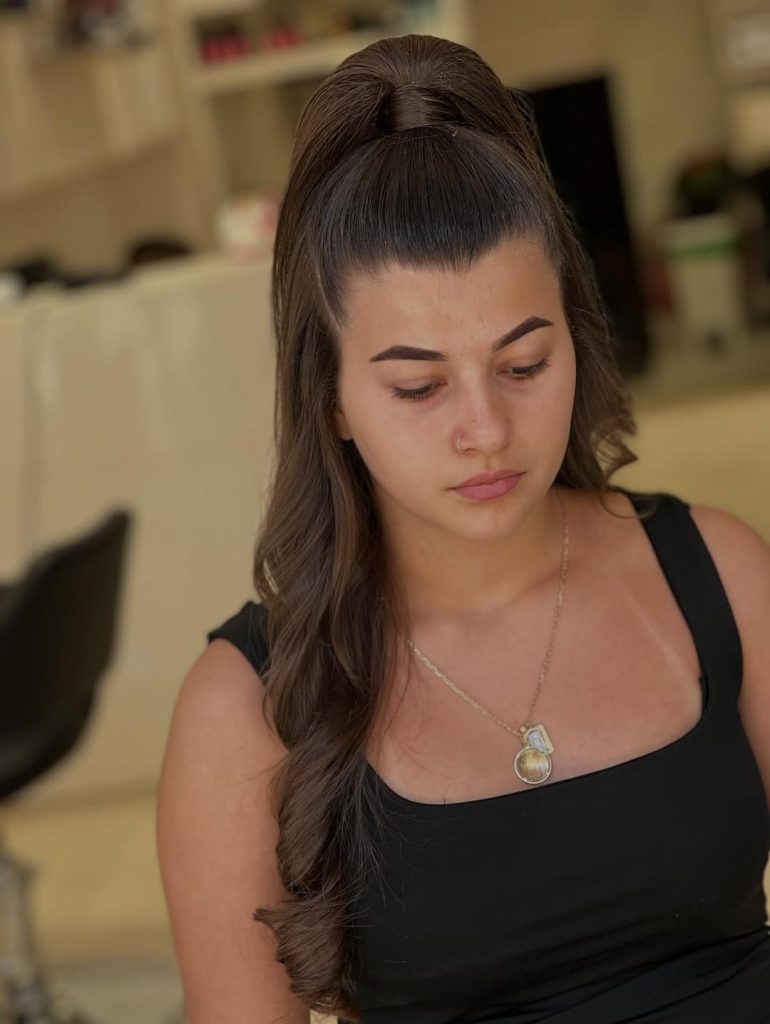
This Half-Up style combines the elegance and lift of a ponytail with the gentleness of loose lengths. The top section is pulled smoothly upward, giving structure and height, while the remaining hair falls gracefully over one shoulder. It feels youthful, slightly playful, but still grown and elegant. It strikes a beautiful balance between control and freedom.
If you’re looking for something Easy that still feels styled, this cut is your answer. It works beautifully on medium to long hair and can even be enhanced with a quick weave, which is a method of adding hair extensions by sewing them onto braided natural hair, or subtle extensions for added fullness. The Sleek top keeps everything tidy, while the loose section maintains movement. It’s ideal for busy days when you want a simple yet flattering look.
9. Classic Low Sleek Ponytail
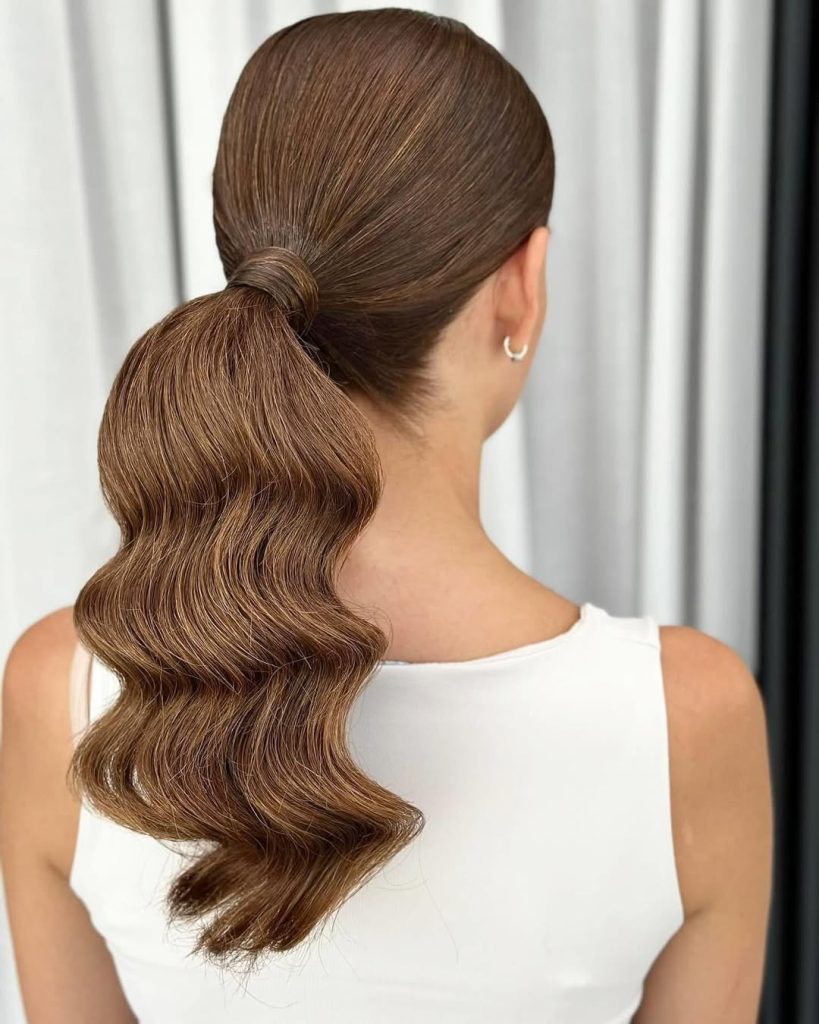
A Classic Low ponytail is a timeless style. Smooth at the crown and gathered neatly at the nape, it frames the neckline in the most graceful way. The soft, sculpted waves through the tail add just enough dimension to keep it from feeling flat. It’s understated, elegant, and quietly powerful—the kind of hairstyle that works with everything from tailored blazers to soft knit dresses.
This style is particularly flattering for women with Straight or slightly wavy hair who appreciate a polished finish. Apply a smooth cream before securing the ponytail to achieve that Slick look. The vibe here is timeless sophistication—perfect for work, dinners, or even more Formal settings when you want refined beauty without excess effort.
10. Soft-Textured Low Ponytail with Volume
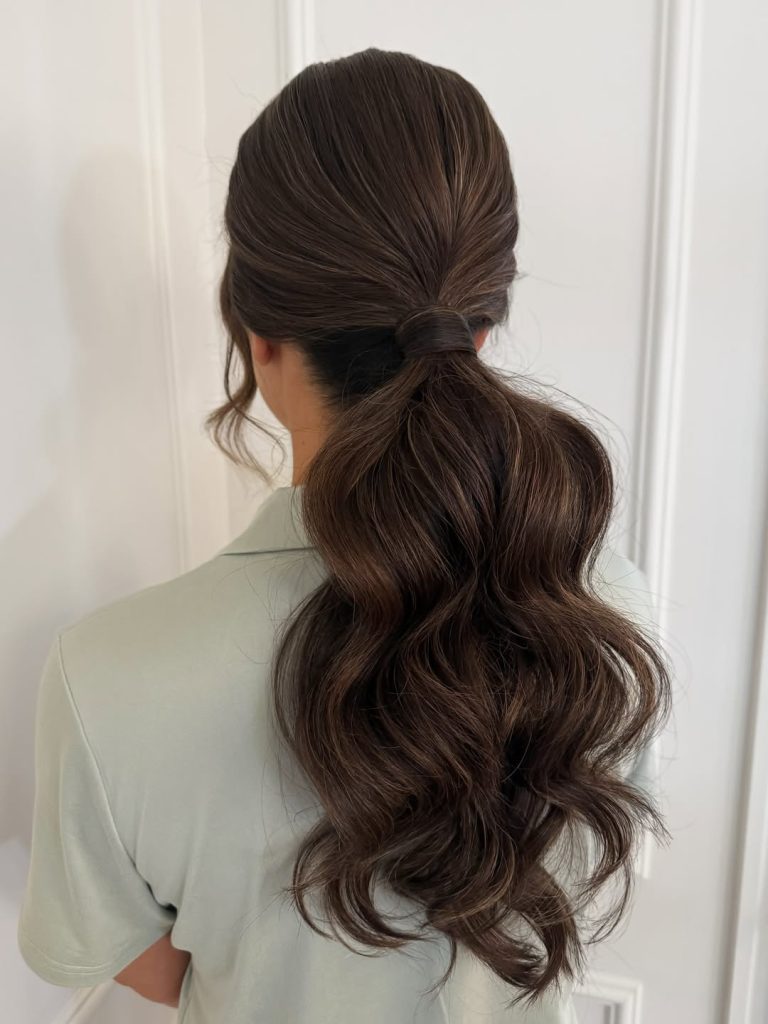
This ponytail has that softly lived-in texture that feels modern and approachable. The crown isn’t pulled too tight, which gives it gentle volume and a flattering shape from every angle. The flowing waves in the tail bring warmth and movement, making it look effortless yet intentional. It’s relaxed but still polished—a beautiful everyday upgrade.
For women with thick, natural hair or subtle layers, this style enhances texture instead of fighting it. Curl the ends loosely, then finger comb for a slightly messed-up finish that still feels controlled. It’s a lovely alternative to a super sleek ponytail—less structured, more forgiving, and perfect when you want style without stiffness.
11. Romantic Low Ponytail with Soft Face-Framing Pieces
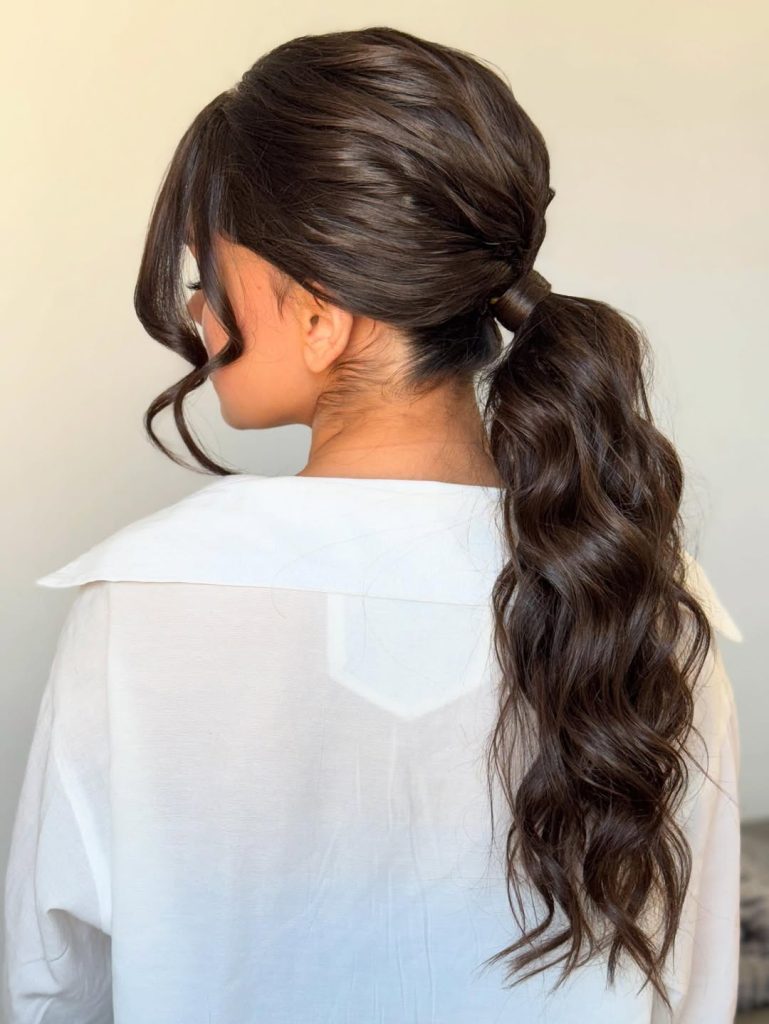
There’s something quietly captivating about a Low ponytail paired with soft, curved strands around the face. The crown is gently smoothed back, but not flattened, giving it that refined, feminine structure. Meanwhile, the loose tendrils soften everything, creating movement and lightness. It feels graceful and a little nostalgic—like a modern nod to classic beauty that never tries too hard.
If you have medium to Long hair with a natural wave, this cut is a lovely option. Use a large curling iron to shape the front pieces and lightly wave the tail for texture. It’s especially flattering for women who want a Formal style that still feels approachable. Compared to a tight Slick ponytail, this version is softer, more forgiving, and beautifully balanced.
12. Sleek Power Ponytail with Polished Volume
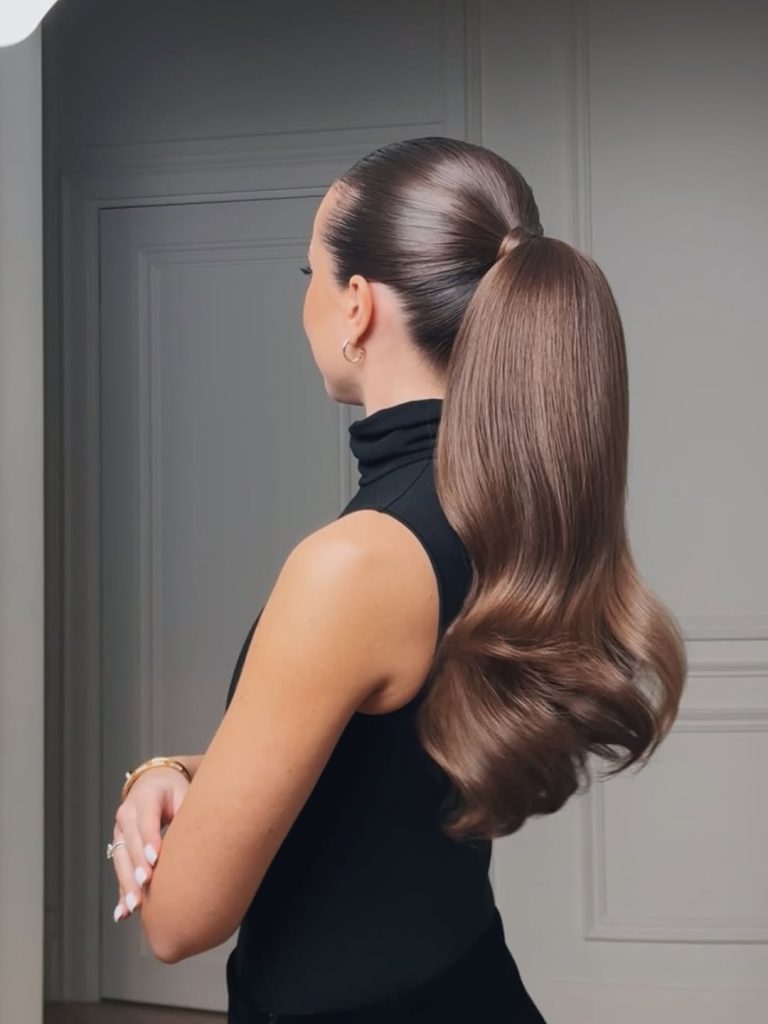
This is the ponytail that commands attention without saying a word. The top is ultrasleek and smoothed back to perfection, while the tail falls in glossy, sculpted waves. There’s confidence in this shape—a strong silhouette that elongates the neckline and highlights your posture. It feels bold, structured, and incredibly refined.
For women with Straight or lightly textured hair, this style delivers maximum impact. Apply smoothing cream and use a fine brush to achieve that Slick crown. The waves at the bottom add dimension so it never looks flat. The vibe is powerful and sophisticated—perfect when you want your hairstyle to match your inner strength.
13. Soft Blonde Low Ponytail with Curtain Bangs
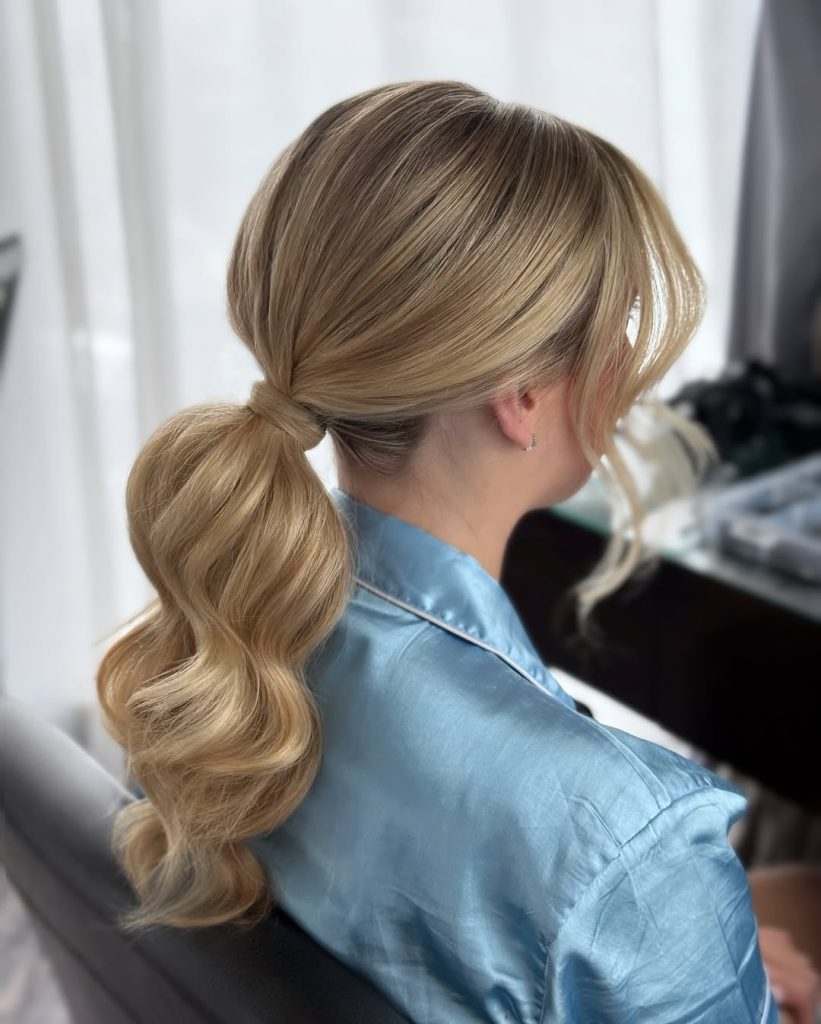
This Low ponytail has a dreamy, effortless charm. The soft blonde tones catch the light beautifully, while the airy curtain Bangs frame the face in the most flattering way. It feels relaxed, feminine, and slightly romantic—like the kind of style you’d wear on a sunny afternoon when you want to look polished but not overly styled.
If you already have bangs or layered front pieces, this bun is such an Easy way to elevate your everyday look. Keep the base smooth but not overly tight, and curl the tail loosely for movement. It works wonderfully for women with fine to medium hair who want a Simple yet thoughtful hairstyle that feels fresh and modern.
14. Textured Low Ponytail for Natural Volume
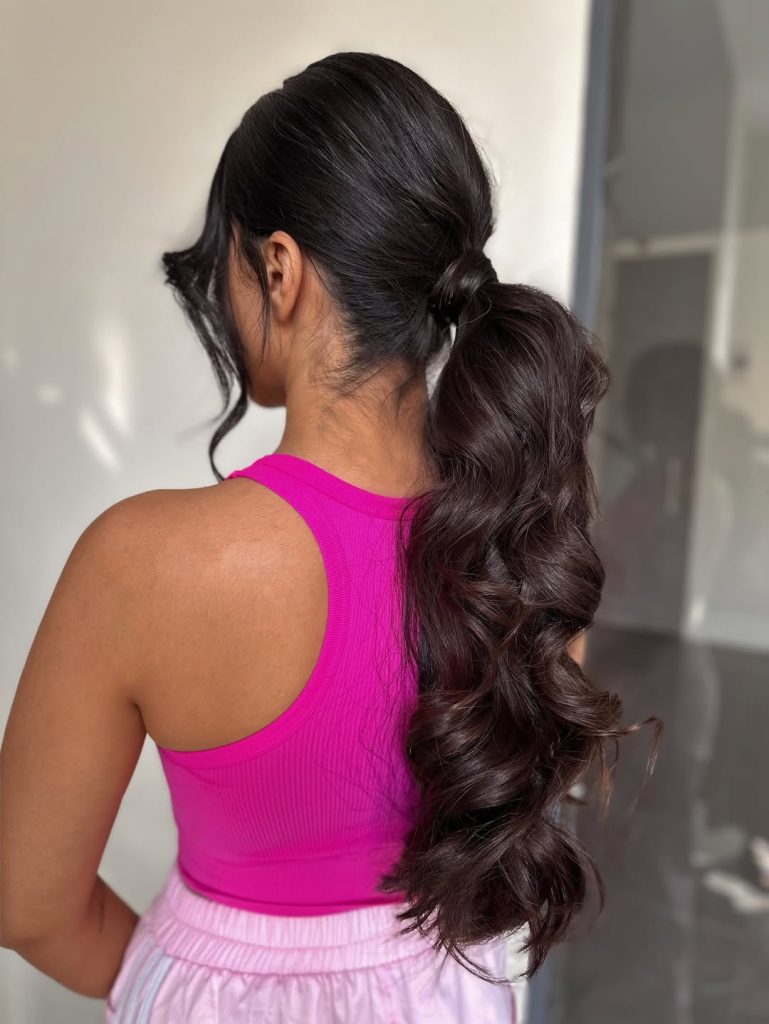
This ponytail embraces texture instead of fighting it. The crown is softly gathered, allowing subtle volume and natural lift, while the tail flows in rich, defined waves. It exudes a warm, inviting, and beautifully wearable vibe, striking a balance between perfection and messiness. The loose front strand adds softness and personality.
For women with thick or natural hair, this style enhances what you already have. Lightly curl the lengths, then separate the waves with your fingers for a controlled, lived-in finish. It’s a wonderful alternative to a super Sleek look — less structured, more relaxed, and incredibly flattering for everyday elegance.
15. High Curly Ponytail with Modern Lift
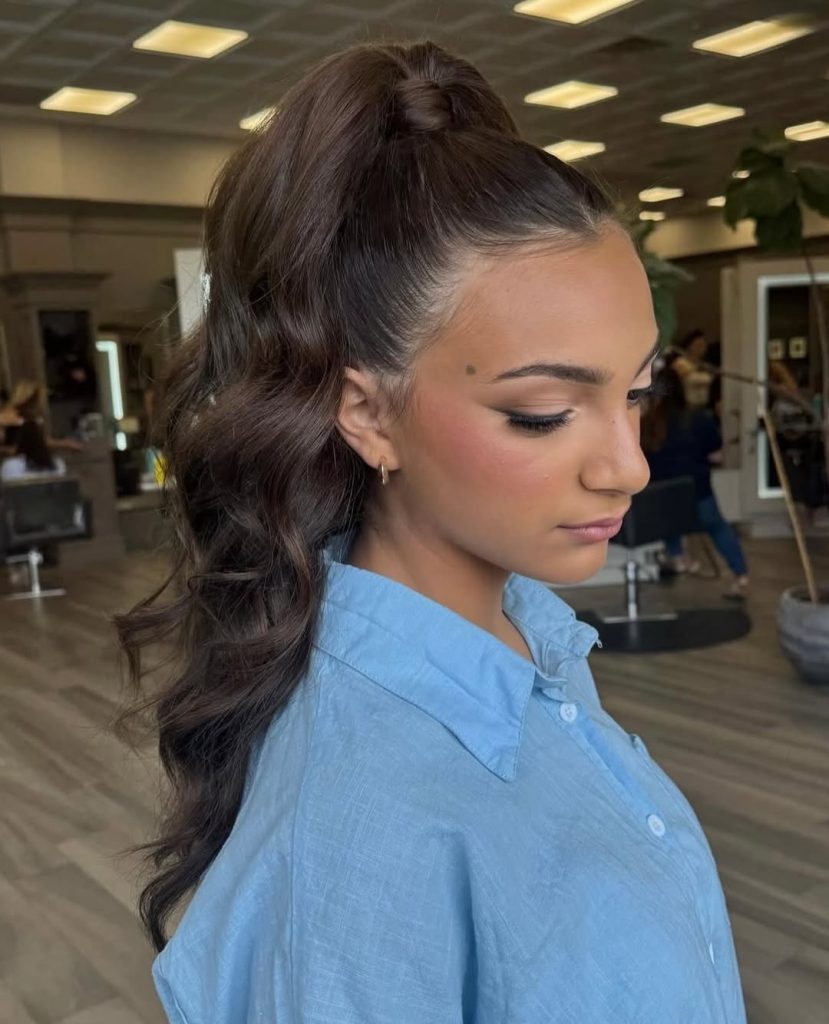
There’s a youthful energy in a high ponytail that instantly brightens the face. This version keeps the crown smooth while letting the Curly lengths cascade down with soft definition. It’s playful but still refined—a style that feels dynamic, confident, and completely wearable at any age. The lift at the top subtly opens the features, giving that fresh, awake look.
If you’re craving something that feels a little more lifted than a Low style, this haircut is a beautiful option. It works well with Long hair and can be enhanced with a Quick weave, which is a method of adding hair extensions to create added fullness. The key is balance: maintain a sleek top while allowing the curls to take center stage. It’s fancy enough for events but easy enough to wear whenever you want an extra boost of confidence.
16. Soft Blonde Low Ponytail with Loose Waves
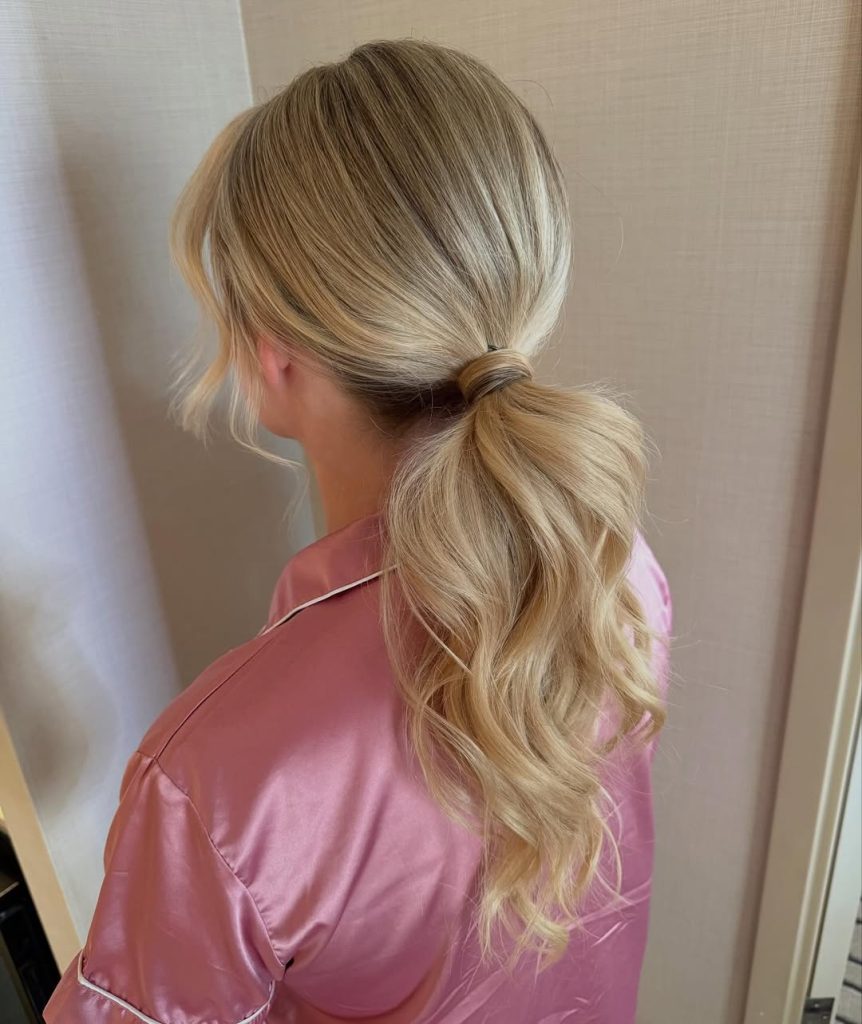
This soft-blonde low ponytail is the definition of effortless elegance. The crown is gently smoothed back without looking overly tight, while the loose, flowing waves add natural movement and softness. The light-reflecting blonde tones give the style dimension, making it feel airy and romantic. It’s the kind of look that feels polished but never overworked—quietly beautiful from every angle.
If you have fine to medium hair, this style enhances fullness without heavy teasing. Use a medium-barrel curling iron for soft bends, then lightly brush through for a blended finish. It’s perfect for weddings, brunches, or any moment when you want something Easy yet undeniably refined.
17. Sleek Brunette High Ponytail with Sculpted Waves
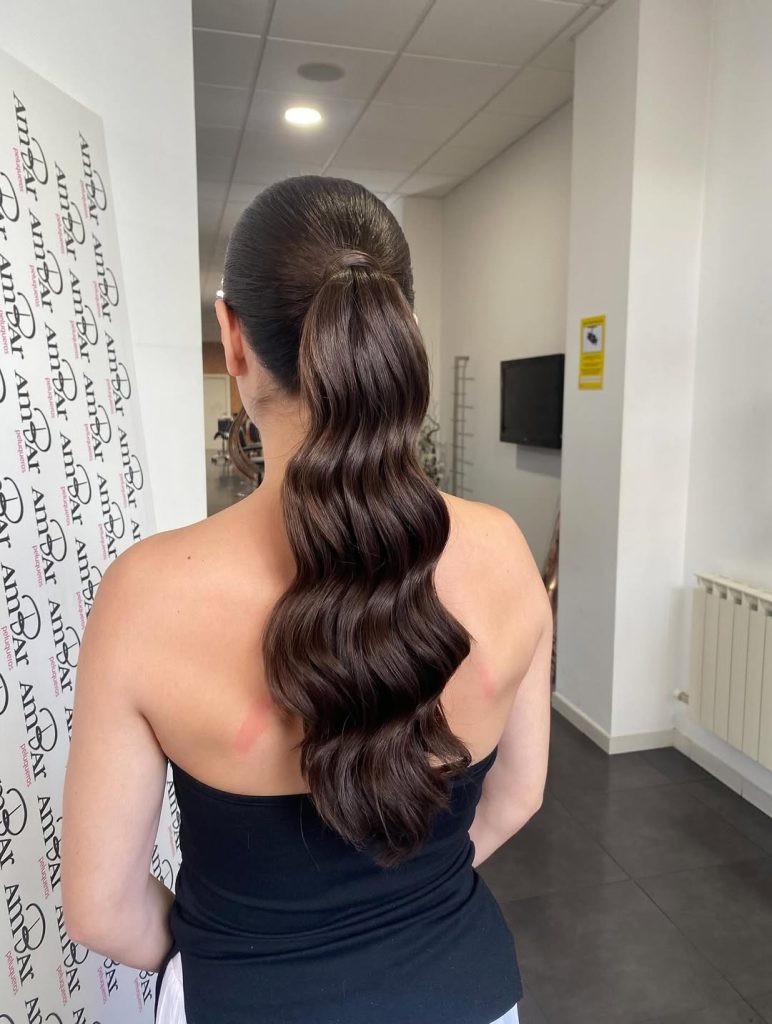
There’s something incredibly powerful about a sleek, high ponytail in rich brunette tones. The smooth crown creates a clean, structured silhouette, while the sculpted waves cascading down the back add drama and depth. The glossy finish elevates the entire look, making it feel intentional and sophisticated.
For women with longer hair, this style is a go-to for Formal events or nights out. Apply smoothing serum before securing the ponytail high at the crown, and use a large iron to define those flowing curves. Compared to softer Low styles, this one feels bold and confident—a true statement ponytail.
18. Twisted Low Ponytail with Dimensional Highlights
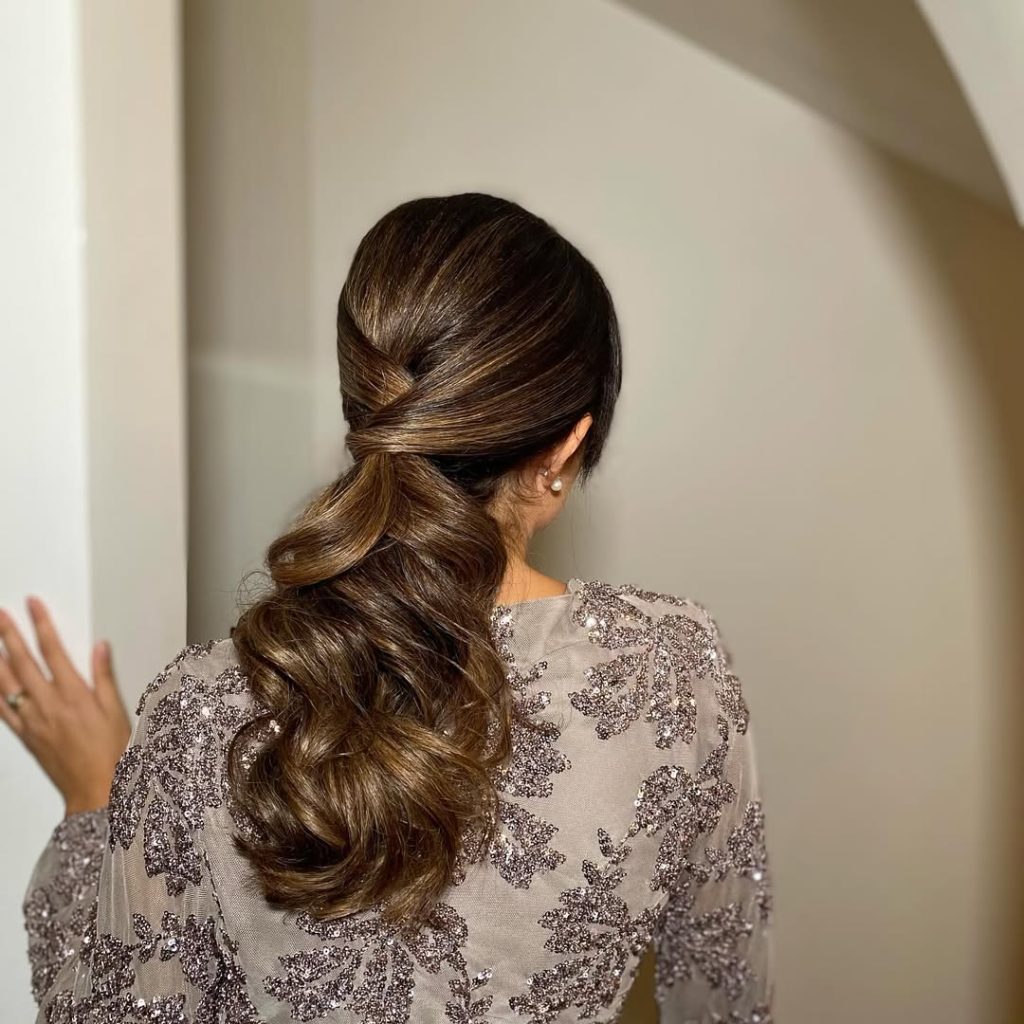
This Twisted Low ponytail brings a subtle creative touch to a classic shape. The hair is gently wrapped and crossed at the base, adding interest without overwhelming the look. Warm brunette tones with dimensional highlights catch the light beautifully, giving the style richness and texture.
If you love understated elegance, this style is a beautiful alternative to a simple elastic-tied ponytail. It works well on medium to thick hair and pairs effortlessly with evening wear. The twist detail adds refinement while keeping the overall vibe soft and romantic.
19. Sleek Braided Detail High Ponytail
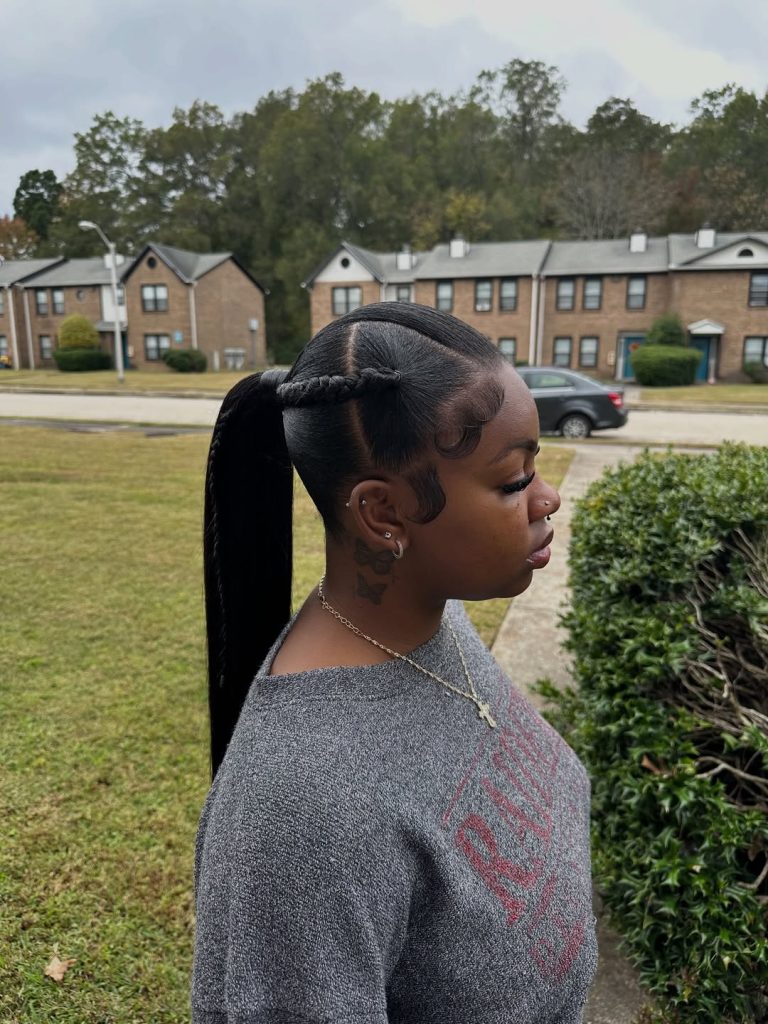
This High ponytail with braided details is modern and edgy but still polished. The top is smoothed into a Slick finish, while a neat braid runs along the side, adding structure and personality. The long, straight tail keeps the look sharp and defined, creating a strong silhouette.
For women who love clean lines and bold styling, this hairstyle is a standout option. Use edge control for a flawless hairline, and secure the ponytail tightly for lift. It’s a wonderful choice for showcasing facial features and accessories, blending creativity with precision.
20. Voluminous Half-Up Ponytail with Soft Waves
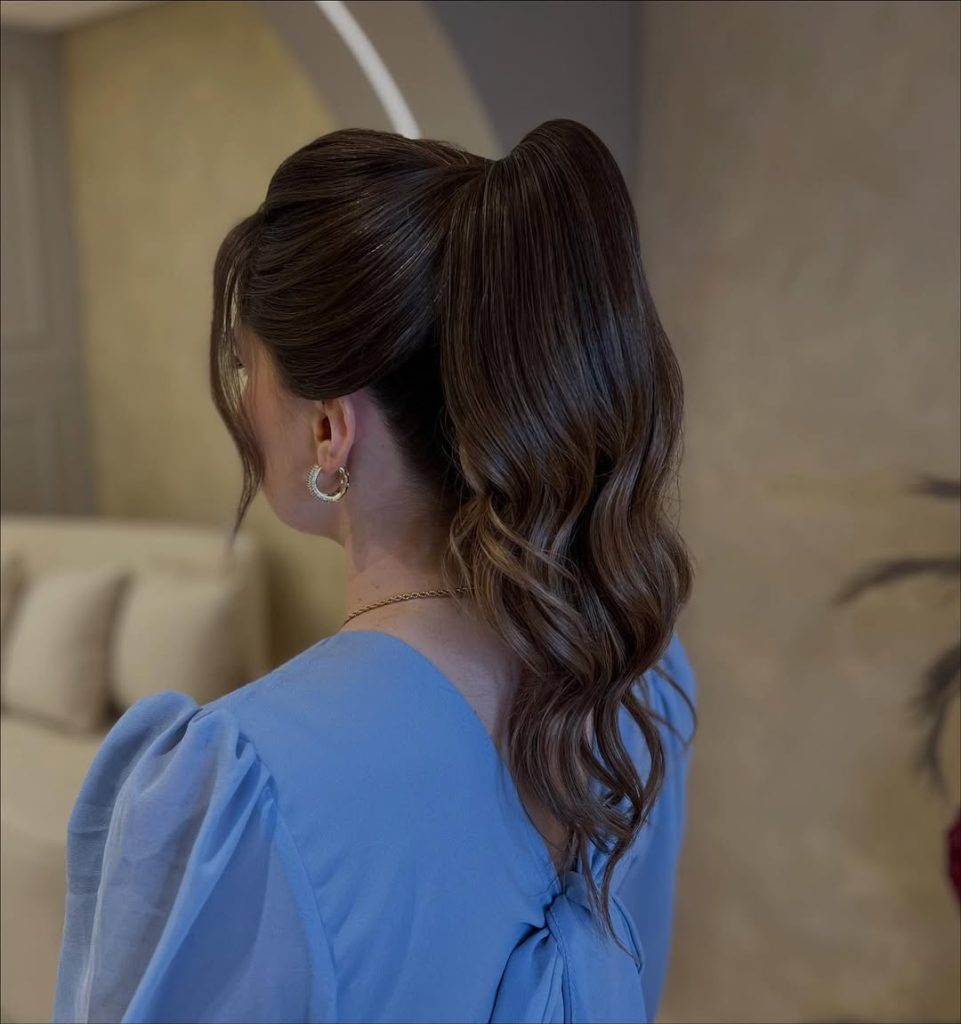
This Half-up ponytail feels feminine, light, and beautifully balanced. The lifted crown adds volume and structure, while the loose waves flowing down create softness and movement. The style frames the face delicately, especially with those subtle front strands left out for dimension.
If you’re looking for something that feels Fancy but is still wearable, this haircut haircut is a lovely choice. It works beautifully on layered hair and can be styled up or down depending on your outfit. The blend of height and softness makes it flattering for almost every face shape, offering elegance without effort.
21. Ultra Sleek Low Black Ponytail
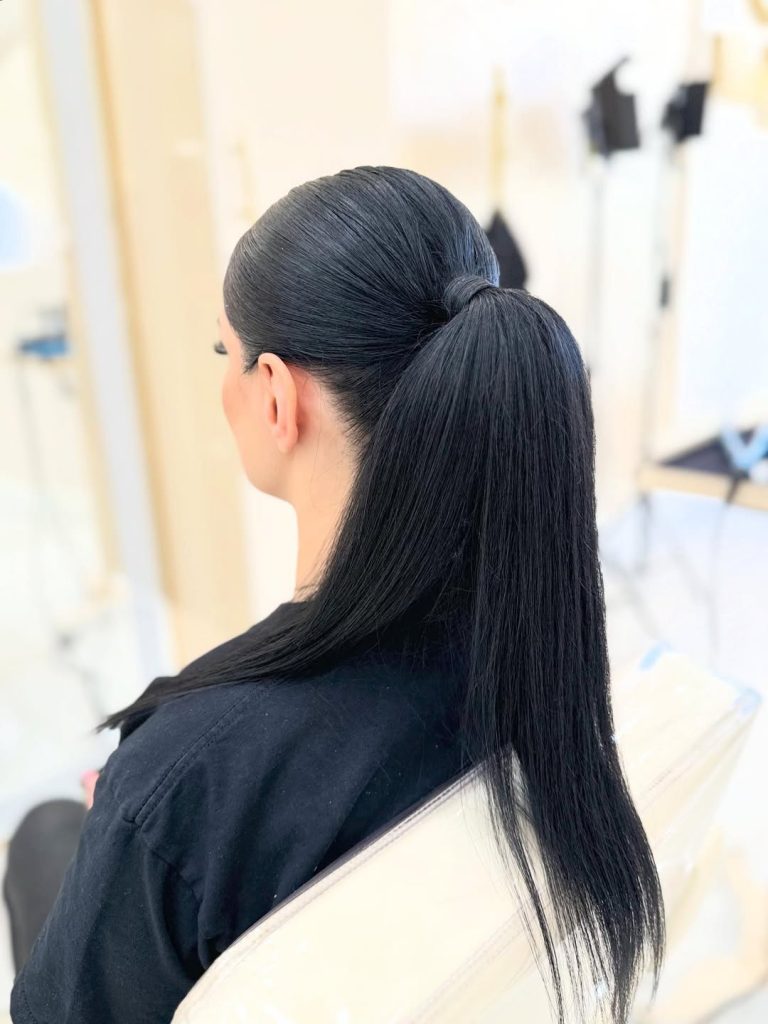
This Ultra Sleek Low ponytail is all about precision and shine. The hair is smoothed flawlessly from crown to nape, creating a mirror-like finish that feels sharp and controlled. The straight, glossy tail falls cleanly down the back, emphasizing length and health. It’s minimal, modern, and incredibly striking in its simplicity.
If you love structured styles, this look is a perfect match. Apply a smoothing serum and use a flat iron for that glass-like finish before securing the ponytail neatly at the nape. It works beautifully for Formal settings, professional environments, or anytime you want a polished, no-nonsense silhouette that radiates confidence.
22. High Glam Ponytail with Voluminous Curls
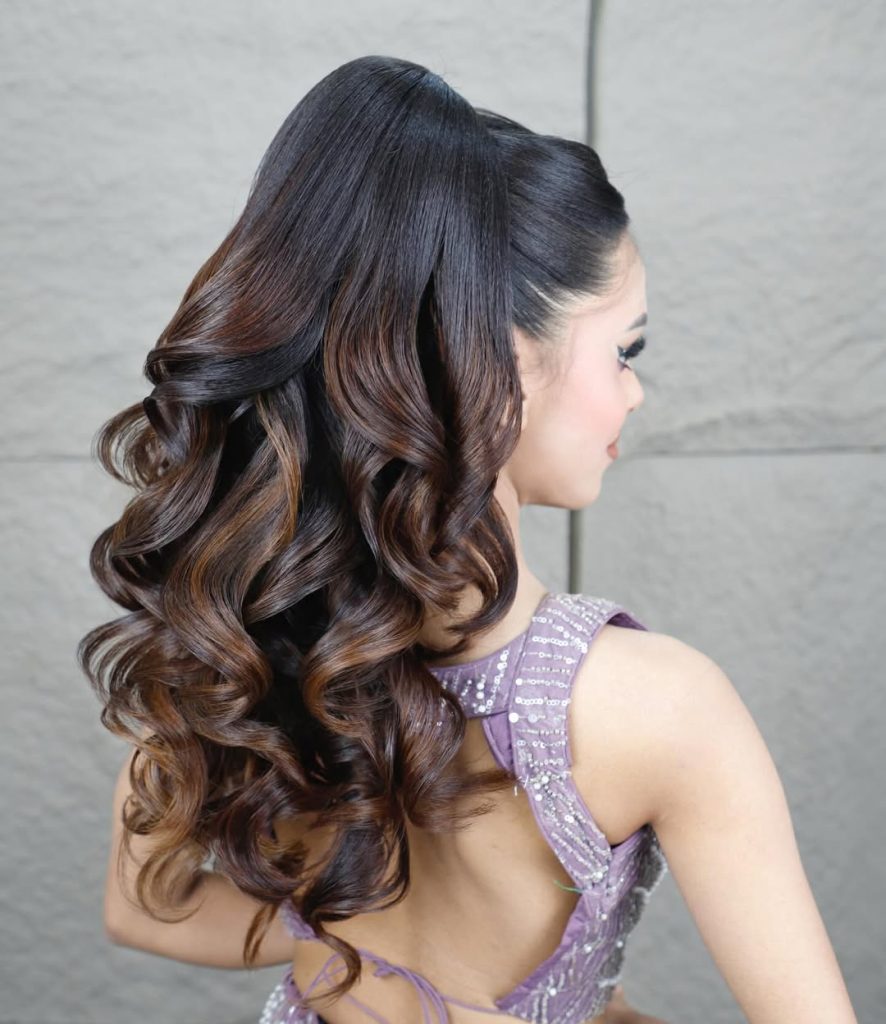
This High ponytail delivers full-on glamour. The lifted crown creates height and elegance, while the cascading curls add rich dimension and movement. The deep brunette tones with subtle highlights enhance every curve of the waves, giving the style a luxurious finish.
For women with long hair, this look is stunning for weddings, galas, or evening celebrations. Curl the lengths in defined sections, then separate gently for fullness. In contrast to a sleek straight ponytail, this version exudes a romantic and dramatic vibe, creating a striking look that attracts attention.
23. Soft Brunette High Ponytail with Gentle Waves
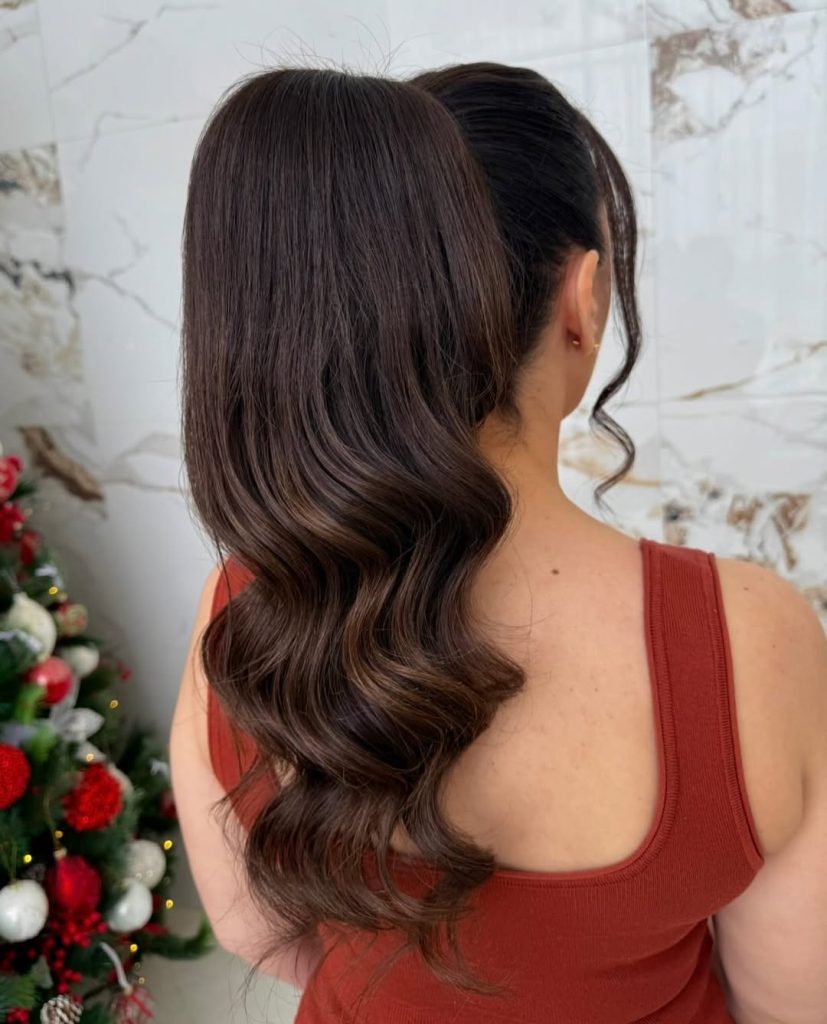
This Soft High ponytail blends structure and movement beautifully. The crown is smoothed upward, giving subtle lift, while the gentle waves through the tail create natural flow. A loose front strand softens the face, adding femininity and balance to the clean shape.
If you’re looking for something versatile, this hairstyle is an easy favorite. It works for date nights, holiday gatherings, or elevated everyday wear. The waves add texture without overwhelming the look, making it flattering for medium to thick hair types.
24. Blonde High Ponytail with Face-Framing Pieces
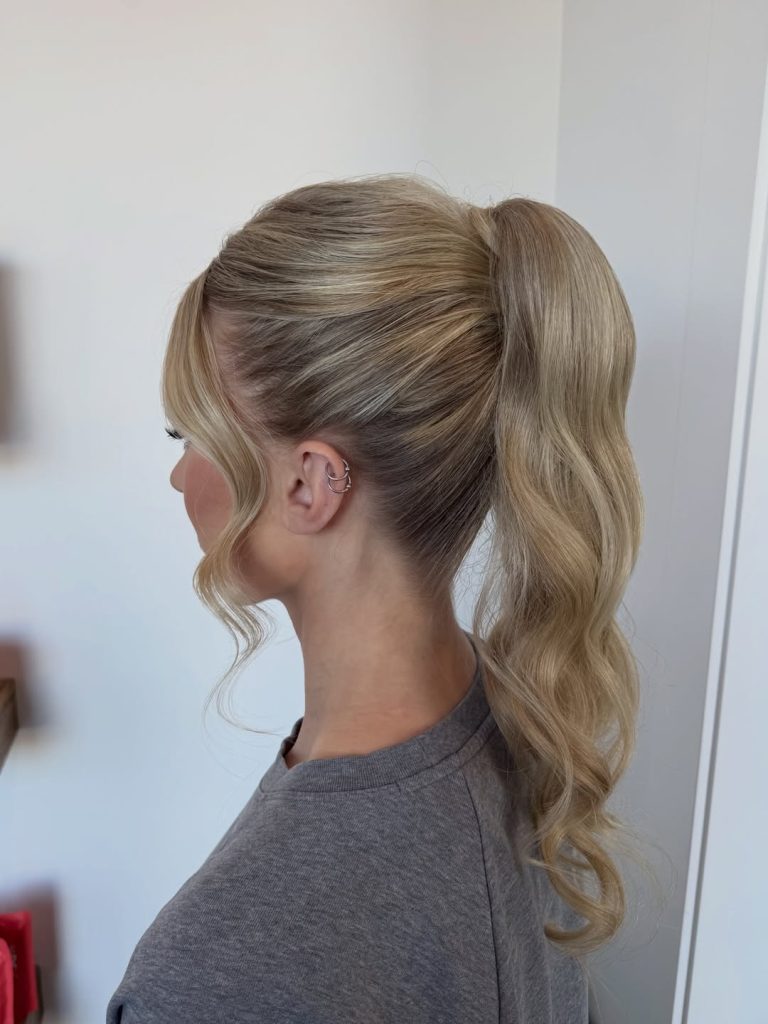
This high blonde ponytail feels fresh, youthful, and bright. The smooth top keeps everything refined, while the softly curled tail adds movement and bounce. The delicate face-framing strands bring softness and highlight the cheekbones beautifully.
For fine to medium hair, this style adds the illusion of volume without heavy teasing. Secure the ponytail high for lift, curl the ends lightly, and let those front pieces fall naturally. It’s a simple yet flattering option that feels polished but is still approachable.
25. Classic Sleek Low Ponytail with Extra Length
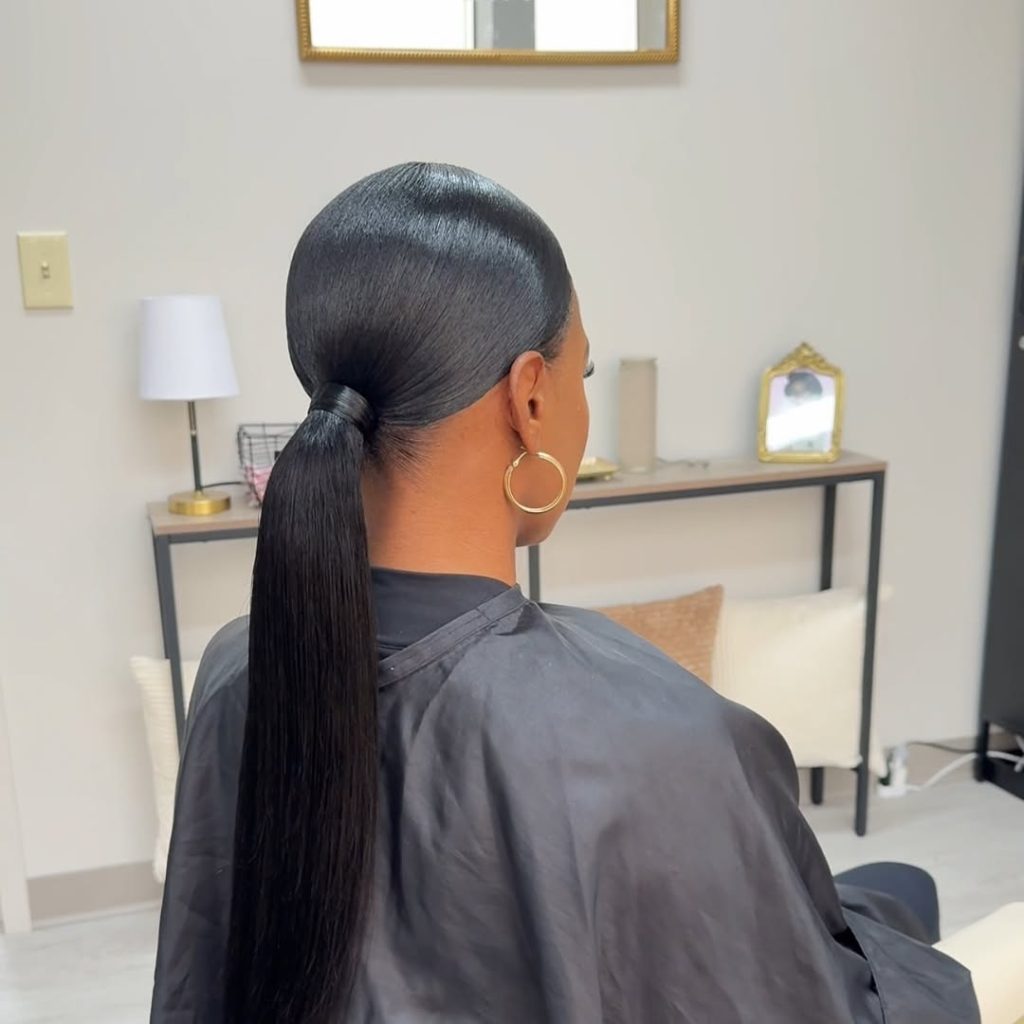
This Classic Low ponytail is timeless and powerful. The hair is smoothed seamlessly back, creating a refined silhouette, while the long, straight tail emphasizes dramatic length. The shine and clean lines give the style a sophisticated, editorial finish.
Whether you have naturally Straight hair or use extensions for added length, this hairstyle is a stunning go-to. Keep the crowns slick and controlled for maximum impact. Compared to textured or Curly versions, this look is all about sleek minimalism—bold in its simplicity and endlessly elegant.
26. Soft Twisted Blonde Low Ponytail
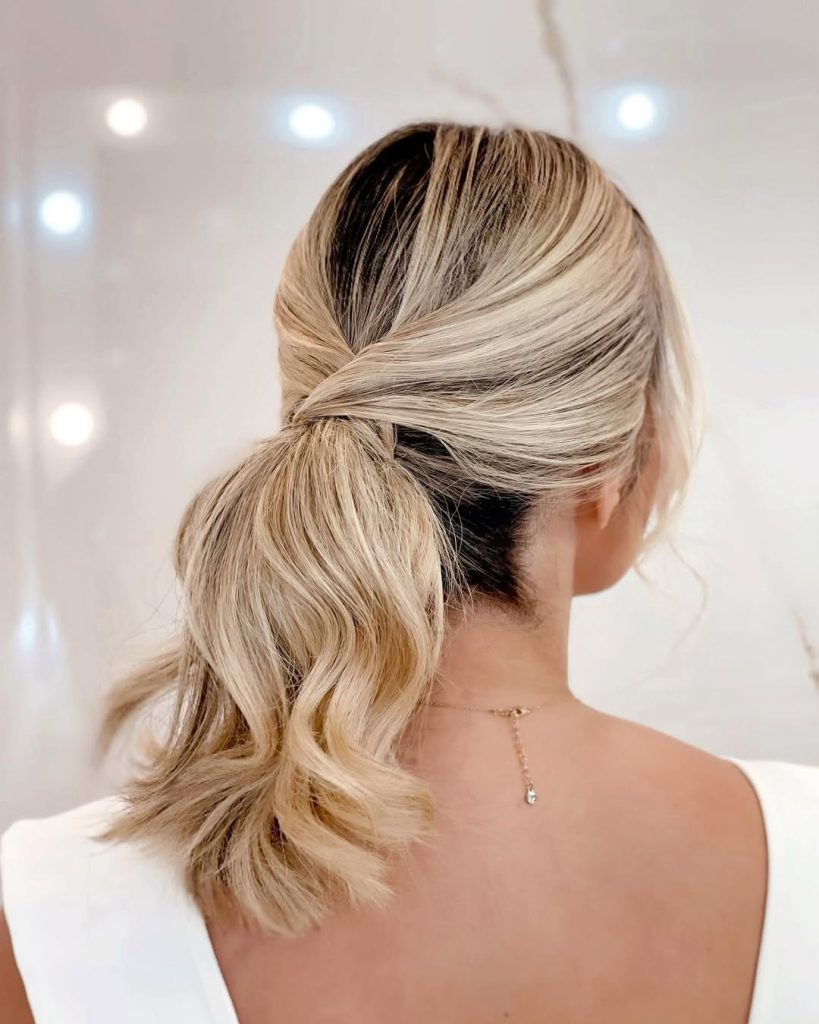
This Soft Twisted Low ponytail feels delicate and romantic without being overly styled. The hair is gently crossed and wrapped at the base, creating a subtle knot effect that adds elegance and visual interest. The blonde tones blend beautifully, giving the style depth and a natural, sunlit glow. The loose waves in the tail keep it relaxed and feminine, making it feel effortless rather than rigid.
If you love Low ponytails but want something a little more refined, this design is a beautiful upgrade. It works especially well on shoulder-length to medium hair and is perfect for weddings, date nights, or formal dinners. A light curl through the ends and a soft texture spray will help maintain movement while keeping the overall look polished.
27. Ultra Sleek Gradient High Ponytail
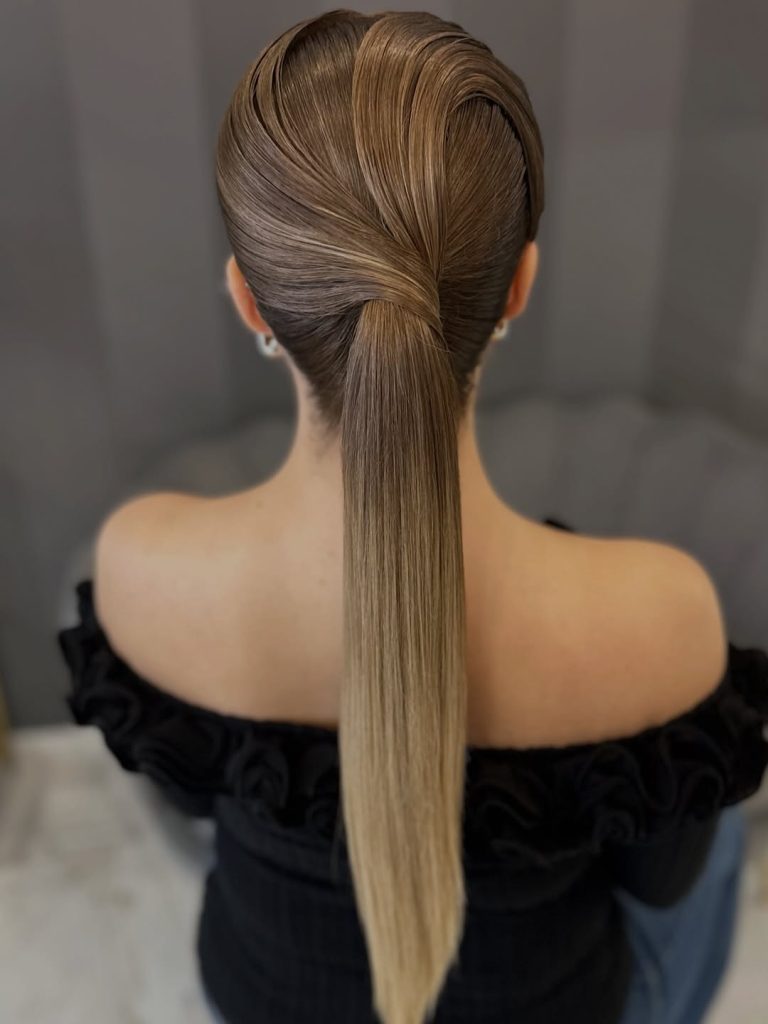
This Ultra Sleek High ponytail is pure sophistication. The crown is smoothed flawlessly back, creating a clean, sculpted shape that highlights the neckline and shoulders. The straight tail flows down in a dramatic gradient from deep brunette at the top to soft blonde at the ends, adding striking contrast and dimension. It’s bold, precise, and undeniably modern.
For women who love a sharp, editorial finish, this style delivers maximum impact. Use a flat iron for that glass-like shine and secure the ponytail high for lift and elongation. Compared to textured or curly styles, this version is all about control and shine—a powerful, statement look that feels confident and elevated.
28. Sleek High Ponytail with Soft Side Bangs
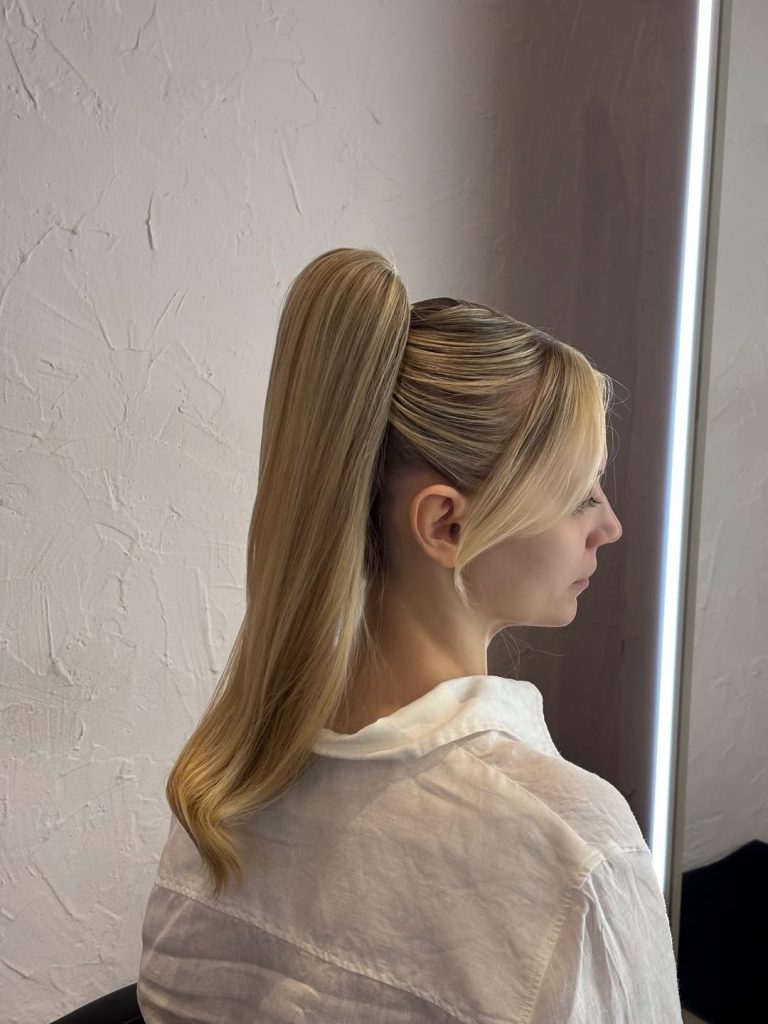
There’s something so quietly powerful about a sleek, high ponytail like this. It lifts everything—your cheekbones, your posture, and even your mood. The smooth crown feels polished without trying too hard, while those soft sidepieces grazing the face add just enough softness. It’s the kind of style that says, “Yes, I take care of myself”—but in the most Natural, effortless way. The gentle curve through the Long length keeps it feminine and modern, not stiff or overly styled.
This look is perfect for women with Straight or slightly wavy hair who want something Simple but refined. It works beautifully on fine to medium textures and is especially flattering for anyone who loves a clean frontal silhouette, which refers to a hairstyle that frames the face neatly and emphasizes its features. A touch of smoothing serum and a firm elastic—or even a drawstring option, which is a cord that can be tightened for extra fullness—keeps it polished all day. Compared to a Low ponytail, this one adds lift and energy, making it ideal for both Casual afternoons and more Formal occasions.
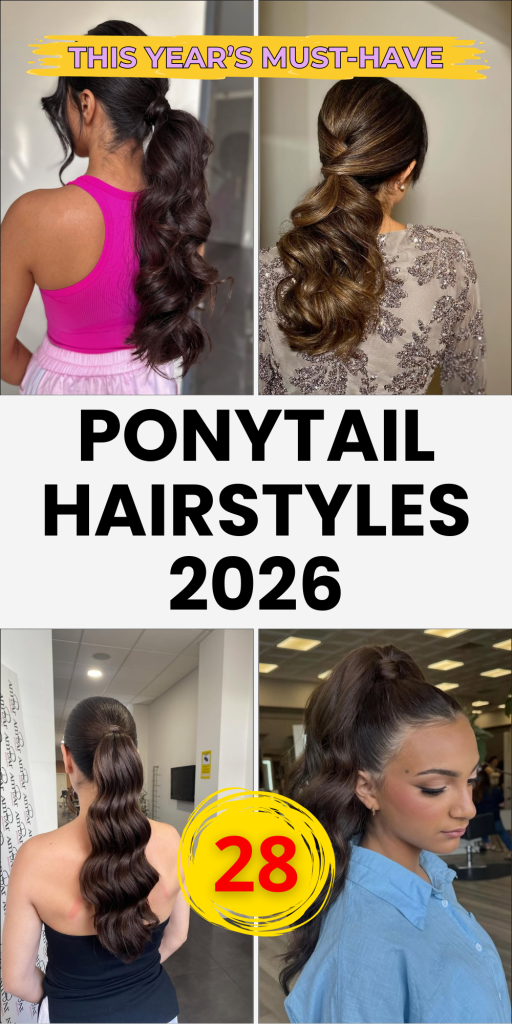
From classic low sleek styles to bold high glam curls and modern twisted details, ponytail hairstyles continue to prove they are one of the most flattering and versatile options for long and medium hair. The right ponytail can lift your features, elongate your neckline, and instantly elevate your entire look.
Whether your preference lies in soft romantic waves, ultra-sleek shine, braided accents, or dramatic volume, there’s a ponytail here that aligns with your personality and lifestyle. Save your favorites, experiment with placement and texture, and don’t be afraid to make the ponytail your signature style. Sometimes the simplest hairstyle turns out to be the most powerful.