Student Budget Planner Template: Free Printables to Track Every Dollar

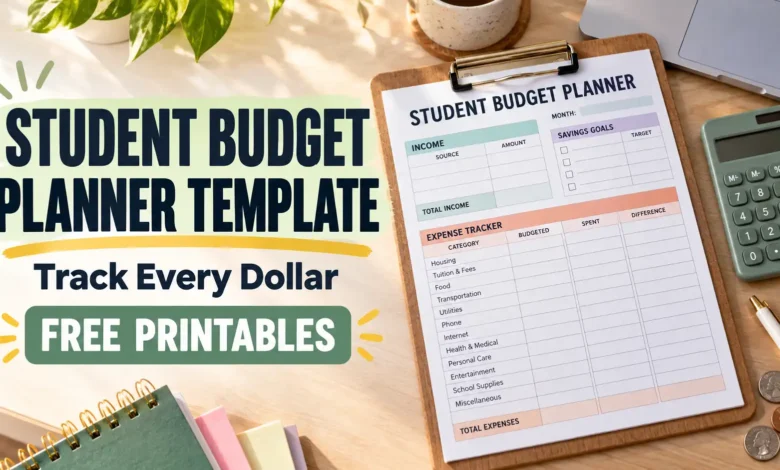
A student budget planner should tell you what you can spend now, what needs to stay untouched, and whether your money will last until the next payment. This free four-page pack gives you a monthly budget, a daily spending log, a semester reserve plan, and a weekly cash-flow check.
Download the free student budget planner printables (PDF) — four undated worksheets, no email signup required. Print the pages you need and use the examples below to fill them in.
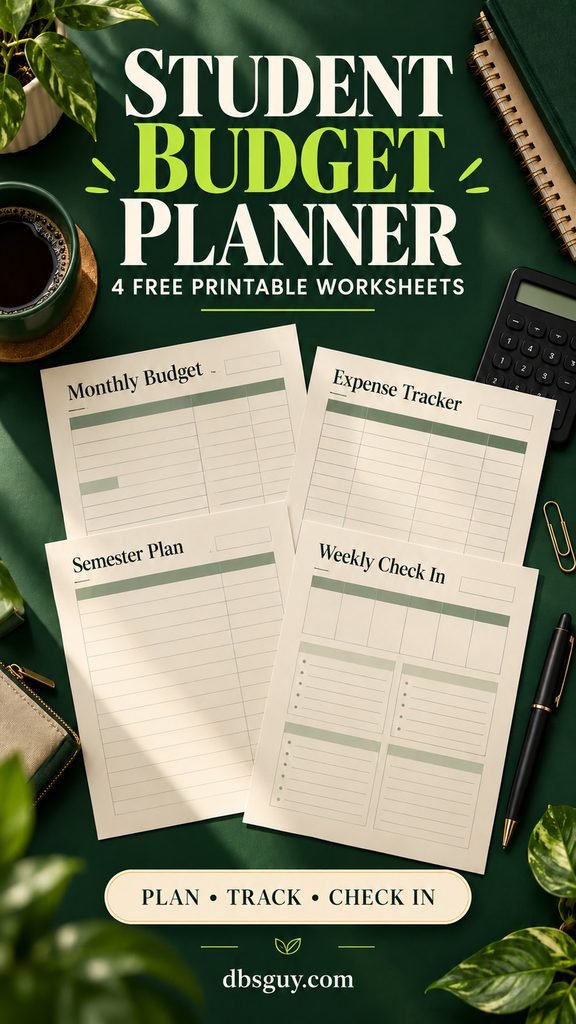
Get Your Free Printables and Start With the Right Page
The PDF is designed for US Letter paper, 8.5 × 11 inches, with a white background and light lines to keep printing simple. Print at actual size on Letter if your printer allows it; choose “Fit” if the preview clips an edge. For A4, choose “Fit” and check the preview. These are print-and-write worksheets, not fillable forms or automatic calculators.
- Monthly Budget: plan your available money and compare it with what actually happened.
- Daily Spending Log: record purchases, categories, payment methods, and refunds.
- Semester Reserve Plan: protect money for unpaid costs before turning a large deposit into a weekly limit.
- Weekly Cash-Flow Check: match incoming money to bill dates, including a fifth week when needed.
If you are paid regularly, start with the monthly sheet. If most of your money arrives at the beginning of the term, start with the semester sheet. Use the spending log alongside either one, then check payment timing on the weekly page.
The styled visuals are AI-generated planning concepts. The downloadable PDF contains the actual blank worksheets; its layout differs from the illustrated scenes.
Before You Fill Anything In, Separate Available Money From Expected Money
Gather your recent transactions, school account statement, confirmed pay dates, and upcoming bills. A month of spending records gives you a fuller picture; if you are starting from scratch, use the information you have and revise your estimates as transactions arrive.
For this planner, “money available” means cash you can use for the period. It can include take-home pay, support you receive, or a planned release from savings. It does not mean that every source is earned income. In the monthly “Plan” column, you can schedule confirmed payments expected during that month; the “Actual” column records what arrived. The semester sheet keeps future arrivals outside its available-now total, and the weekly sheet checks when you can use them.
- Aid paid directly to your school: record its effect on your school bill, but do not also add it as spending cash.
- A refund or other aid payment: confirm the amount, source, restrictions, and arrival date with your school. If it includes loan funds, label that portion as borrowed money.
- Work-study: budget the pay you expect to earn and receive on scheduled pay dates. An award is not a lump sum already sitting in your account.
- Savings: include only the portion you are deliberately assigning to this budget. Money reserved for next term is not available for this weekend.
Keep unpaid tuition, housing, and other obligations visible even if they make the plan uncomfortable. For the wider set of first-year routines around school deadlines and support, see Freshman Year: The Complete Survival Guide.
1. Use the Monthly Budget to Give Every Dollar a Job
Write the month at the top, then fill the “Plan” column before the month begins or as soon as you start. Enter money available in section A. In section B, assign it to expenses, savings, future costs, and a small buffer that fits your situation.

Use the categories that match your life. A commuter might need parking and gas; a resident student might need laundry and food for dining-hall closures. If housing or a meal plan is already paid for the period, do not charge it to the monthly cash budget again. Include any remaining balance you still owe.
A Filled-In Example You Can Adapt
This is an arithmetic example, not an estimate of typical college costs. Imagine you have $1,300 in take-home pay and $200 in family support available this month: $1,500 total.
| Assignment | Planned amount |
|---|---|
| Housing and utilities | $650 |
| Groceries and meal-plan gaps | $220 |
| Transportation | $90 |
| Phone and subscriptions | $40 |
| Laundry, personal, and health costs | $70 |
| Course materials due this month | $150 |
| Fun and eating out | $80 |
| Savings | $100 |
| Buffer | $100 |
| Total assigned | $1,500 |
The unassigned amount is $1,500 minus $1,500, or $0. That zero means every dollar has a purpose. The plan still includes $100 in savings and a $100 buffer; it does not call for spending the bank balance down to nothing.
Update “Actual” from your spending log and account records. If groceries finish $25 over plan, identify where the $25 will come from before increasing another category. Do not quietly cover it with money already reserved for a required bill.
2. Use the Daily Spending Log to Catch the Purchases You Forget
The log has five columns: date, purchase or payee, category, payment method, and amount. Record the small charges alongside the large ones. A laundry reload, vending-machine snack, and subscription renewal are easy to miss when you reconstruct a week from memory.

For a mixed store receipt, split the purchase if it helps: $28.40 of groceries and $12.60 of toiletries become two entries totaling $41. At your weekly check-in, add each category and transfer its total to the monthly sheet. Print another log page whenever you run out of rows.
Keep Transfers, Refunds, and Card Payments Straight
Moving $50 between your own checking and savings accounts is a transfer, not a shopping expense. On the monthly sheet, you can assign that $50 to savings once. In the spending log, keep it separate from purchases.
Record a refund as a negative amount in the original category: a $7.99 returned item becomes −$7.99. If the refund belongs to an earlier month, note that beside it so you can explain the adjustment.
If you use a credit card, record new purchases in their categories when you make them. Paying for those same purchases later is not a second expense in this log. Payments toward older debt, plus interest and fees, need a separate allocation. The weekly cash-flow sheet still records the payment leaving the bank account.
3. Use the Semester Reserve Plan Before Spending a Large Deposit
A large account balance can look more generous than it is. The semester page separates money available now from money expected later, then gives unpaid costs and reserves a place before you calculate a flexible spending pool.

- Choose the dates. Count the actual weeks the money must cover, including breaks when you still have expenses.
- Enter available money. Put future pay or an unreceived refund in the expected-date column, outside the “available now” total.
- Protect committed costs. List unpaid school charges, housing, books, travel, and a realistic buffer, with their due dates.
- Divide only the flexible remainder. Use the number of weeks until the next reliable payment or the end of the period, whichever matches your plan.
Illustrative example: tuition, housing, and your meal plan are already paid for the next 12 weeks. Of $2,400 available, you reserve $300 for books, $180 for travel, and $240 as a buffer. That leaves $1,680, or an average of $140 per week, for costs outside those reserves. Your own required expenses may make that number impractical; the calculation is a ceiling, not a recommendation to spend it all.
Keep the reserve list even if the money stays in the same account. The three envelopes in the concept image represent separate purposes; you do not need physical envelopes or extra bank accounts to use the sheet.
If you release $200 from this semester pool into a monthly budget, enter the $200 on the monthly reserve-release line. Do not also count the original $2,400 deposit there. When you spend a book reserve on books, record the purchase once; the earlier set-aside was an assignment, not another purchase.
4. Use the Weekly Cash-Flow Check to Get to the Next Payday
A monthly total can balance while an early bill still leaves you short. The weekly sheet follows one named account or clearly defined cash pool, so the starting balance, money arriving, and money leaving all refer to the same thing.

For each week, calculate starting available cash + cash arriving − cash leaving = ending balance. Carry that ending balance into the next week. List payments in the week they leave the account, and use the dated-payment area when the exact day matters.
For example, $250 at the start plus no new cash minus $210 leaving gives an ending balance of $40. If $20 of that is still reserved for a future bill, the free-to-spend amount is $20. A $350 paycheck next week does not increase what you can spend today.
For this account view, a credit-card payment is cash leaving even though it is not a second purchase in the daily log. A transfer into the account is cash arriving, but it is not new earnings. If you track several of your own accounts as one combined pool, exclude transfers within that pool.
The Consumer Financial Protection Bureau’s budgeting tools also separate spending records from cash-flow timing. That distinction matters when a bill is due before the money arrives.
Make One Useful Adjustment at Each Check-In
Choose a recurring appointment you can keep, such as after your last Friday class. Add missing purchases, update the monthly actuals, and check the next two weeks of bills. Then make one specific change rather than rewriting the whole budget.
- Your hours vary: plan around confirmed shifts and pay dates. Keep uncertain extra pay outside money available, then assign it when received.
- Food spending is higher than planned: check dining hours, groceries you already have, and the meals you actually need. If a permitted microwave fits your setup, choose a few options from 23 Easy Microwave Recipes for Dorm Rooms: No Kitchen Needed before shopping.
- An expense is missing: add a named line for it. A parking permit or required access code is easier to plan for when it is not buried in “other.”
- Necessities exceed available money: write down the amount and the first shortfall date. Ask your school about basic-needs support, emergency assistance, or payment arrangements that may be available. A smaller entertainment category cannot solve every funding gap.
At month-end, carry forward only money that is still available, with its purpose attached. A leftover travel reserve remains a travel reserve unless you deliberately reassign it.
Student Budget Planner FAQs
Do I Need to Use All Four Worksheets?
No. Start with the monthly budget and spending log if your pay is regular. Add the semester page when you need a deposit to stretch across a term. Use the weekly page whenever bill timing or an uneven paycheck makes the monthly total hard to trust.
What If I Have No Job or Regular Monthly Income?
You can budget a finite amount of savings, support, or permitted aid without calling it wages. Use the semester sheet to decide how much is available for each period. Keep expected support separate until confirmed, and check whether the available amount covers necessities before assigning optional spending.
Should I Force My Budget Into 50/30/20?
You do not need that split to use these printables. Housing costs, school-paid expenses, and irregular funding can make percentages less useful than actual dollar amounts. Start with obligations and dates, then choose savings and flexible spending amounts your available money can support.
Can I Reuse the Pages Next Semester?
Yes. The worksheets are undated and free for personal use. Save the PDF, print fresh copies, and rebuild the plan when your rent, aid, class costs, or work schedule changes. Keep completed pages somewhere private; leave account numbers and login details off them.