You can give a gaming room a bigger visual upgrade for under $300 by keeping your desk, chair, and gaming hardware, then fixing four things: clutter, lighting, gear storage, and the room’s finishing details. This plan sets aside $254 for purchases and $35 for tax, delivery, or price changes—a planned total of $289.
This is a room makeover, not a complete gaming setup. It assumes you already own a working PC or console, screen, peripherals, a sturdy desk, and a usable chair. The concept is a warm, compact corner with wood, charcoal, cream, and one muted olive accent. You can keep your existing wall color and furniture finishes.
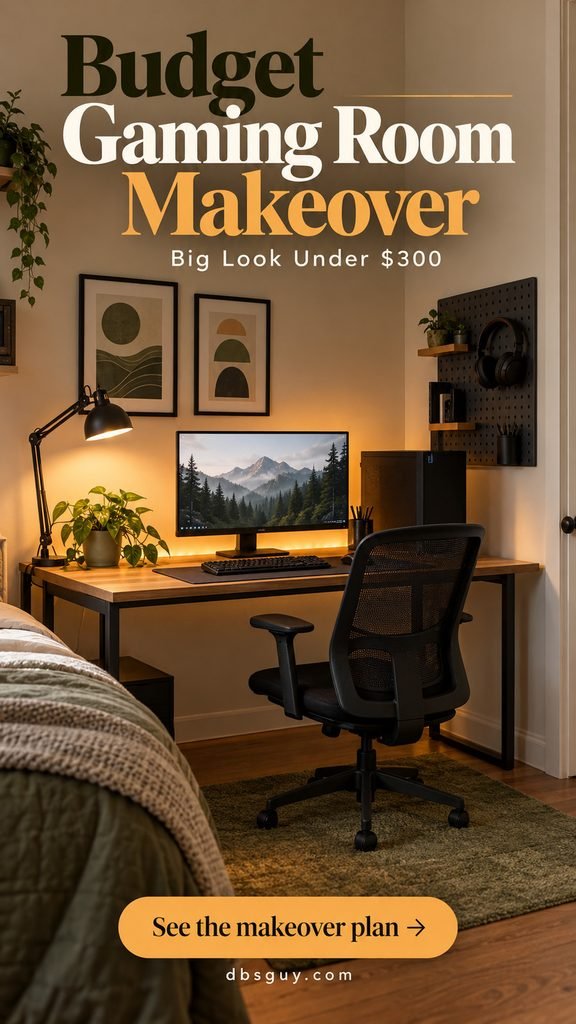
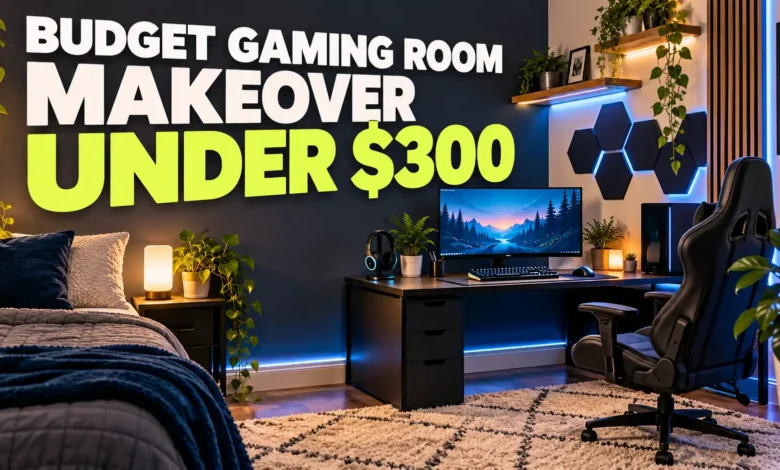
The visuals are AI-generated design concepts, not photographs of a completed or tested $300 makeover. They show the intended styling; actual products and room dimensions will vary.
The under-$300 spending plan
Use these as maximum shopping allowances, not a cart of guaranteed prices. The two named IKEA prices were checked on October 8, 2026; the other amounts are editorial budget targets. Check the complete checkout total before ordering.
- Cable tray, reusable ties, and sleeve: $30. Choose mounting that works with your desk.
- Plain desk mat: $20. Measure the space used by your keyboard and mouse.
- Adjustable task lamp: $20; compatible LED bulb: $6.
- One indirect LED light strip with its required power supply: $25.
- Compact pegboard with hooks and a controller bin: $50.
- Two simple frames and prints: $30.
- Small low-pile rug, including a suitable pad if needed: $55.
- Small plant and pot, or a simple faux plant: $10.
- Wall fasteners and mounting supplies: $8.
Purchases: $254. Reserve: $35. Planned total: $289. Remaining room below $300: $11. The reserve is an allowance, not a sales-tax calculation. If tax and delivery exceed it, remove an optional item before paying. Local pickup can help, but include any pickup fee.
A useful price anchor is the IKEA TERTIAL work lamp, listed at $19.99 with its bulb sold separately. The 22-by-22-inch SKÅDIS pegboard was $24.99 for the board; accessories and suitable wall fasteners need their own allowance. These are examples to compare against, not products personally tested for this article.
Before you buy: choose the corner that needs the work
Take one photo from the doorway in daylight and another with your usual evening lights on. Look for the biggest distraction: a cable tangle, a crowded desktop, a bare wall, or bright reflections on the screen. That tells you where to start.
Measure the desk surface, accessible wall area, outlet location, and the space your chair needs when pulled back. Keep the door, vents, and walkways clear. If the chair is broken or the desk unstable, put the money toward a suitable replacement first and reduce the decorating plan.
For a gaming corner inside a bedroom, choose an accent that already belongs in the room. Our sage green bedroom ideas offer color-pairing inspiration if you want the desk area to connect with soft green bedding or accessories.
1. Reset the layout and tame the cables — $50
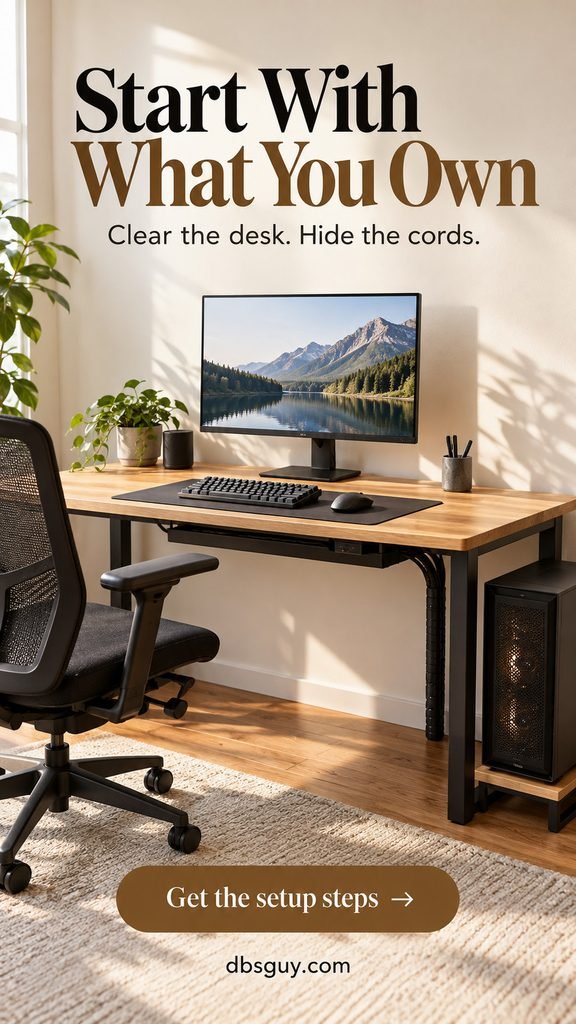
Empty the desktop before buying storage. Put back the monitor, keyboard, mouse, and only the gear you use during a normal session. Move receipts, spare cables, packaging, and display pieces elsewhere. A plain charcoal mat then makes mismatched peripherals look more cohesive without replacing them.
Position the monitor in front of your sitting position. OSHA’s monitor guidance recommends a screen at least 20 inches away, with its top line at or below eye level and the monitor perpendicular to a window. Adjust for readable text and comfortable posture rather than choosing a placement only because it looks good in a photo.
Use your existing monitor stand if it gives you a comfortable height. A new arm can eat up this budget, and it requires checking screen compatibility and the desk’s mounting suitability.
Make a cable route you can actually maintain
- Power down and unplug equipment before rearranging connections. Label leads if they are easy to confuse.
- Install a compatible open tray toward the back of the desk, following its mounting instructions. Keep it outside knee space.
- Route desk cables toward one rear corner. Use reusable ties loosely, with enough slack for plugs and adjustable equipment.
- Run the remaining bundle down a rear leg in a sleeve. Keep it away from chair wheels, doors, and hot surfaces.
- Reconnect and test the setup before adding decor.
Keep power adapters ventilated and accessible; cable storage should not become a sealed box of warm electronics. Keep the PC’s ventilation openings clear and follow its manufacturer’s placement guidance. Do not hide loose cords under the new rug.
Buying check: spend up to $30 on cable supplies and $20 on the mat. If the desk has a thin, hollow, or glass top, confirm that any clamp or screw mount is suitable before buying it.
2. Add useful light and one soft glow — $51

The concept uses two separate light sources: a warm task lamp aimed at the keyboard area and a low, indirect amber glow behind the monitor. The lamp makes the surface usable; the backlight adds atmosphere. Neither needs to become a full-room lighting installation.
Allow $20 for the lamp, $6 for a compatible bulb, and $25 for one light strip kit including its power supply. With the TERTIAL example, IKEA specifies an E26 opal-white LED bulb, a maximum of 13 watts, and a clamp range up to 2¼ inches. Check the current product instructions and your desk before purchasing.
Set the lamp to one side and angle it so you cannot see a bright bulb reflected in the screen. Before attaching the strip, test its glow behind the monitor at your normal evening brightness. Follow the strip manufacturer’s installation directions and keep vents uncovered.
Choose a steady color rather than cycling effects for this understated look. Amber is a styling choice here, not a claim about better sleep, eye health, or gaming performance. If you prefer white light, keep it soft enough that it does not overwhelm the desk lamp.
Skip the budget trap: decorative wall panels and a neon sign would add another visual focal point and another purchase. Get this two-light arrangement working first. If shipping pushes the plan over budget, keep a lamp you already own and redirect its light.
3. Give daily-use gear one home — $58
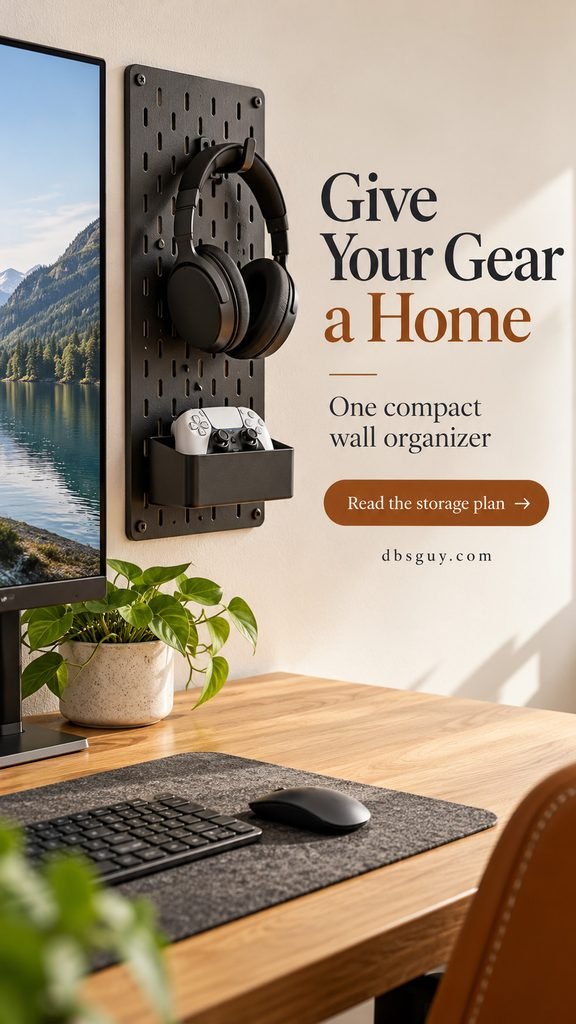
A compact wall organizer earns its space when it holds the things you otherwise leave on the desk. The concept shows headphones on a hook and a controller in a shallow bin. Mount it beside the monitor so you can reach the gear without stretching across the screen.
Set aside $50 for the board and compatible accessories, plus $8 for suitable mounting supplies. The $24.99 SKÅDIS board example leaves $25.01 within that storage allowance for hooks and a bin. Price the whole combination; an inexpensive bare board is not a finished storage system.
Lay out the accessories before mounting. Check that the headphone band is supported and the controller fits securely. Leave some empty board visible instead of filling every opening. Chargers and spare leads can stay in storage you already own.
Follow the organizer’s instructions, use fasteners appropriate to the wall, and check for hidden services before drilling. Avoid mounting heavy gear over the screen. A renter should get permission for holes; a compact desk-standing organizer can be substituted within the same $50 allowance if wall mounting is unsuitable.
If you like the quieter wood-and-charcoal direction, our Japandi living room ideas provide useful inspiration for restrained displays and warm material combinations. Borrow the palette and simplicity rather than adding new furniture.
4. Connect the desk to the rest of the room — $95
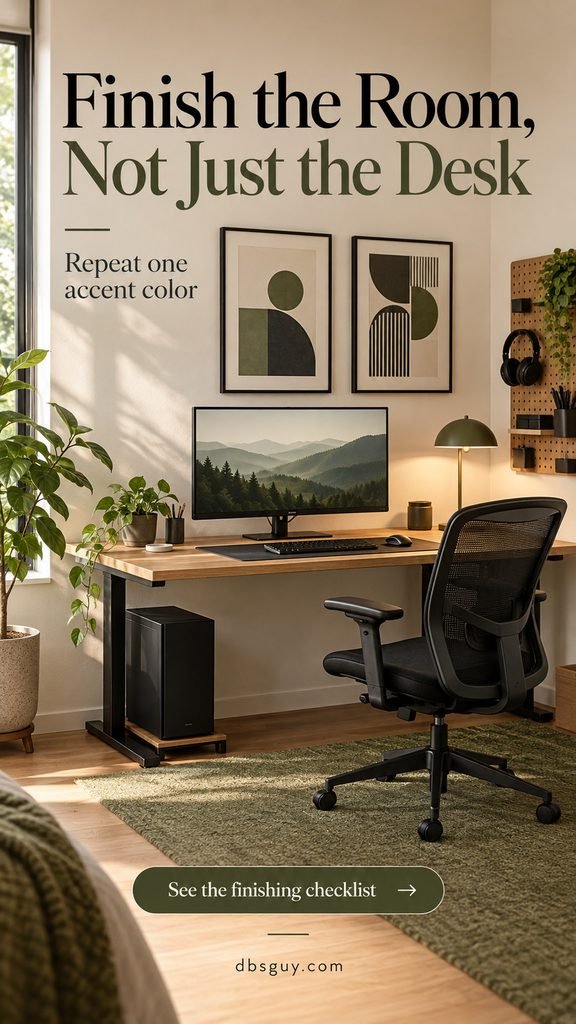
Finish with two simple prints, a small low-pile rug, and one plant. The olive color repeats in the rug and art, while the black frames connect with the chair and monitor. That repetition gives the corner a planned appearance even when the big pieces came from different places.
Allow $30 for both frames and prints together. Use artwork you own or prints you are licensed to reproduce; ordinary paper in simple frames is enough. Place the frames as a pair on the open wall area, keeping the pegboard reachable. Mock up their placement with paper before making holes.
The rug allowance is $55, including a suitable pad if required. Measure the chair’s rolling area before shopping, and choose a low-pile surface your wheels can cross. A rug that is too small can catch the chair at its edge. If the room is already carpeted or a rug makes rolling awkward, skip it and keep the savings.
Spend the last $10 on a small plant and pot only if it suits the available light and your household. A simple faux plant works for a dark corner. Keep either one away from the PC’s airflow and give yourself room to water a live plant away from electronics.
When this is a shared bedroom or multipurpose room, match these finishes to the existing space. Our cozy reading nook ideas for small spaces can help you coordinate an existing nearby reading corner without buying another chair for this makeover.
A practical order for the makeover
First session: measure, clear the desk, reposition the monitor, and plan cable routes. Use the setup once before deciding what still needs changing.
Next session: install cable supplies and test both lights. Then mount storage and art using the correct hardware. Finish with the rug and plant only after the chair rolls freely and the daily-use gear is easy to reach.
Keep a running checkout total. If you need to cut $40–$60, skip the rug first. If you need a smaller cut, reuse frames or postpone the plant. Keep the improvements that solve your actual problem rather than buying every item just to match the image.
For a USA fall or holiday refresh, the warm palette fits without seasonal decor you will need to replace. You can compare holiday-sale prices when available, but this budget does not depend on a future sale.
Frequently asked questions
Can I build an entire gaming room from scratch for $300?
This plan cannot cover a PC or console, display, desk, chair, and decor from scratch. It is designed for an existing functional setup. If you are starting with an empty room, prioritize the furniture and equipment first, then add the cosmetic upgrades later.
What should I change first if I only have $50?
Start with the free layout reset. Then use the first $50 for cable supplies and a desk mat if clutter is the biggest problem. If the setup is already tidy but poorly lit, spend it on lighting instead. You do not need to follow the shopping list in order when your room has a different need.
Do I need to paint the walls?
No. This concept keeps cream walls and adds color through removable furnishings and art. Painting would need a separate allowance for paint, preparation, tools, and any permissions; it is not included in the $289 plan.
Will a cheap rug or foam panel soundproof the room?
Do not buy either on a soundproofing promise. This rug is a styling choice, and acoustic treatment is outside this budget. If noise is the concern, headphones and changes to when or how loudly you play are practical first steps.
How do I keep the finished room from becoming cluttered again?
Return the headphones and controller to their assigned places after playing. Keep spare gear in existing storage, and check cables when you change equipment. A makeover stays useful when every visible item has a job.
Make the $300 work where you will notice it
The strongest version of this makeover is not the one with the most accessories. It is the one with a usable desk, controlled light, gear you can find, and a few finishes that belong together. Save the concept you like, measure your room, and make your own checkout total the final test before buying.