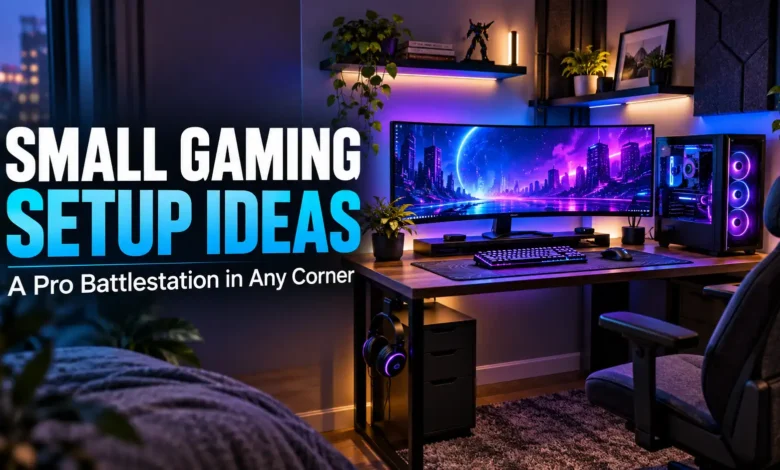
The easiest small gaming setup to get right is a straight desk, one monitor, a compact keyboard, and a clear place for your mouse. Start there if you have one spare wall. Choose a short L-shaped desk for a true corner, an open alcove for a built-in look, a laptop station for a room that does double duty, or a console corner if you mostly play with a controller.
A “pro” battlestation here means an intentional layout: comfortable screen placement, reachable controls, tidy cables, and equipment that can breathe. A small corner can look polished without a second monitor or a wall full of RGB panels.
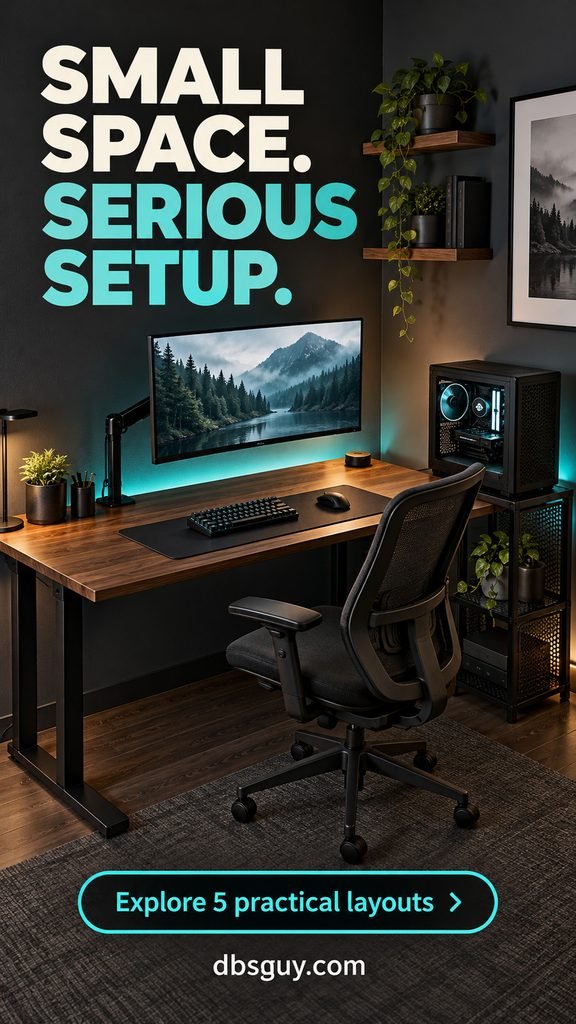
Measure the space you actually play in
Before buying furniture, mark its footprint with painter’s tape. Put your chair in that outline, sit down, pull it out, and open every nearby door or drawer. Include baseboards, plugs, curtain movement, and the extra room a monitor arm needs behind the desktop. A desk that fits against the wall can still block the room when someone sits at it.
For the PC layouts below, start by considering a desktop around 40–48 inches wide and 24–28 inches deep (roughly 102–122 × 61–71 cm). These are planning examples, not universal minimums. Lay out your actual keyboard, mouse pad, and monitor base before committing. A deep enough smaller desk is often more useful than a wider, shallow one.
OSHA’s monitor guidance recommends a viewing distance generally between 20 and 40 inches, with the top of the screen at or slightly below eye level. Measure from your eyes to the screen while seated, rather than treating desktop depth as viewing distance. Keep your main screen directly ahead and adjust text size instead of leaning forward.
The images below are AI-generated design concepts, not photographs of completed installations. Use them for layout and styling inspiration; confirm measurements and mounting requirements for your own equipment.
1. The single-monitor wall setup
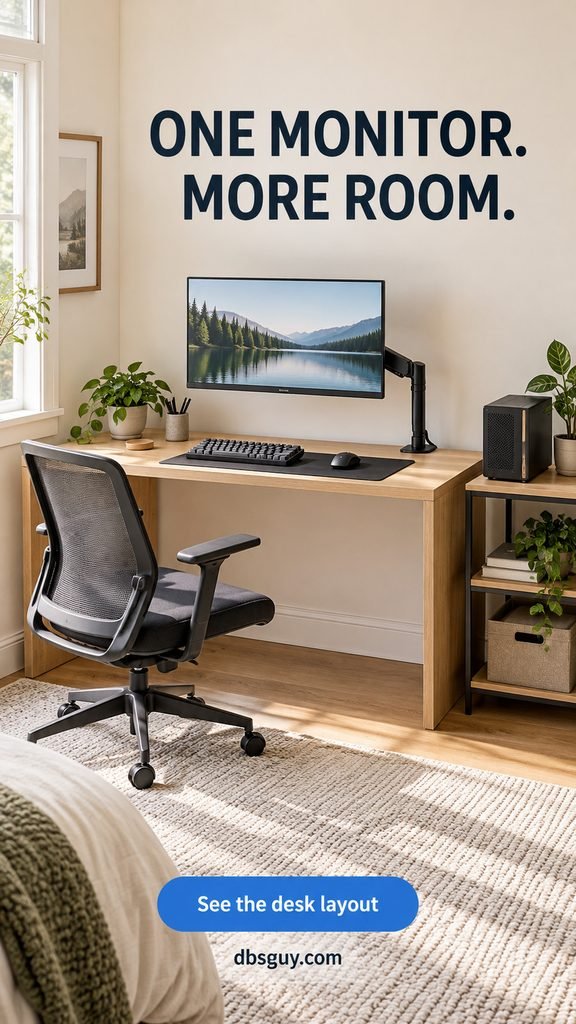
Best for: a small bedroom, rental, or first PC setup with one clear stretch of wall.
Use a straight desk around 42 × 24 inches as a starting point, with a 24-inch monitor centered over your keyboard. A monitor arm removes the stand from the work surface, leaving more usable space for your hands. A tenkeyless keyboard keeps arrow keys while giving the mouse more room than a full-size board.
In this light-oak concept, the restrained blue accent comes from the screen rather than a collection of illuminated accessories. Keep the surface to the essentials: keyboard, mouse, mat, and a small lamp if needed. Place the PC on an open side stand so it does not occupy your leg space.
Check the arm’s supported screen weight, mounting pattern, clamp range, and the desk manufacturer’s mounting guidance. A thin or hollow top may need a different support solution. An arm also cannot compensate for a desktop that leaves your face too close to the screen.
Try this first: move your existing monitor back, remove unused accessories, and test your normal mouse sweep. If your mouse still hits the keyboard, a smaller board may solve more than a new desk would.
2. The compact L-shaped corner station
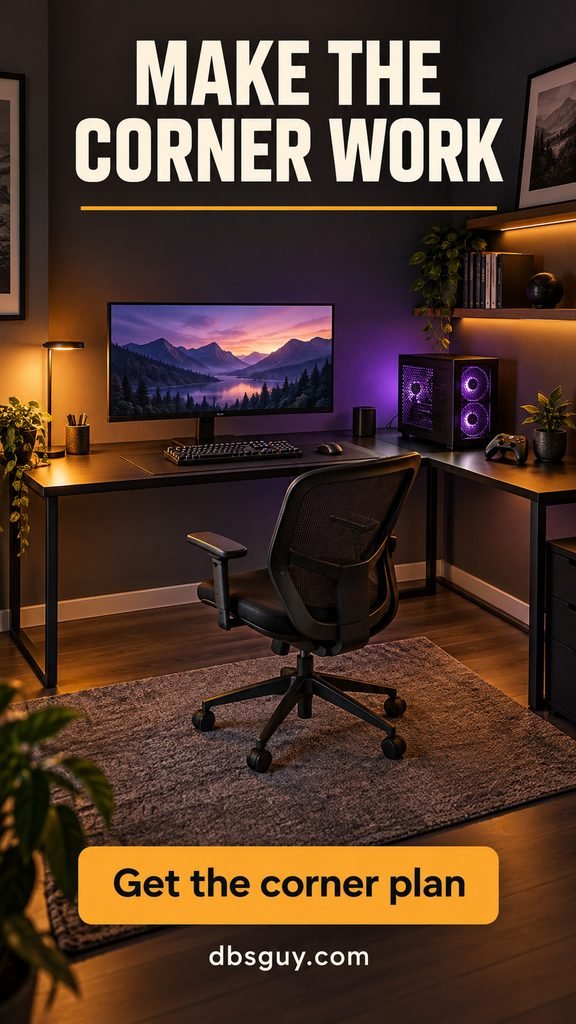
Best for: two usable walls and a setup that needs a separate home for its PC or controller accessories.
A short return can give bulky equipment its own zone without spreading the main desktop across the room. Consider a long run around 48 inches and a return around 30 inches, then check the actual outside dimensions: furniture listings measure L-shaped desks differently. Tape the full L, including both depths, onto the floor.
Set the monitor, keyboard, and chair along the long straight section, as shown here. Use the return for the tower and occasional-use gear. This keeps your everyday controls in front of you instead of making you twist toward a screen wedged into the joint.
The dark top and amber-purple lighting make this corner feel distinct, but the practical win is zoning. Leave the inside corner open below the desk. Avoid a drawer pedestal or case that stops you from moving your legs.
The trade-off: an L-shaped desk is not automatically smaller. If the return traps your chair against a bed or closet, the straight-wall layout is the better choice. Make the decision with the chair occupied, not tucked neatly underneath.
3. The open-alcove battlestation
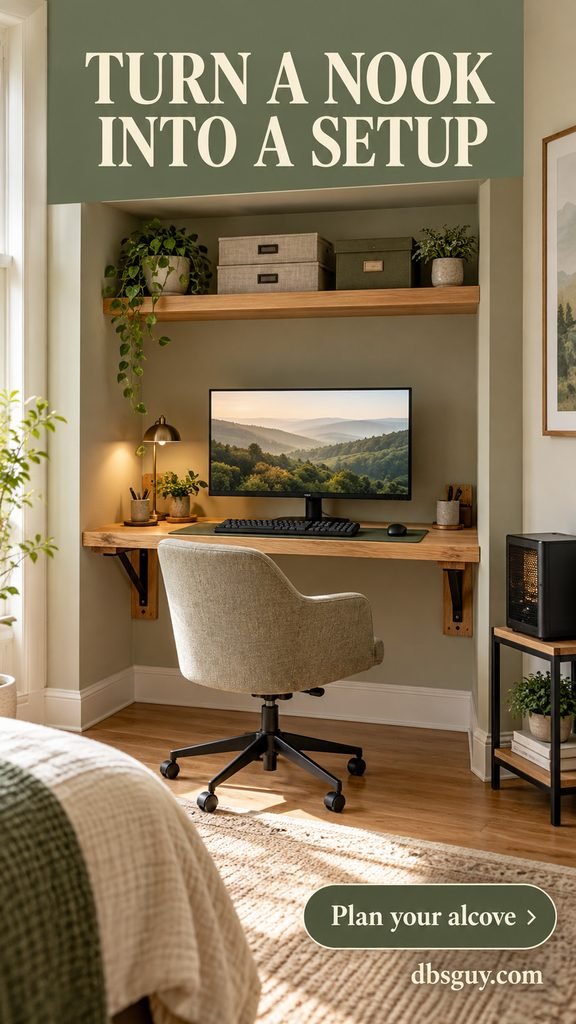
Best for: an unused recess or a spare closet opening you can keep open during play.
A fitted desktop makes an awkward gap feel purposeful. For a roughly 48-inch-wide opening, test a surface around 26 inches deep with one monitor and a compact keyboard. Keep the upper storage limited to one shelf so the space does not become a display cabinet.
Ask an installer for a desktop with a suitable load rating, properly specified supports, rounded or softened front edges, and accessible cable routing. Check for pipes and wiring before drilling. A floating appearance does not mean the desktop can go without structural support.
For this sage-and-oak layout, put the PC outside the recess on a separate open stand. That preserves knee space and avoids packing heat-producing equipment into a confined compartment. Keep device vents clear and follow the equipment manufacturer’s ventilation instructions; do not shut closet doors around running hardware.
For color ideas that let a gaming nook blend into a sleeping space, browse our sage green bedroom ideas. Repeat the room’s existing wood tone rather than introducing another furniture finish.
Skip this layout if: the opening is too shallow for comfortable screen placement, the chair blocks a necessary passage, or you need the closet for essential storage.
4. The laptop station that packs down easily
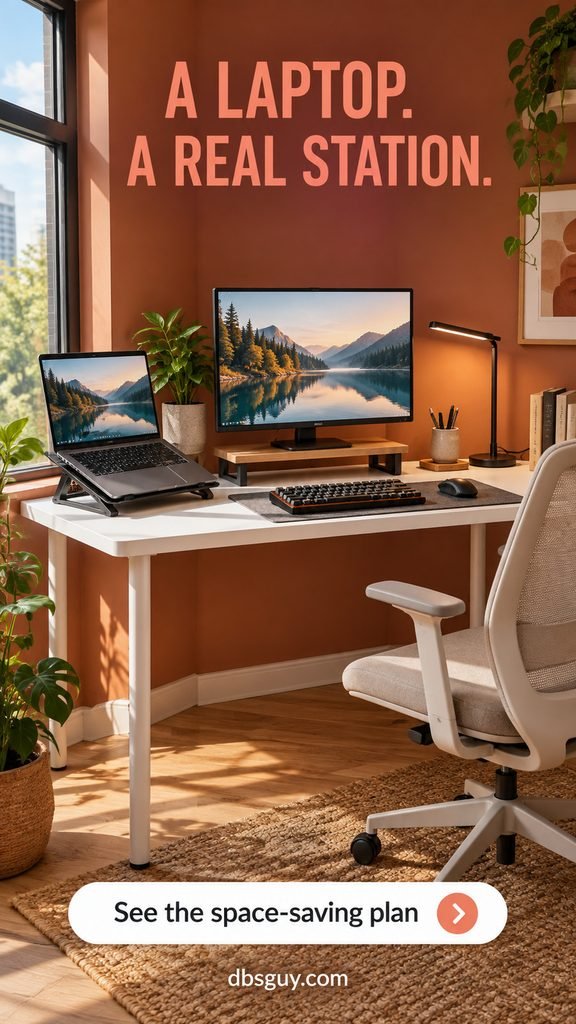
Best for: students, apartment dwellers, and anyone using one desk for work and gaming.
A gaming laptop can be the computer behind a proper desktop arrangement. Start with a freestanding desk around 40–44 inches wide and 24–28 inches deep. Put the laptop on an open, ventilated stand at one side, an external monitor in front, and a separate compact keyboard and mouse within easy reach.
The terracotta concept uses the laptop as an occasional secondary screen. Keep the game on the main display so you do not spend the evening turned toward the side. If the laptop and monitor crowd your mouse area, use a wider surface or remove the external display and center the raised laptop instead.
Before buying a dock or adapter, check the laptop’s manual for supported video outputs and charging behavior. A USB-C port does not by itself guarantee the display mode you want. Test the monitor’s intended resolution and refresh rate through the exact connection you will use.
A small basket can hold the keyboard and controller when the desk becomes a writing surface. Keep chargers accessible and route a single cable bundle along the back leg. For another compact activity zone nearby, our small-space reading nook ideas can help you plan seating without filling the remaining floor.
Window tip: arrange the monitor perpendicular to the window where possible, then check reflections at the time you normally play. Soft daylight in a concept image does not guarantee a glare-free screen in your room.
5. The living-room console corner
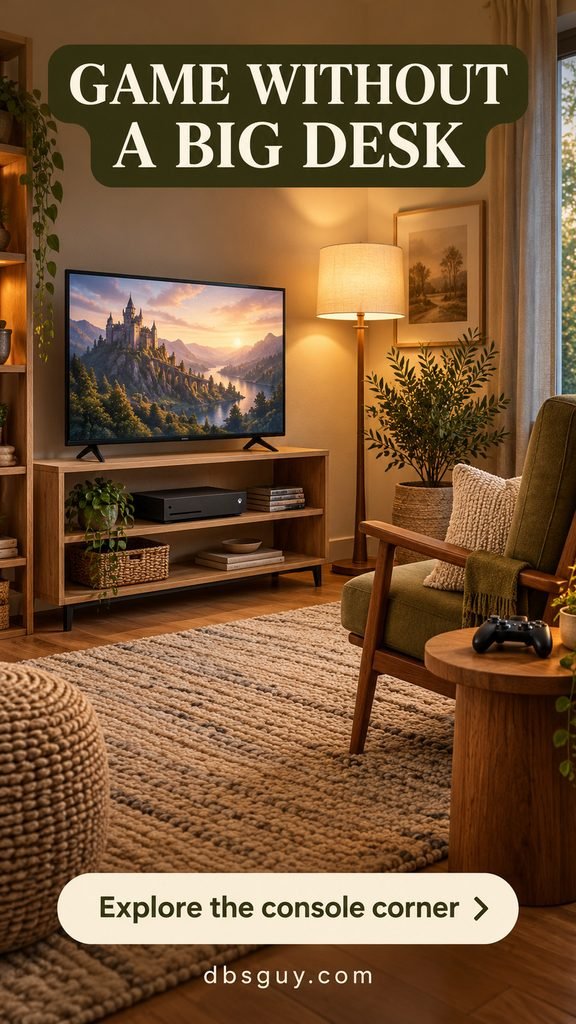
Best for: controller-first players who would rather keep a comfortable chair than add a computer desk.
Build around a modest screen, an open media stand, and one chair facing the action. This concept uses a 32-inch television and warm oak furniture to keep the gaming area in scale with a small living room. Choose screen size and distance together: sit in the planned spot and check that game menus and subtitles are readable.
Keep the console in an open, adequately sized compartment with its intake and exhaust unobstructed. Follow its manual for placement and clearance. A shelf that fits the console’s outer dimensions may still leave too little space for cooling or cable connections.
Use a side table for the controller and headphones, leaving the floor clear between the chair and the rest of the room. A lamp behind or beside the seating gives the corner a finished feel; check that it does not reflect on the screen.
For a quieter furniture palette, borrow the oak, neutral textiles, and restrained accessories in our Japandi living room ideas. You can make the gaming area feel part of the room without concealing equipment that needs airflow.
The limitation: this is a controller-oriented alternative. If you regularly play with a keyboard and mouse, choose a desk layout with a stable surface and sufficient mouse room.
The finishing details that make a small setup feel intentional
Once the layout works, tidy the cables from the devices downward. Use reusable ties, an appropriately mounted tray, and a little slack at moving monitor arms. Keep plugs accessible and follow the power strip’s rating and instructions. Avoid routing wires where chair casters can catch them.
Choose one accent color and one source of soft ambient light. Keep bright LEDs out of your direct view and off the screen’s reflective surface. A task lamp still earns its place if you write or study at the desk; decorative lighting does not replace useful room light.
Store spare controllers and cables off the desktop, but keep the items you use every session easy to reach. Follow load limits for shelves and hooks. Keep drinks away from electronics, and leave access for dusting vents and reaching ports.
What to upgrade first
Spend in the order your space needs: fix an unstable or poorly fitting desk, get the chair and screen position comfortable, then address keyboard size and cable clutter. Add lighting last. Reusing a solid table and your existing equipment can be more sensible than replacing everything for a matching aesthetic.
If you are buying during US holiday sales, make a measurement and compatibility checklist before comparing discounts. The useful purchase is the one that fits your corner and hardware, regardless of the sale label.
Small gaming setup FAQs
Is a 40-inch desk enough for gaming?
It can work for one modest monitor and compact peripherals. Width alone does not settle it: check depth, monitor support, your mouse movement, and where the computer will sit. Mock up the equipment on a surface of the same size before buying.
Can I use a shallow desk if I add a monitor arm?
Sometimes, if the arm lets the screen sit far enough back and the mount is appropriate. Check its movement and rear-wall clearance. If you still cannot sit comfortably with the screen at a suitable distance and your controls nearby, choose a deeper desk.
Should I add a second monitor?
Add one when it solves a real task, such as keeping chat visible while streaming. First check physical width and support requirements. Keep the primary screen centered; a secondary screen is less useful if it takes the space needed for your mouse or makes you constantly turn your head.
How can I make a rental setup look built in?
Use a freestanding desk that fits the available gap, match its finish to nearby furniture, and keep cables gathered behind it. A freestanding storage unit beside the desk can create a cohesive edge. Check your lease before mounting shelves or screens.
Where should the PC tower go?
Choose an open location that preserves leg room, leaves vents clear, and allows access to ports. A separate side stand is useful if the desktop is crowded. Avoid enclosed furniture and soft surfaces that obstruct bottom vents; use your case or PC maker’s placement instructions.
Your best small gaming setup is the one you can sit at comfortably, move around easily, and maintain without dismantling the room. Pick the layout that fits your actual floor plan, then use color and lighting to make that corner your own.