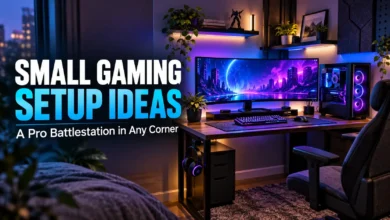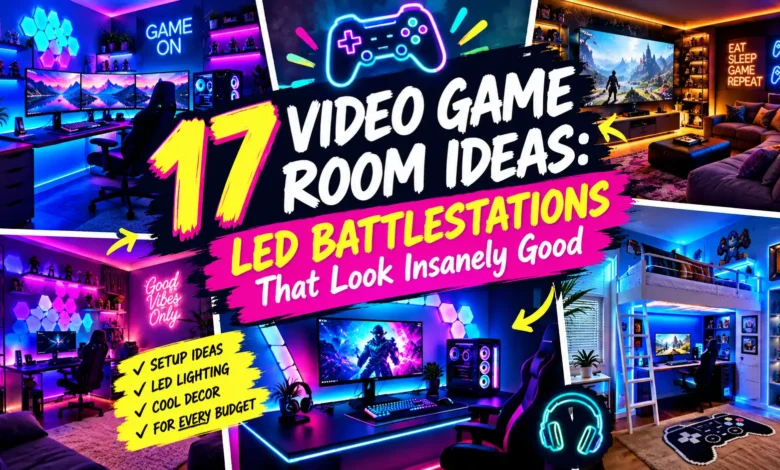
A great LED battlestation starts with a clear lighting plan: one focal point, a glow behind the screen, and enough ordinary light to use the room comfortably. You can get that look with a single desk corner or build it into a full video game room.
These 17 video game room ideas show different ways to arrange the space, place the lights, and keep the setup useful. For a simple upgrade, start with the floating desk glow. For a warmer room, choose wood and amber. For a rental, skip wall fixtures and use freestanding lights.
The visuals below are AI-generated design concepts, created to illustrate the layouts and lighting ideas. They are inspiration, not photographs of completed installations or evidence of product performance.
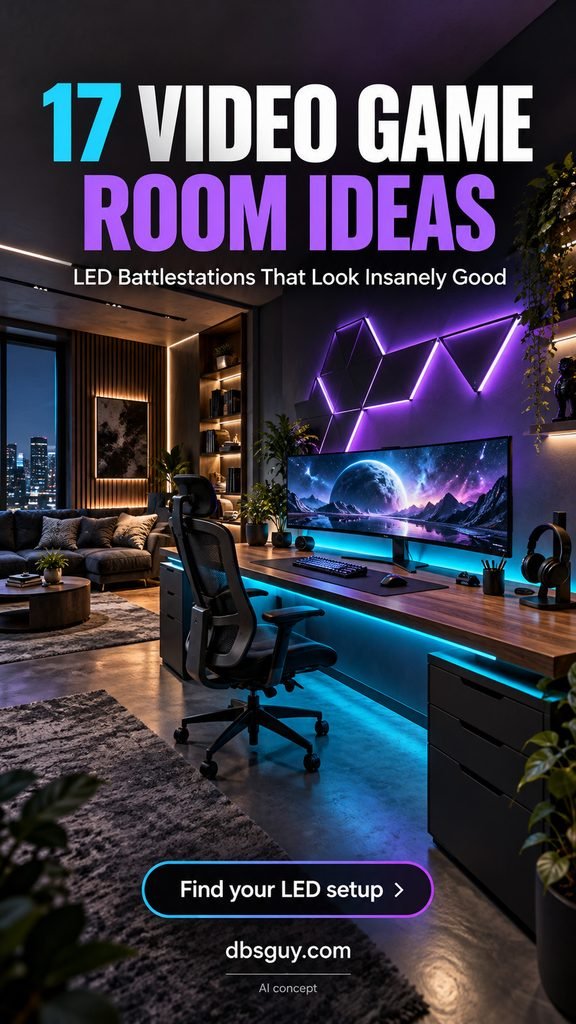
1. Give a Simple Desk a Floating Glow
The visual trick here is the gap between the dark desk and the illuminated wall. A rear-edge light strip creates a halo, while a second concealed strip under the desktop adds depth. The desk still has proper supports; you do not need a wall-mounted floating desk to get the effect.
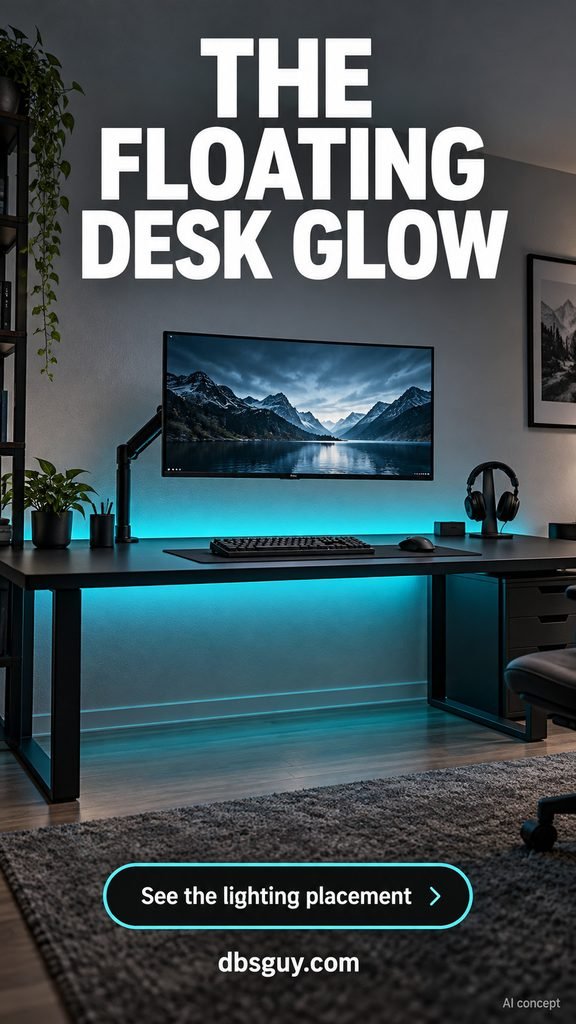
Keep the keyboard, mouse, and headset mostly black so the outline does the decorating. Run the rear strip where it shines toward the wall, then check it from your seated position: you should see the glow rather than individual LEDs. If the strip remains visible, reposition it or choose a compatible diffuser channel.
This is a good first upgrade when your existing furniture works. Tidy the power bricks and cables in a suitable under-desk tray before adding more lighting. A bright glow will also highlight a tangle of cords.
2. Pair Warm Wood With Soft Amber
Walnut, oak, and amber light give a gaming room the warmth of a living space. In this concept, the under-shelf glow skims the slatted wall, and the monitor wallpaper picks up the same sunset tones. The room has plenty of atmosphere without a rainbow effect.
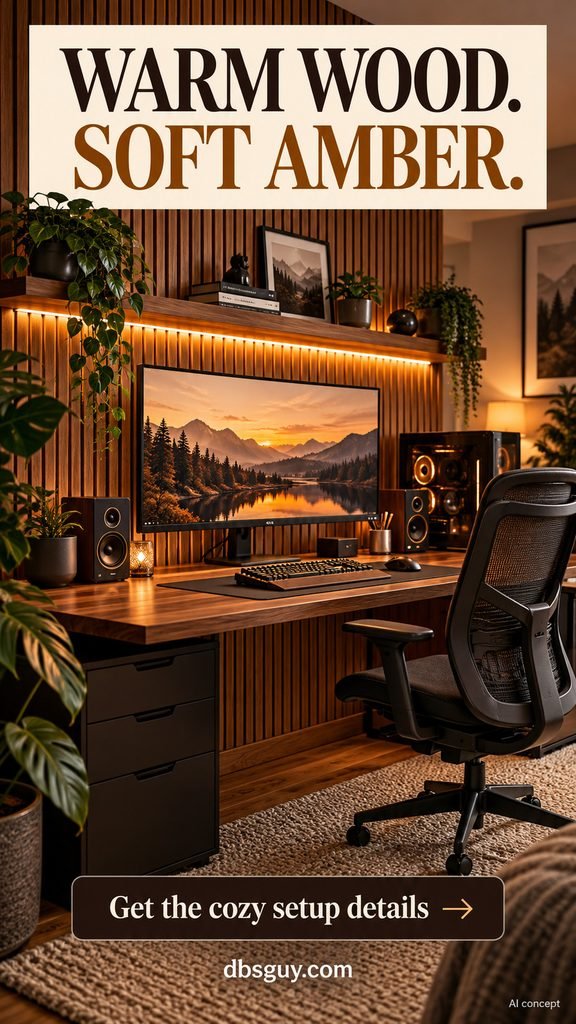
Use a warm-white-capable LED strip if you want the shelf light to double as everyday illumination. Amber color mode can provide the mood, while an adjustable white setting gives you another option when you are organizing equipment.
Let the wood stay visible: use black accessories, one textured rug, and a few plants rather than covering every surface. Leave room around the PC’s intake and exhaust, and keep trailing leaves away from the hardware. For fall and winter evenings, this palette is an easy seasonal choice without holiday-specific decor.
3. Turn a Small Bedroom Corner Into a Battlestation
A small room benefits more from a good footprint than extra screens. This white desk sits along one wall near the corner, with a monitor arm freeing the surface for a keyboard and mouse. Teal light behind the display makes the gaming area feel intentional.
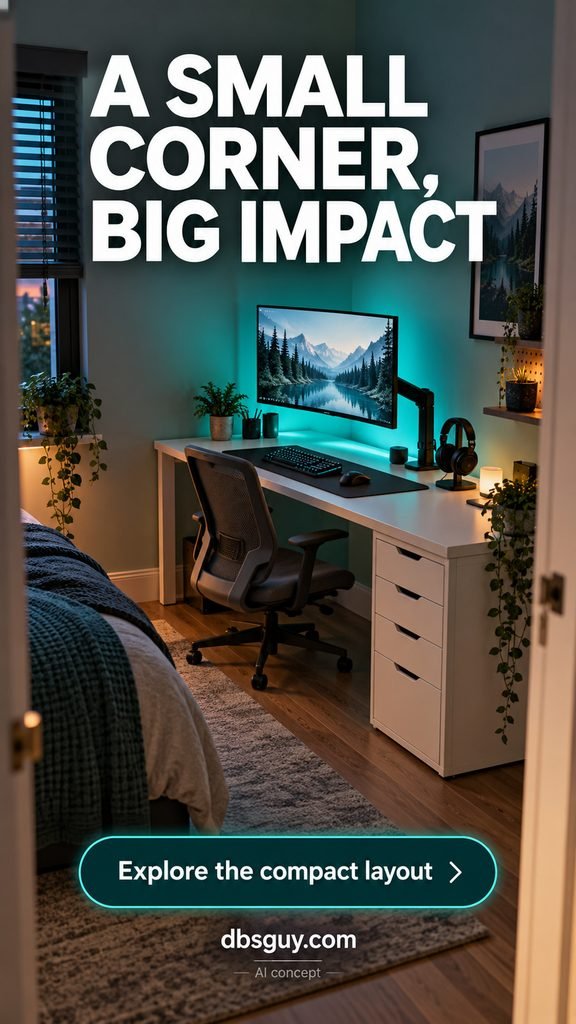
Measure the desk, drawer unit, and chair together. Then mark the chair’s pulled-out position on the floor with removable tape to check that you can still move between the bed and doorway. A compact desk that blocks the room is not actually saving space.
Choose an arm compatible with your monitor’s mount, weight, and the desk’s construction. Keep a normal lamp for the rest of the bedroom, and give the accent lights an easy off switch so the room can settle down when gaming is finished.
4. Make an L-Shaped Desk Work in Two Zones
An L-shaped desk earns its footprint when the two sides have different jobs. Put your main display, keyboard, and mouse on the longer run. Use the return for a charging dock, a laptop, or gear you want nearby without crowding the play area.
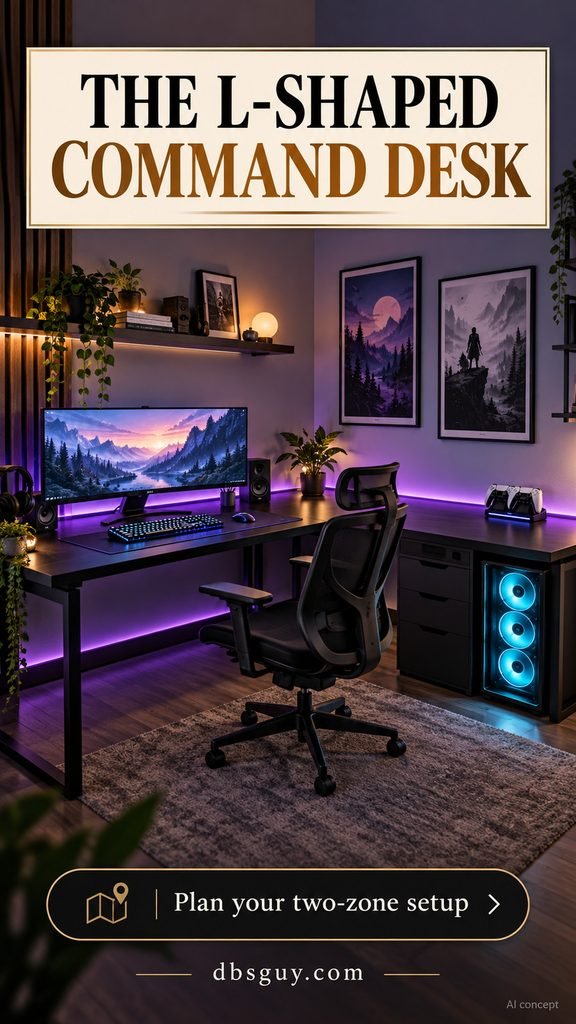
Trace the rear edges with a restrained violet glow to connect the two surfaces. Check the strip’s installation instructions before routing around the corner; a sharp fold is not a universal solution. Some setups need separate runs or a manufacturer-approved connector.
Keep the main monitor in front of your seated position rather than playing while twisted toward the corner. Before buying the desk, check the return’s orientation, outlet access, and space for the chair to turn. The layout should fit your room, not just your inspiration image.
5. Build One Angular Light-Bar Feature
Linear wall lights create a graphic feature even when the rest of the setup is quiet. An open zigzag feels different from a full grid: the empty wall is part of the design. Keep the arrangement above the display, with enough separation that it does not look attached to the monitor.
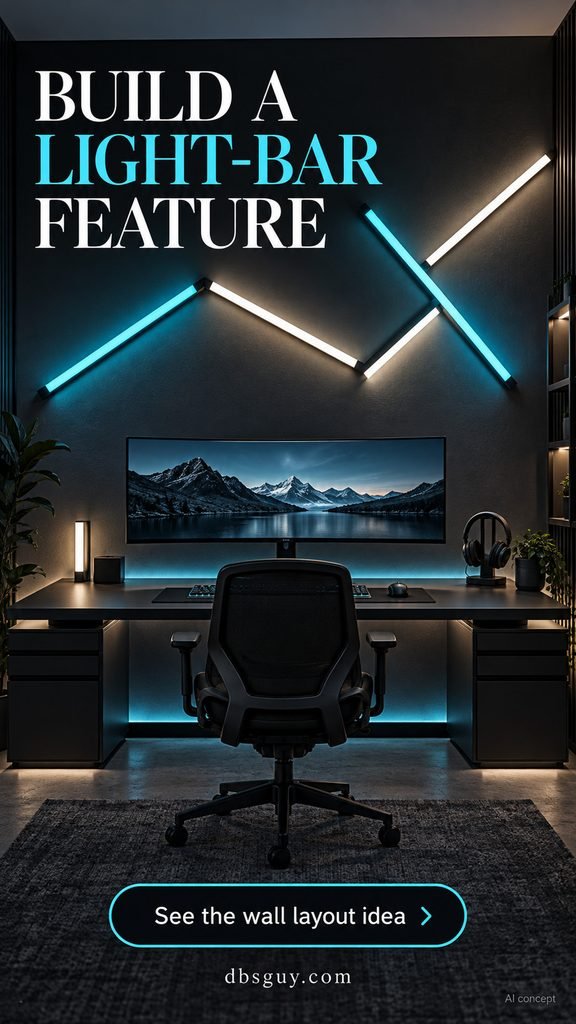
Mock up the shape at full size with paper strips first. Look at it from the doorway and the chair, and work out where the controller and power cable will go. That planning matters more than adding extra bars.
Choose a restrained static scene for everyday play, such as cyan with a few white segments. Follow the kit’s supported layouts and mounting method. If you are renting, check permission before using adhesive mounts; removable products can still affect some painted surfaces.
6. Use a Compact Hex-Panel Cluster
Hexagonal panels suit a setup that needs a little color and sculptural detail. Place a modest cluster slightly off center instead of filling the wall. Lavender and white work well with a pale desktop because the whole scene feels light rather than visually heavy.
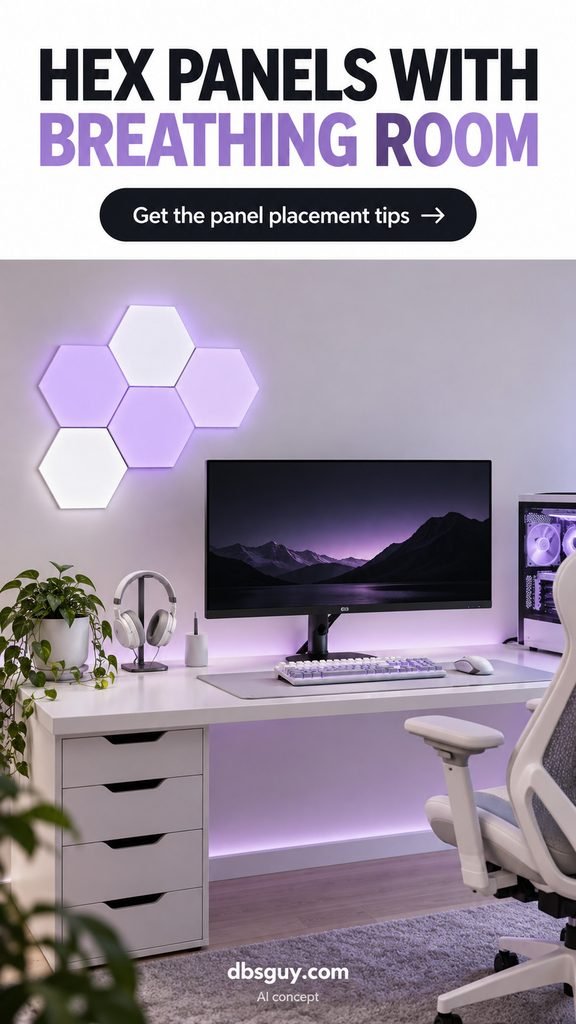
Plan the cluster around the panel kit you actually own. Connector positions, controller placement, and the number of supported panels vary, so sketch a layout that the manufacturer allows before attaching anything.
Keep shelves and framed art away from the immediate cluster. Giving the panels breathing room makes a smaller arrangement look deliberate. Start with low brightness, then check for reflections on the screen; a wall feature should not become the brightest thing in your line of sight.
7. Light the Shelves That Hold Your Collection
Display lighting works best when there is something worth seeing. A couple of walnut shelves can hold controllers, a few collectible figures, and a small piece of art. Concealed LEDs under the shelves illuminate the display and add layers above the desk.
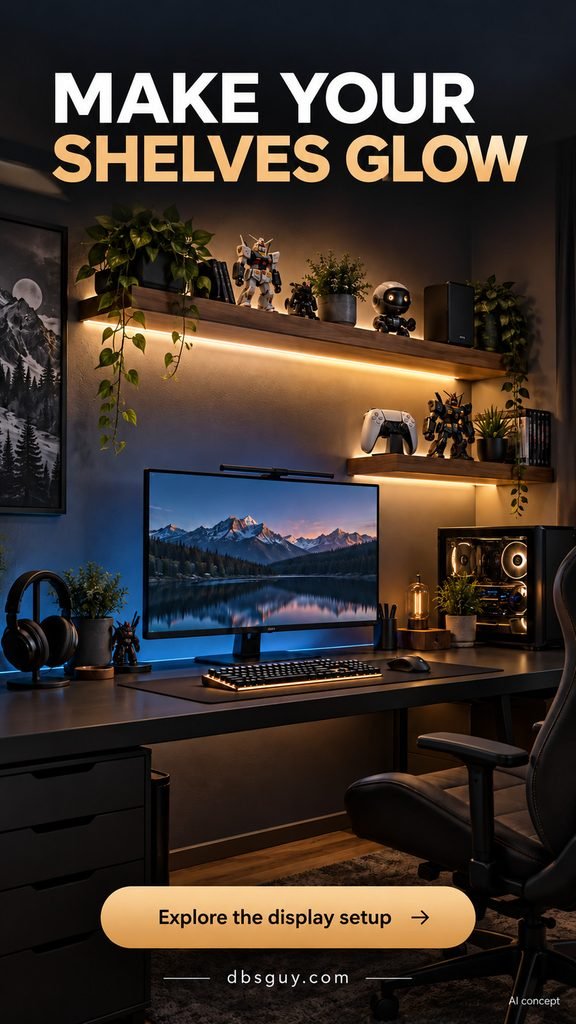
Use compatible channels or mounting accessories to tuck the strip out of sight. Test where the light lands before fixing it permanently: too close to the front lip can reveal the LEDs, while an awkward angle can leave the shelf contents in shadow.
Edit the collection rather than squeezing in every item. Leave gaps between objects and reserve one accessible place for the controller you use daily. Mount shelves for the wall type and expected load, and route power leads neatly without drilling or fastening through cables.
8. Give Two Players Separate Lighting Zones
A shared gaming desk looks polished when both stations use the same basic furniture and each player gets a full usable workspace. This concept pairs teal on one side with amber on the other, creating two identities without a physical divider.
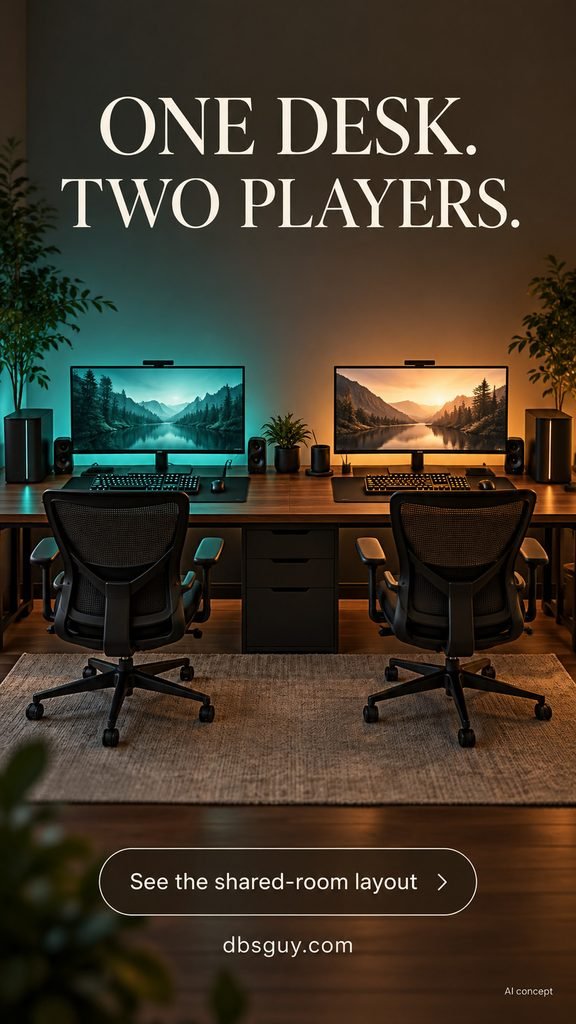
Measure the screens, mouse movement, and chairs before choosing a desktop. Do not assume that two monitors fitting on the surface means two people will fit comfortably. A long top also needs support and a load rating appropriate for the equipment.
Give each person reachable lighting controls and a separate cable route. Headphones can make simultaneous play simpler than competing speakers. Keep the center of the desk clear so the zones feel balanced, and avoid one intense wall wash spilling across the other player’s screen.
9. Build a Console Lounge Around the TV
A console setup has a different center of gravity: the seat and TV matter more than a desk. Start with a comfortable viewing position, then place the media console where controllers, charging cables, and games are easy to reach.
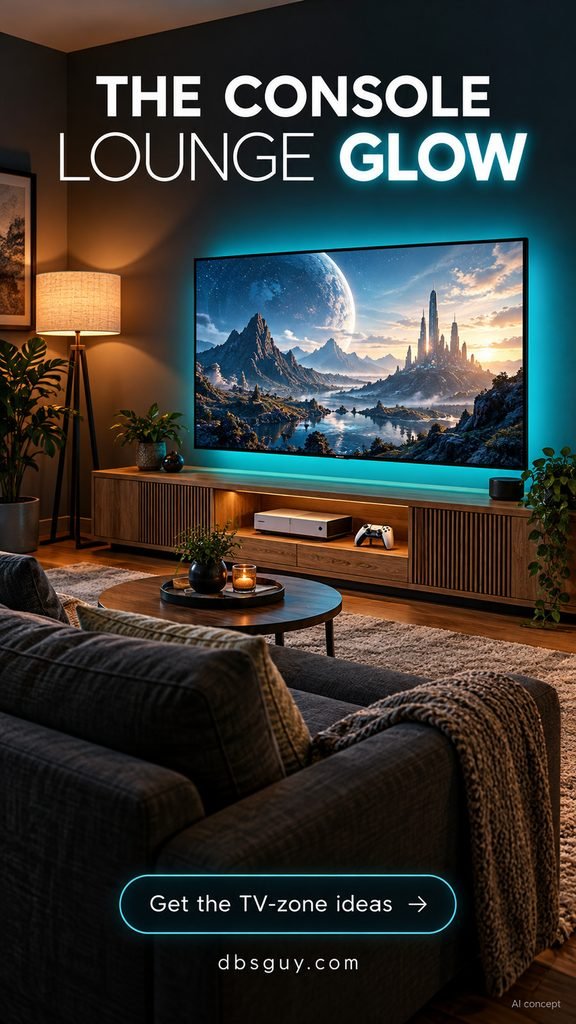
Put the accent light behind the TV so it washes the wall rather than shining toward the sofa. The teal halo in this concept pairs with a warm floor lamp, giving the room a softer layer for conversation or snacks.
Use the console manufacturer’s ventilation requirements when choosing the cabinet and equipment position. An open cubby can help access, but its dimensions still need to suit the device. Keep a controller charging spot on the media unit and a clear path between the sofa and screen.
10. Try Screen-Matched Ambient Lighting
Reactive lighting is the option to choose when you want the room to follow what is on screen. Here, blue on one side and orange on the other echo the monitor image. Keep the surrounding decor neutral so the changing light remains the main effect.
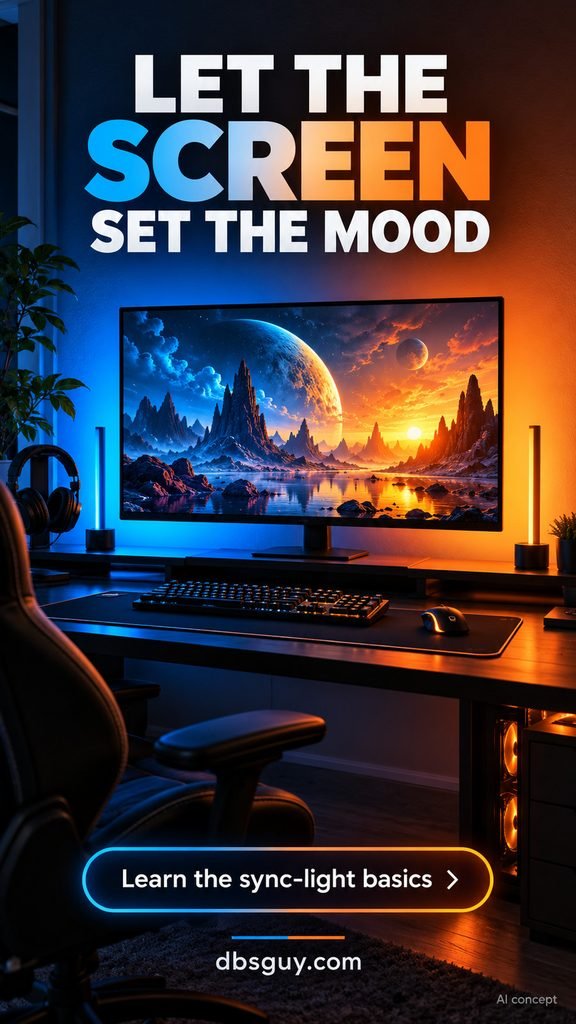
A normal RGB strip does not automatically track a game. You need a compatible sync system, which may analyze the screen through software, a camera, or an HDMI connection. For example, Philips Hue’s PC sync guidance describes its desktop app, compatible color lights, and Bridge-based setup.
Before buying hardware, confirm support for your connection, resolution, refresh rate, and the content you use. Start with a subdued response and keep a static preset available. If changing light distracts you during competitive play, switch back to a steady glow.
11. Separate Streaming Light From Background Light
A streaming corner has two lighting jobs. The person on camera needs usable illumination, while the background needs depth. Treating both jobs as one purple wash can make the whole image look muddy.
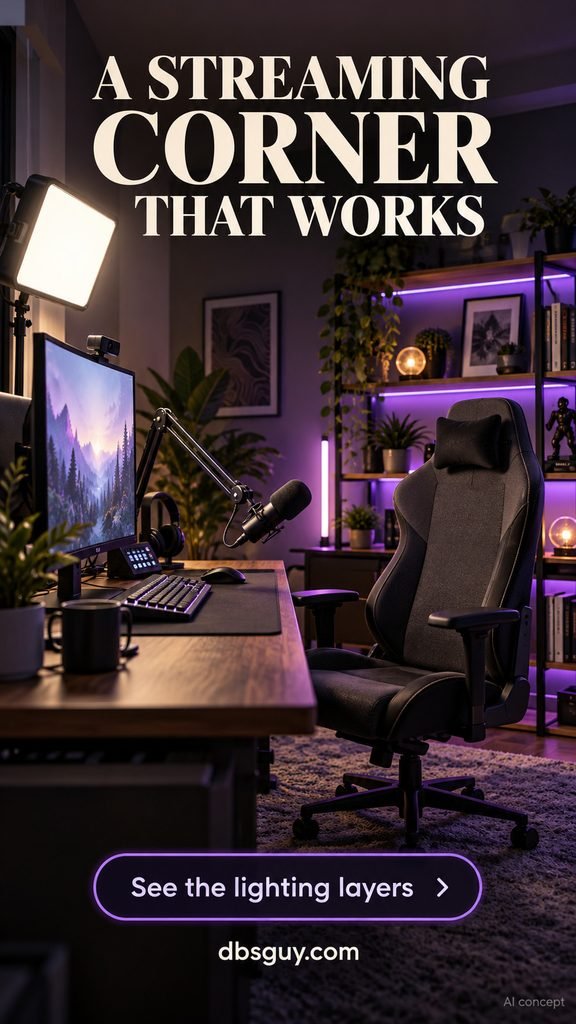
Position a diffused white key light beside the webcam and aim it toward the seated position. Use purple LEDs behind the chair or on background shelving, where they will be visible in the camera view. Keep the microphone arm out of the face area and away from the light’s path.
Check the actual webcam preview before attaching or mounting everything. Adjust the key light until the face area is evenly exposed, then add the background color. Keep light stands and cables outside the chair’s movement path. You can begin with one key light and a single background accent.
12. Backlight a Pegboard Storage Wall
A pegboard gives accessories a home without using more desk space. In this setup, a headset, controllers, and a small shelf sit above the monitor area, while a teal halo separates the panel from the wall.
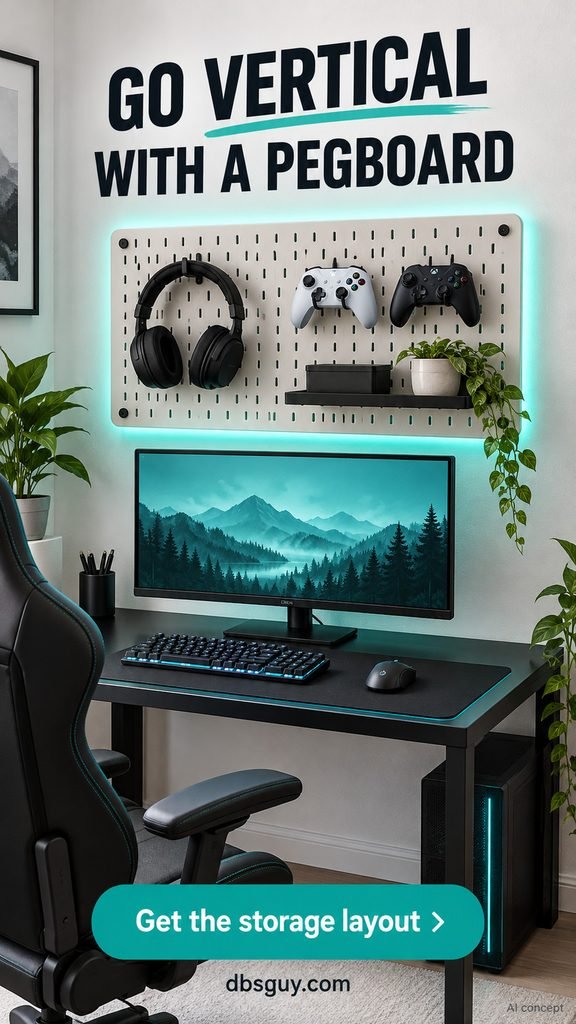
The lighting needs a rear gap and a mounting arrangement that the board supports. Do not improvise a spacer that weakens the installation. If a backlit version becomes complicated, use the pegboard for storage and keep the accent light behind the monitor instead.
Arrange the hooks around the objects you reach for most often. Keep charging leads from hanging across the screen, and check each hook and shelf’s load limit. A few open holes are useful: they give you space to reorganize when your gear changes.
13. Frame the Room With a Ceiling Cove
Ceiling cove lighting makes the room itself part of the battlestation. The light source is hidden in a recess or suitable molding, so the eye follows a soft violet perimeter. It is a bigger commitment than a desk strip, but it can suit a dedicated gaming room.
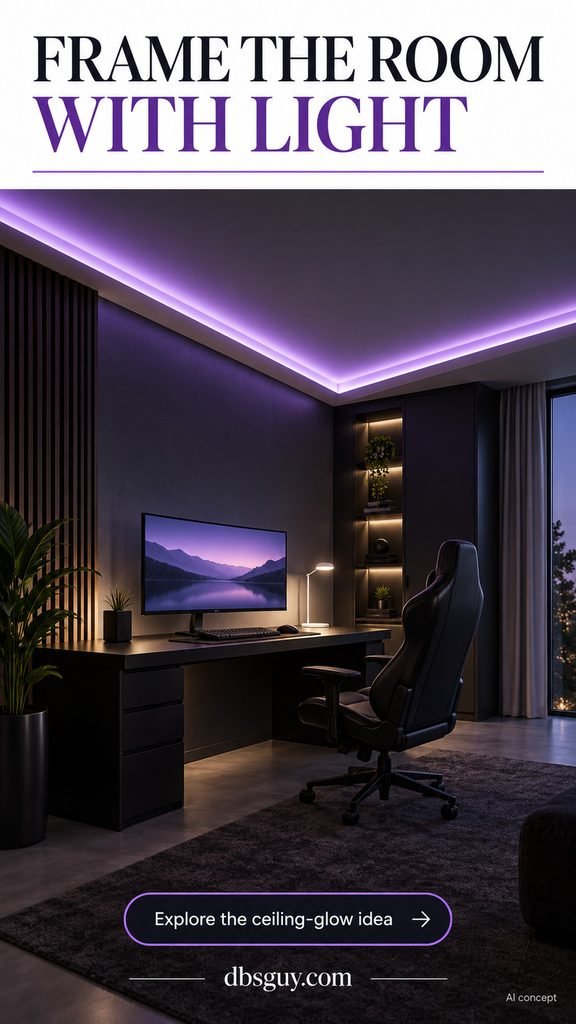
Plan the run, driver access, and controls before installation. A continuous-looking glow may require more than one compatible lighting run; do not exceed the system’s supported lengths or power limits to force the effect.
For built-in work, ask an installer to explain the mounting detail and how the components can be accessed later. Have electrical modifications handled by a qualified professional. Keep a separate task or room light: the cove sets the mood, while ordinary lighting keeps the space usable.
14. Add a Retro Arcade Sidekick
A compact arcade cabinet gives a PC room a second personality. Pink and cyan accents nod to an arcade atmosphere, while a modern desk keeps the main station practical. Simple pixel-style art connects the two without needing a wall full of logos.
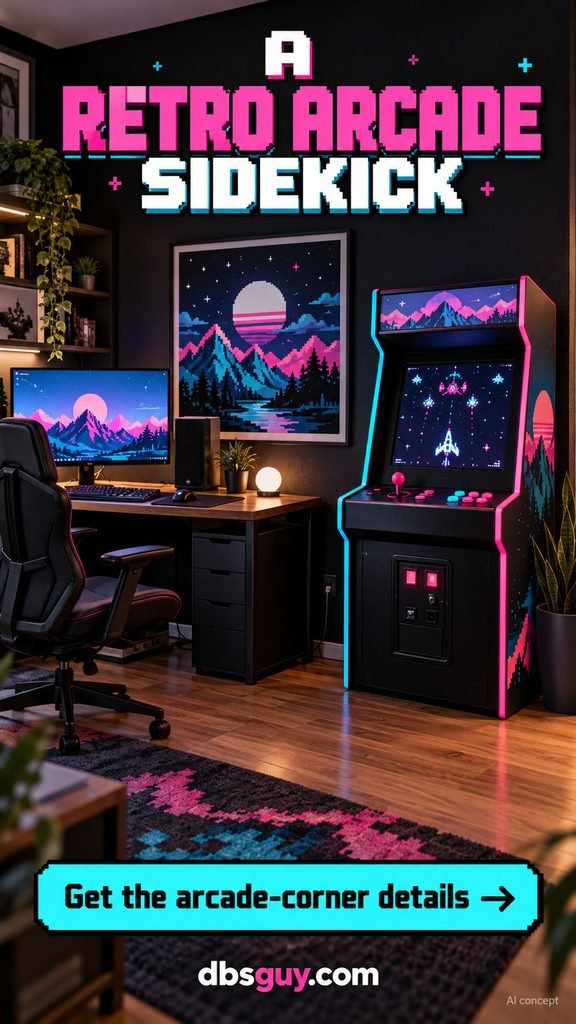
Place the cabinet where a standing player will not block the desk chair or doorway. Measure its real footprint, the space needed to play, and how it will get through the door. It should feel like a side zone rather than an obstacle.
Choose one repeated accent color between the desk and cabinet. Keep the rest of the wall quiet, and use a steady lighting scene when both screens are running. If the cabinet has built-in lights, you may not need any additional fixture beside it.
15. Give a Sim-Racing Rig Its Own Pool of Light
A racing cockpit needs its own layout, not just a desk with a wheel added to the front. Put the seat, wheel mount, pedal plate, and monitor in a relationship you can adjust. The blue floor glow in this concept marks the rig as a dedicated zone.
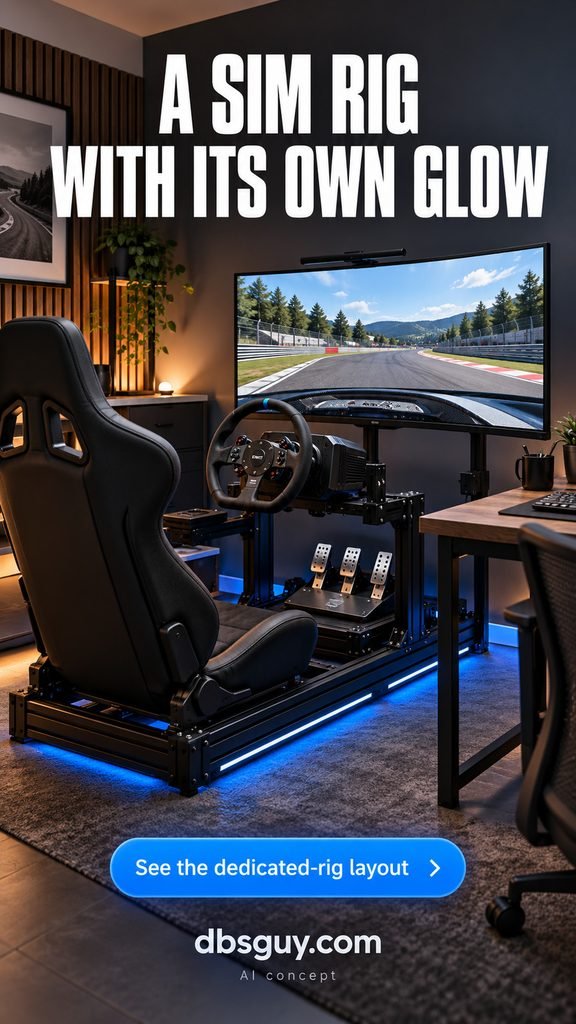
Set the driving position before routing LEDs. The seat may slide, the wheel may adjust, and the pedals need clear access. Run light cables outside those moving parts and keep slack where the manufacturer requires it.
Check that the frame supports the wheel and pedal equipment you intend to use, especially with higher-force hardware. Leave an easy entry and exit route beside the seat. If the room also has a desk, treat the rig as a separate footprint and test both positions with floor tape first.
16. Create a Home Office That Switches to Game Mode
This is the approach for a room that has to do more than one job. An oak desktop, plain curtains, and a comfortable adjustable chair make the space look settled during the day. A warm monitor halo and a small blue PC accent give it an evening gaming identity.
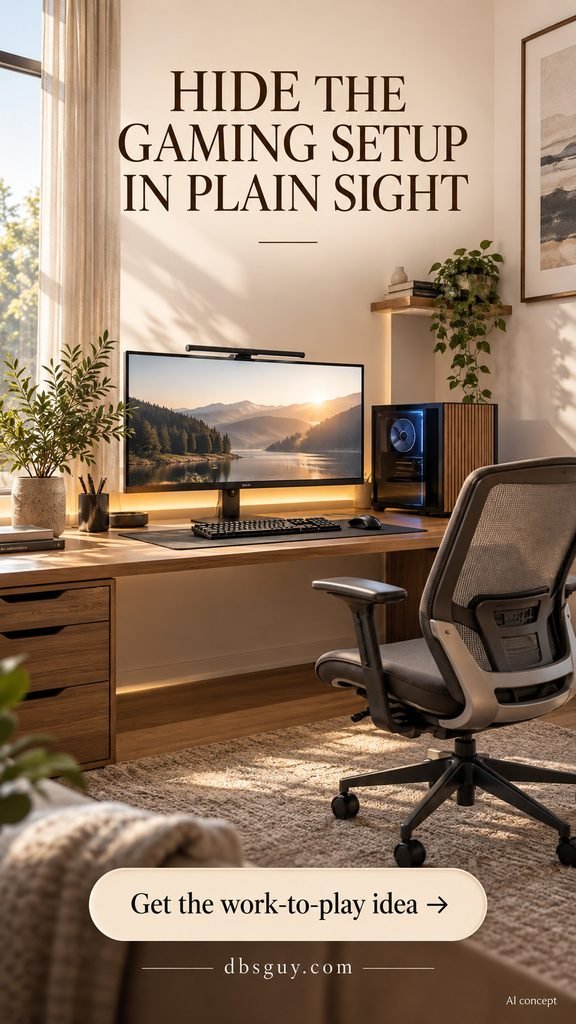
Keep a work preset with ordinary white lighting and a play preset with subdued color. Choose fixtures whose controls are easy to reach; the transition should not require opening several apps.
Store controllers and spare cables in a drawer, and keep the main mouse area clear. Position the screen with daylight in mind, then adjust blinds or curtains when reflections appear. You can create the mood with lighting while keeping furniture that works for meetings, homework, and everyday use.
17. Start With a No-Drill LED Upgrade
For a rental or a first setup, freestanding lighting is the easiest place to begin. Two small light bars behind the screen create a lavender wall wash, and a slim cyan corner lamp adds height. The desk and walls can stay exactly as they are.
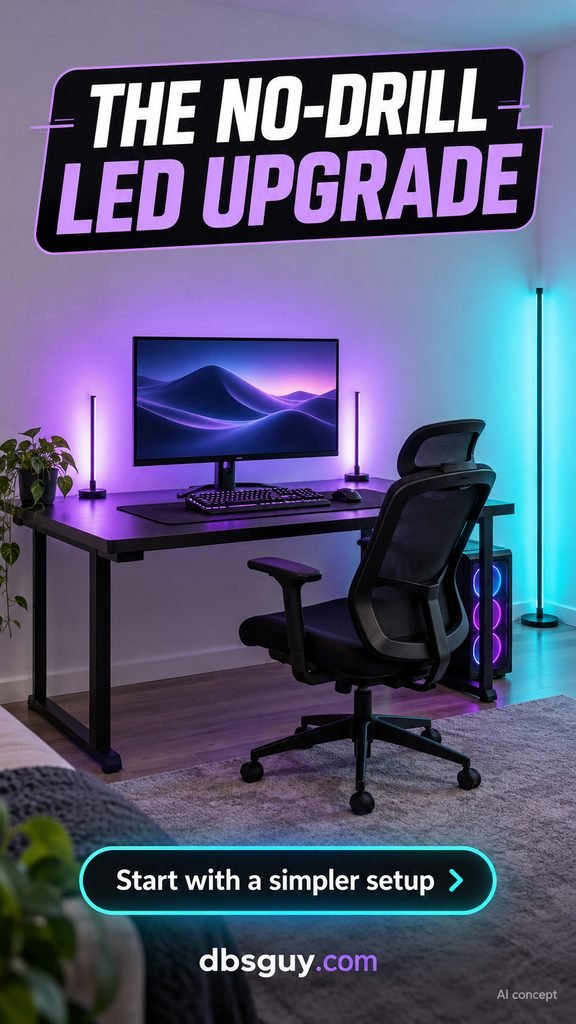
Place the bars where the monitor hides their bright faces from your seated view. Move the corner lamp until it washes the wall without reflecting in the screen. This also gives you a chance to try the colors before committing to a larger installation.
Route cords along the furniture and outside walking paths, following the fixtures’ instructions. If the budget is tight, start with the monitor bars and add the floor lamp later. A tidy desk, one steady color scene, and a clean wall can look finished without wall panels.
Plan the Setup Before You Buy the Lights
Choose the layout before the lights. Measure your equipment, chair movement, and route to the door; then decide which one feature you want people to notice first.
Keep the screen comfortable to use. OSHA’s monitor guidance suggests placing the top of the screen at or slightly below eye level and a typical viewing distance of 20–40 inches. Use that as a starting point, then adjust the setup so text is readable without leaning or turning your head.
Test the glow before mounting it. Look from the chair and doorway, check screen reflections, and confirm the location of outlets, controllers, and power supplies. Use the lighting system’s specified power components and limits.
Spend on one useful layer first. A rear monitor glow or a well-placed shelf light can change the room. Add a decorative wall feature only if you still want one after living with the simpler setup.
Video Game Room FAQs
What is the easiest way to make a gaming room look better with LEDs?
Start behind the monitor or along the rear edge of the desk. Hide the light source, use a steady scene, and tidy the cables. This gives the room depth without buying a whole wall of fixtures.
How do I avoid seeing individual LED dots?
Aim the strip toward a wall or use a compatible diffuser channel. Test the distance and angle before installation. A shallow diffuser does not guarantee a perfectly smooth result with every strip, so check the actual combination.
Can I cut any LED strip to fit my desk?
No. Follow the instructions for the exact model, and disconnect power before making permitted alterations. Nanoleaf’s cutting guidance, for example, distinguishes cuttable lightstrips from rope and string products that cannot be shortened. Do not assume leftover pieces can be reattached.
Do I need smart lights or screen syncing?
No. A static dimmable setup is enough for most of these looks. Smart controls are useful if you want presets or coordinated fixtures. Screen matching requires a compatible sync system and is a separate buying decision.
Which LED colors should I use?
Choose colors that work with the furniture and the mood you want. Teal and violet suit a darker setup; amber complements warm wood; lavender sits well in a pale room. Those are design choices, not performance or health claims. Keep an ordinary white-light option available.
Can I make a good gaming room on a small budget?
Yes—begin with the desk and hardware you already use. Clear the surface, organize the cables, and choose one accent-light location. Save bigger purchases for problems you actually need to solve, such as insufficient storage or a desk that does not fit.
Start with the idea that fixes your room’s biggest limitation. Once the desk, seat, and lighting placement work together, you can add personality without losing the space you need to play.