20 New Year Wallpapers With Fireworks, Minimalist Designs, and Fresh-Start Messages

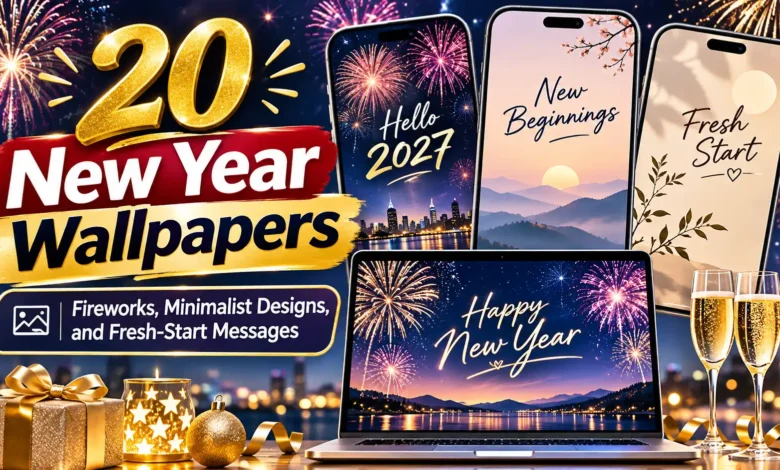
Give your phone the New Year mood you actually want to look at: gold fireworks for the countdown, a quiet minimal design for everyday use, or a few words you would like to carry into January.
These 20 New Year wallpapers include six fireworks-and-sparkle designs, seven minimalist backgrounds, and seven fresh-start messages. All are static, portrait JPG images at 900 × 1600 pixels. None includes a year, so you can keep your favorite beyond one celebration.

The wallpapers are AI-generated artwork created for dbsguy.com. Scenic images depict imagined settings, and the short messages are design suggestions rather than quotations attributed to an author.
Find Your Wallpaper Style
- For a festive lock screen: start with designs 1–6. Fireworks, a sparkler, and metallic rays bring the celebration onto your screen.
- For a quieter everyday background: compare designs 7–13. Smaller lettering and simpler shapes leave more room around your apps.
- For a visible reminder: look at designs 14–20. Their larger messages work best where notifications and widgets leave the words readable.
How to Save and Set Your Favorite
On a phone, touch and hold the wallpaper image and choose the option to save or download it; the wording varies by browser. On a computer, right-click the image and choose “Save image as.” Save the image itself rather than a screenshot of the article, which would include the surrounding text.
On iPhone: open Settings → Wallpaper → Add New Wallpaper → Photos, then choose the saved image. Adjust it in the preview, tap Add, and choose a wallpaper pair or customize the Home Screen separately. Apple’s wallpaper guide explains these options.
On Google Pixel: touch and hold an empty area of the Home Screen, open Wallpaper & style, and choose your saved photo through the wallpaper controls. Preview it and apply it to the screen you want. Other Android phones use different menu names; look for Wallpaper in Settings if the shortcut differs.
Check the crop before applying. These files use a 9:16 ratio. A taller phone screen may crop the sides when filling the display. Reposition or reduce the zoom where your phone allows, and check the lettering, clock, and bottom shortcuts together. A matching lock screen and home screen are optional.
Fireworks and Midnight Sparkle
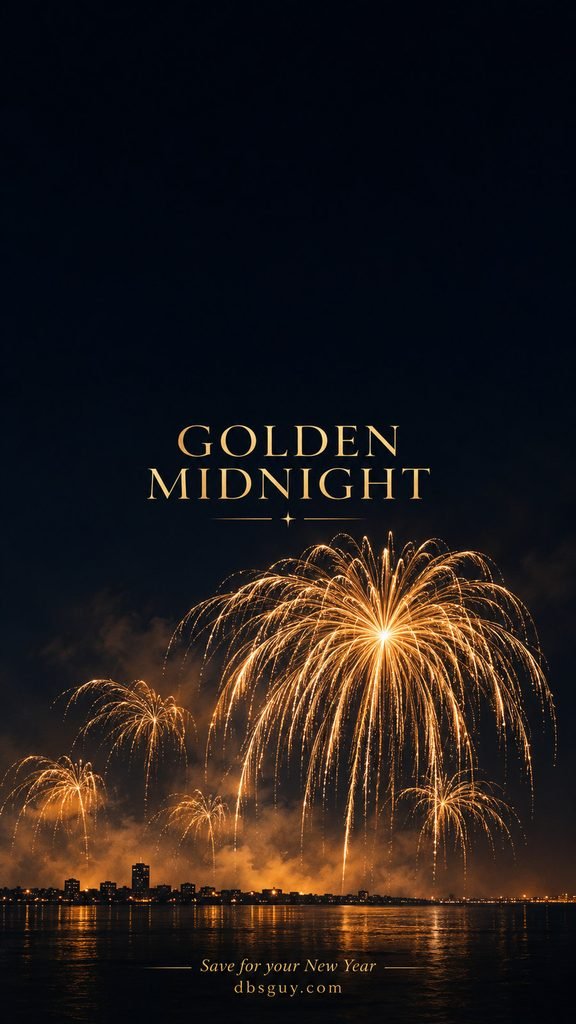
1. Golden Midnight
Gold willow fireworks and a nearly black sky give this wallpaper the familiar midnight-celebration look. The small skyline stays low, so the bright trails do most of the work.
Try a pale clock color in the empty sky above the lettering. Keep the main burst and skyline visible when adjusting the crop; zooming too far can turn those graceful trails into an indistinct glow.
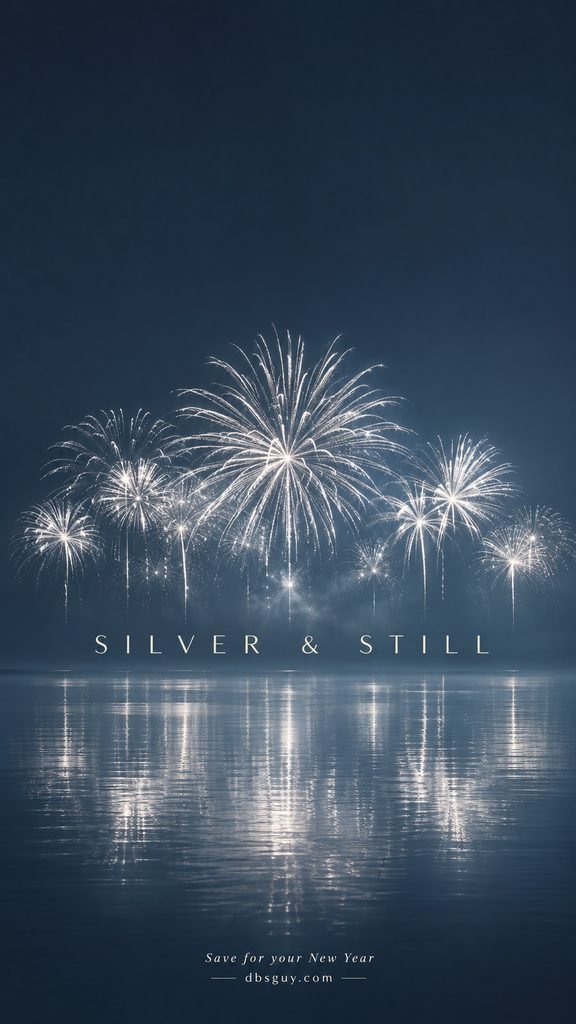
2. Silver & Still
Silver bursts reflected on blue water make a cooler alternative to black and gold. The broad reflection is part of the design, giving the lower half a little light without adding more words. Use this on a lock screen if you want to see the lake. A row of app icons across the reflection will make the composition feel busier.
3. Color After Dark
Coral, teal, and violet trails bring a more playful party mood to a deep plum background. One large burst leads the composition, with smaller fireworks balancing it below.
Compare the preview with a simple white clock before choosing a colorful clock style. The wallpaper already supplies several accent colors, so another bright shade may be harder to distinguish.

4. A Little Spark
A single sparkler gives this design a closer, more intimate view of New Year sparkle. The diagonal stem and warm points of light sit below a large stretch of dark navy. This is a useful option when a full fireworks skyline feels too crowded. Position it so the glowing tip stays below the message, with the plain upper area behind your clock.

5. Light on the Water
A softly painted harbor, small fireworks, and long gold-and-rose reflections make this the most scenic wallpaper in the collection. The teal sky keeps the warm waterfront from filling the whole screen.
Keep some water in the crop rather than centering only the fireworks. The reflected color is what separates this design from a straightforward night-sky background. The harbor is an imagined scene.

6. An Emerald Countdown
Fine gold fans on emerald green turn fireworks into an Art Deco pattern. There is no skyline or photographic smoke; the crisp rays and repeated curves give it a more graphic finish. Choose this if you like a festive palette with orderly shapes. Preserve the lower fan in the preview, and keep any optional widgets in the quieter green space above.

Minimalist New Year Wallpapers
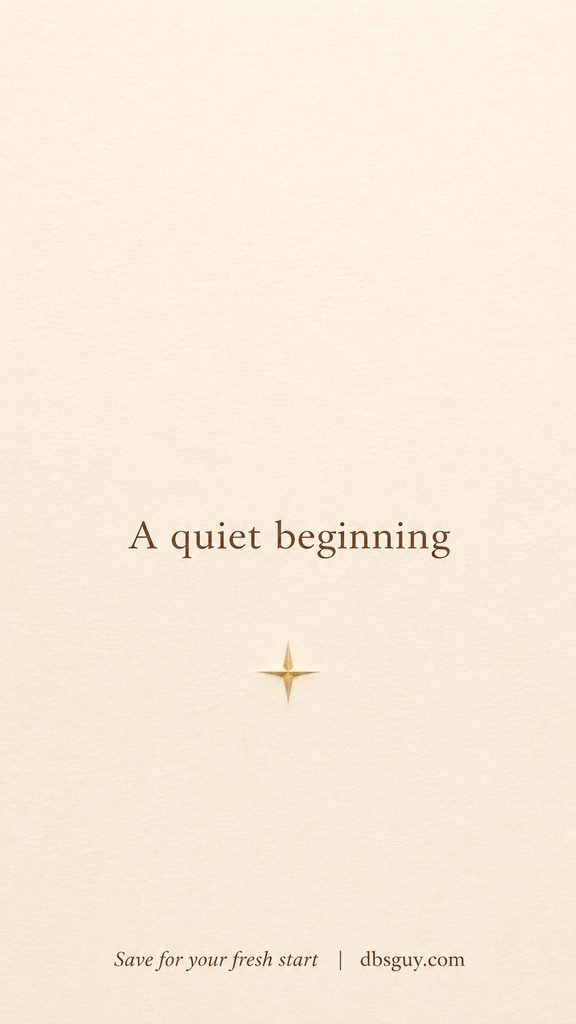
7. A Quiet Beginning
One small gold star on ivory paper is enough decoration for this restrained New Year wallpaper. The warm brown lettering feels softer than a stark black-and-white treatment.
Try dark clock text against the pale background. If you want a minimal home screen too, check whether your icon labels remain clear over the ivory before using it as a matching pair.
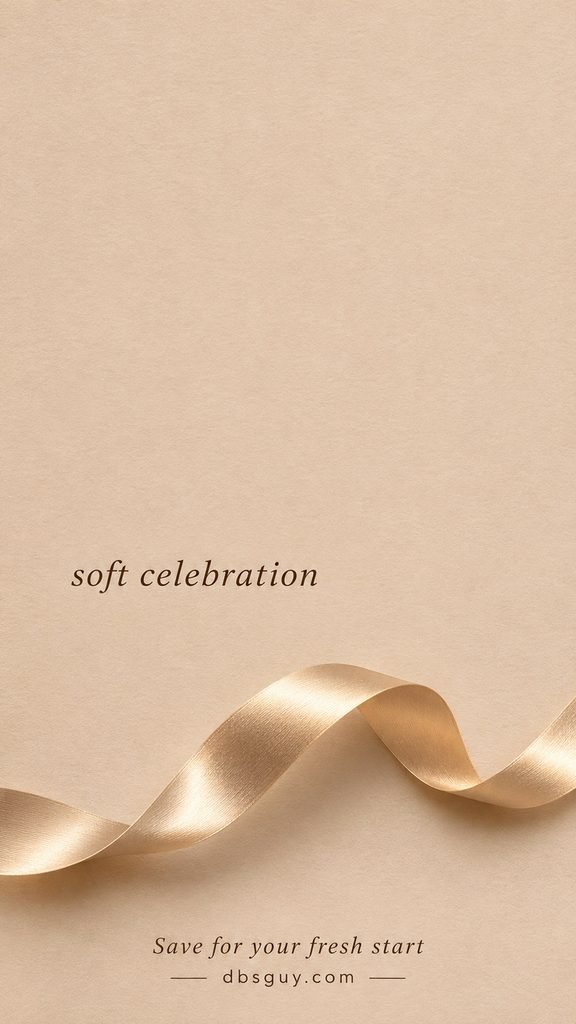
8. Soft Celebration
A champagne-colored ribbon curves across the lower part of an oatmeal background. It brings in a metallic detail without the scattered points of a glitter or confetti pattern. Let the ribbon remain low when positioning the image. The off-center words and broad, plain area above are the reason this composition feels relaxed.
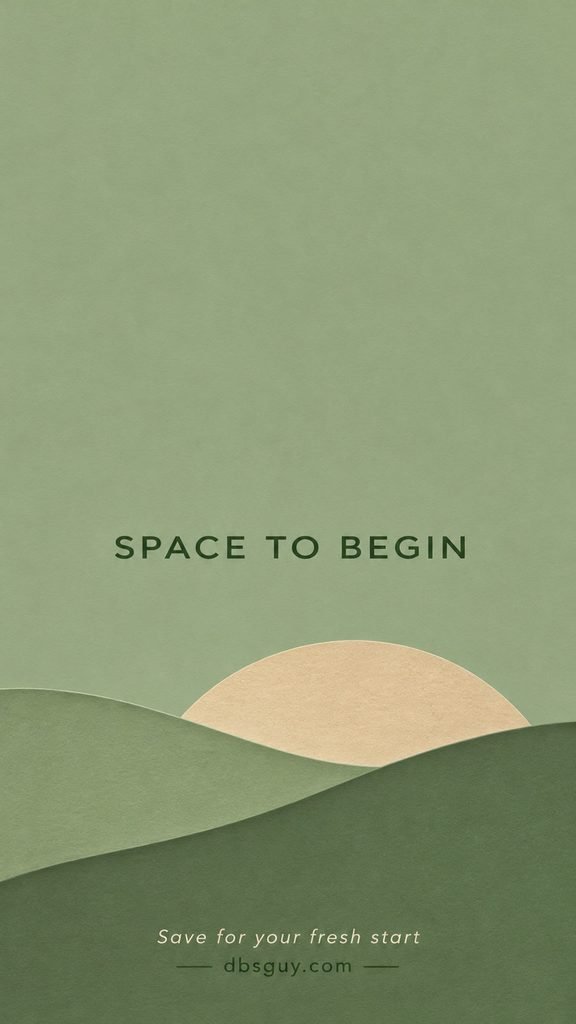
9. Space to Begin
Layered sage hills and a sand-colored half-circle create a quiet landscape from a few simple shapes. This is a good direction if you want New Year color without party decorations.
The short lettering is less dominant than the messages later in the collection. Try it behind a sparse home-screen layout, keeping your most-used icons away from the small words.
10. After Midnight
A crescent moon and three little stars sit to one side of a charcoal background. The small, typewriter-style lettering makes the design feel like a quiet moment after the celebration. This is one of the least detailed dark options. Preview the moon near your bottom shortcuts so an icon does not cover the part you chose it for.

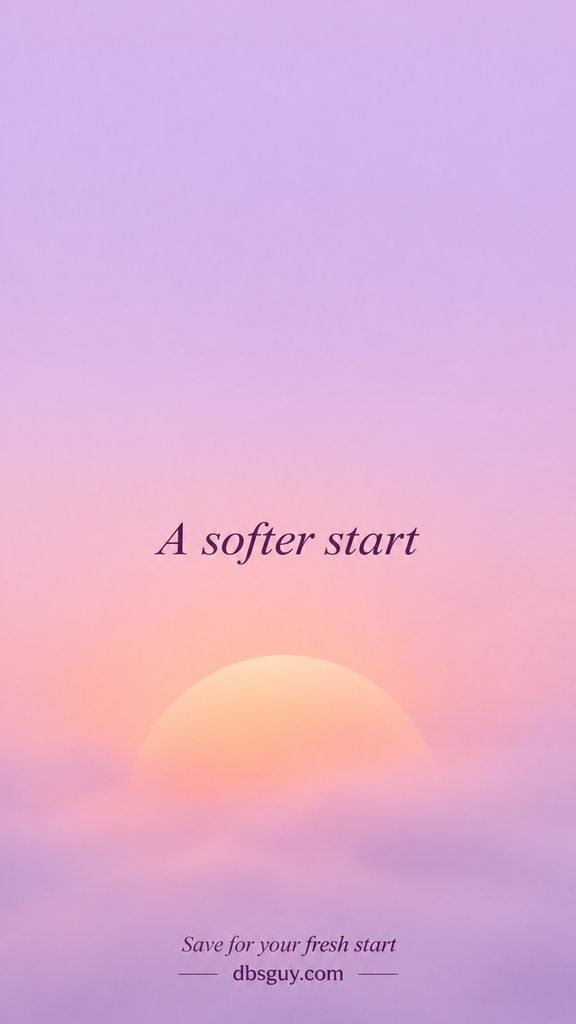
11. A Softer Start
Lilac fades into peach around a low, misty orb in this abstract wallpaper. There are no hard outlines or scattered decorations, so the color transition is the main feature.
It works especially well as a companion to a more detailed lock screen. Check your clock against the lilac at the top rather than judging contrast from the peach area below.
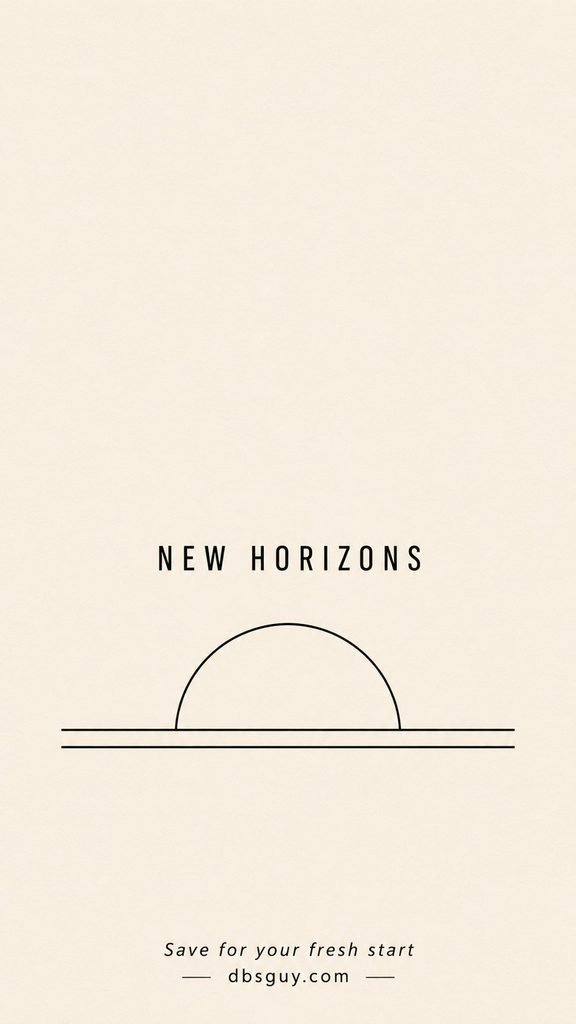
12. New Horizons
A black semicircle and two fine horizontal lines suggest a rising sun on warm ivory. The limited palette makes this the most spare, graphic sunrise in the set. Use a dark clock color to echo the line art. Keep both horizontal lines in the crop; removing the lower one changes the balance of the small illustration.
13. An Open Possibility
Layered cobalt arches lead toward a cream-colored opening. This design gives you a strong color choice while keeping the shapes simple and the upper area clear.
The bright opening belongs low in the frame. If your phone crops the sides, keep the doorway centered so the nested arches still read as one continuous shape.

Fresh-Start Message Wallpapers
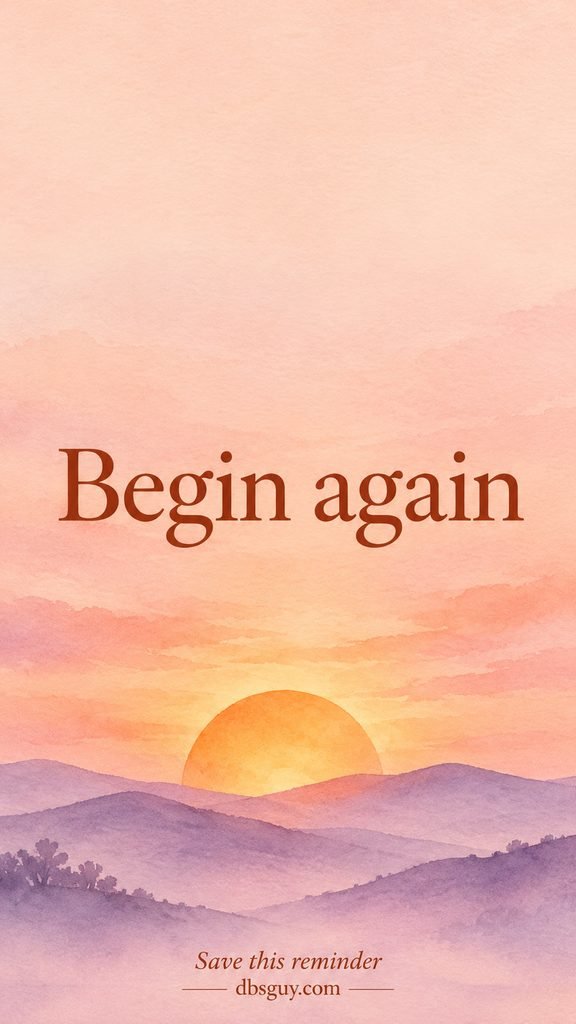
14. Begin Again
An apricot sunrise and lavender watercolor hills give two simple words a warm setting. “Begin again” leaves the kind of beginning open: a routine, a project, or simply another day.
Choose this for a lock screen where the lettering can stay visible. Check the full phrase in the wallpaper preview, especially on a taller screen that crops the sides.
15. One Small Step at a Time
Stepping stones across a green stream turn the message into a small visual sequence. The bold forest-green lettering is easy to notice against the pale background.
Pick this if a short, specific reminder fits your January plans. You might connect it with one manageable action, such as opening the document or taking the first walk, rather than a whole list of resolutions.

16. Make Room for Good Things
Large brown lettering, a small daisy, and a curved terracotta line give this cream design a cheerful feel. The words lead; the flower stays near the edge as a supporting detail. Try this when you want an encouraging message without a numbered goal or deadline. Keep the lettering on the lock screen and choose a simpler home-screen image if your apps would cover it.

If you also want a greeting to send someone else, choose wording for the relationship in 40 Happy New Year Wishes for Friends, Family, and Coworkers.
17. Let This Year Unfold
A cream paper crane on deep indigo gives this message a quieter, more reflective tone. The folded shape makes “unfold” part of the artwork rather than just another word on a background.
This suits a year whose plans are still taking shape. Preserve the crane’s wings in the crop, and try a warm white clock that echoes the paper.

18. Choose What Matters
Bold terracotta words above flowing clay-colored waves make this a more direct reminder. A pale circle behind the lower shapes adds depth without introducing another object. Use it if you already have a priority you want to keep in view. Leave the words unobstructed; several widgets across the middle would compete with the point of the design.

19. New Year, Gentler Pace
A winding snowy path and misty blue pines frame a message that makes room for a slower January. The watercolor edges keep the winter scene soft.
Choose it if winter landscapes feel more like your fresh start than confetti does. In the preview, keep the beginning of the path visible below the lettering so the scene still has somewhere to lead.

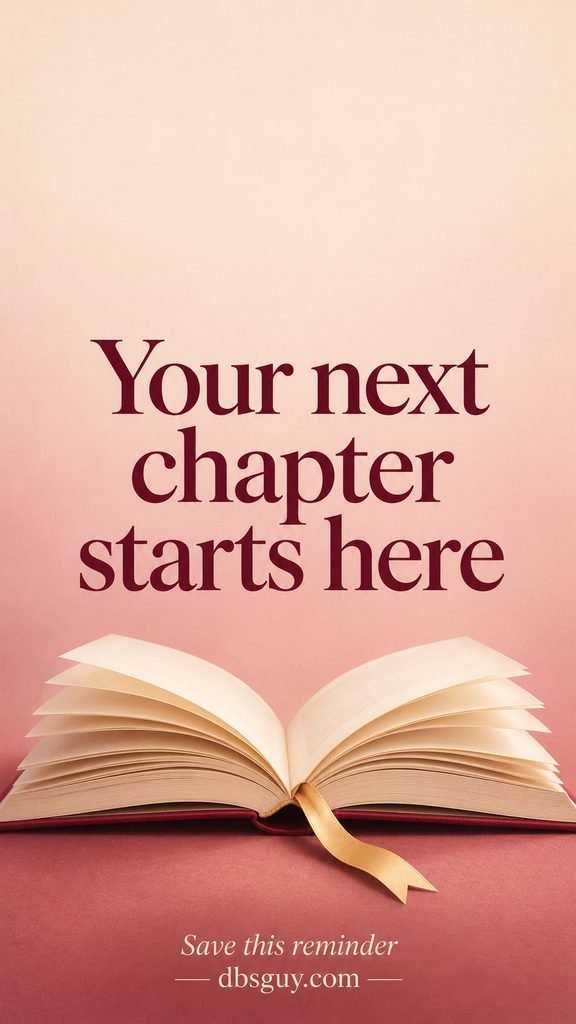
20. Your Next Chapter Starts Here
An open book with cream pages and a gold bookmark anchors the dusty-rose background. Burgundy serif lettering makes this a natural pick for a reader, journal keeper, or anyone beginning a project.
Keep the book’s center fold visible when positioning it. The words already occupy much of the middle, so this design benefits from fewer lock-screen extras.
Questions About These New Year Wallpapers
Will every wallpaper fit my phone exactly?
Not necessarily. The files are 900 × 1600 pixels in a 9:16 shape, while phone displays come in different proportions and resolutions. Your wallpaper preview shows the crop on your device. If a message loses letters at the sides, try reducing the zoom where available or choose a design with smaller, more central text.
Which designs leave the most space for apps?
Start with A Quiet Beginning, After Midnight, or A Softer Start. Their decoration is limited and much of the background is plain. Preview your actual icons and labels before deciding; a pale background may need darker interface text, while a dark one may need lighter text.
Why does the message disappear behind my notifications?
The message is part of the image, so your phone can place notifications or widgets over it. Try moving the crop if that keeps all the words visible. If your usual layout still covers the phrase, choose a smaller-text wallpaper or use a simpler home-screen background alongside the message on your lock screen.
Are these animated or 4K wallpapers?
No. These are still JPG images at 900 × 1600 pixels. The fireworks and reflected light are part of the artwork; they do not move. Enlarging a file does not add new image detail.
Can I keep one after New Year’s Day?
Yes. There are no dates or year numbers in the designs. The minimal backgrounds and short reminders can stay on your screen for as long as you enjoy them.
Also Read
- 30 Happy New Year 2027 Wishes and Images to Send at Midnight — greetings and images when you want to share the celebration.
- 35 Happy New Year Messages for Heartfelt Greetings and Funny Texts — wording for a personal note or a lighter text.